What Are CSS Gradients and Why Do Developers Need Them?
CSS gradients are powerful design tools that create smooth color transitions between two or more colors. Unlike solid colors, gradients add depth, visual interest, and modern aesthetics to web designs without requiring image files. Gradients are resolution-independent, meaning they look crisp on any display, from high-DPI monitors to mobile screens.
In modern web development, gradients have become essential for creating visually appealing user interfaces. They're used extensively in backgrounds, buttons, headers, cards, and even text effects. The ability to generate CSS gradients quickly and efficiently is crucial for developers who want to create professional-looking designs without spending hours manually crafting gradient code.
The CSS Gradient Generator by DevToolsPro.org provides a free, privacy-focused tool for creating beautiful gradients with live preview. This browser-based tool runs entirely locally, ensuring your design work remains private and secure.
Gradients offer several advantages over traditional design approaches:
Whether you're building a modern web application, designing a landing page, or creating UI components, understanding CSS gradients and using a quality gradient generator can significantly enhance your design capabilities and workflow efficiency.
Understanding CSS Gradient Types: Linear, Radial, and Conic
CSS provides three main types of gradients, each with unique characteristics and use cases. Understanding these gradient types is essential for choosing the right approach for your design needs.
Linear Gradients
Linear gradients create smooth color transitions along a straight line in a specified direction. They're the most commonly used gradient type and are perfect for backgrounds, buttons, headers, and dividers. Linear gradients transition colors from one point to another along a line, which can be horizontal, vertical, or at any angle.
The syntax for linear gradients is straightforward: linear-gradient(direction, color-stop1, color-stop2, ...). The direction can be specified using angles (0° to 360°) or keywords like to right, to bottom, or to top right. For example, a gradient from blue to purple at a 135-degree angle would be: linear-gradient(135deg, #667eea 0%, #764ba2 100%).
Linear gradients are ideal for:
- Page backgrounds and hero sections
- Button hover effects and interactive elements
- Card designs and content containers
- Header sections and navigation bars
- Dividers and section separators
The DevToolsPro.org Gradient Generator makes it easy to create linear gradients with precise angle control and multiple color stops, allowing you to experiment with different directions and color combinations in real-time.
Radial Gradients
Radial gradients create circular or elliptical color transitions that radiate outward from a center point. Unlike linear gradients that transition along a line, radial gradients create a circular pattern, making them perfect for spotlight effects, circular buttons, badges, and icon backgrounds.
Radial gradient syntax follows this pattern: radial-gradient(shape size at position, color-stop1, color-stop2, ...). The shape can be a circle or ellipse, and you can control the size and position of the gradient center. For example, radial-gradient(circle at 50% 50%, #667eea 0%, #764ba2 100%) creates a circular gradient centered in the middle of the element.
Radial gradients excel at:
- Creating spotlight or glow effects
- Designing circular buttons and badges
- Adding depth to icon backgrounds
- Creating radial color transitions for backgrounds
- Designing modern card hover effects
With the gradient generator tool, you can easily adjust the center position of radial gradients using X and Y percentage values, giving you complete control over where the gradient originates.
Conic Gradients
Conic gradients create color transitions around a center point, similar to a color wheel or pie chart. Colors transition around the circle rather than from center to edge, making conic gradients unique and perfect for specific design patterns.
Conic gradient syntax is: conic-gradient(from angle at position, color-stop1, color-stop2, ...). The angle determines the starting point of the gradient, and the position controls the center. For example, conic-gradient(from 0deg at 50% 50%, red, yellow, green, blue, red) creates a color wheel effect.
Conic gradients are perfect for:
- Creating pie charts and data visualizations
- Designing color wheels and color pickers
- Building angular decorative elements
- Creating unique background patterns
- Designing modern UI elements with angular color transitions
While conic gradients have more limited browser support compared to linear and radial gradients, they're supported in all modern browsers and offer unique design possibilities. The gradient generator supports all three gradient types, allowing you to experiment and find the perfect gradient for your project.
How to Use the DevToolsPro.org CSS Gradient Generator
The DevToolsPro.org CSS Gradient Generator is designed to be intuitive and powerful, allowing developers and designers to create professional gradients quickly. Here's how to get the most out of this free tool.
Getting Started with Gradient Creation
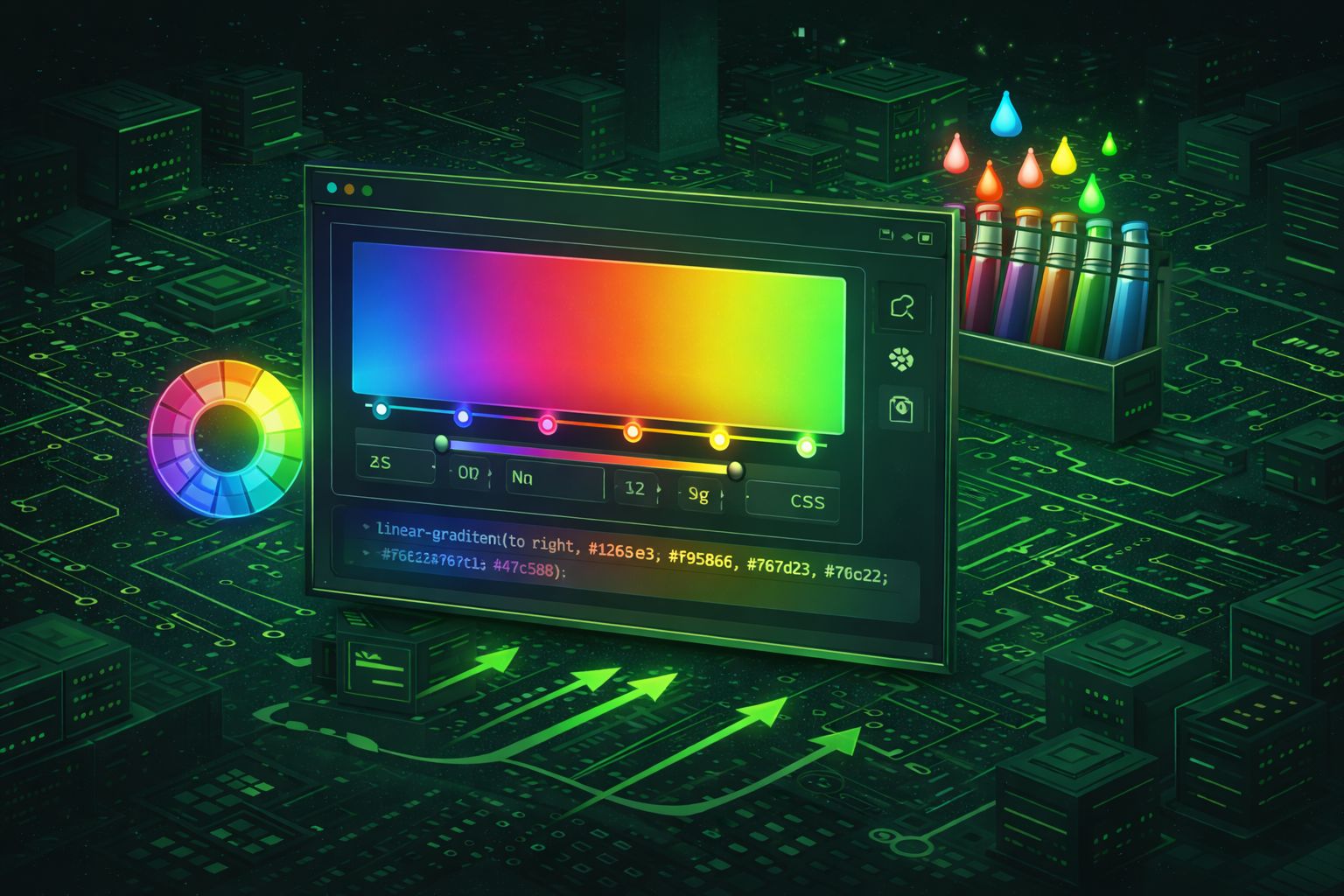
When you open the gradient generator, you'll see a clean interface with live preview and comprehensive controls. The tool provides three main sections: gradient controls, live preview, and CSS code output. The live preview updates in real-time as you adjust settings, giving you instant visual feedback.
To create your first gradient, start by selecting a gradient type. Choose between linear, radial, or conic gradients based on your design needs. For most backgrounds and buttons, linear gradients are the best starting point. The tool defaults to a beautiful purple gradient that you can immediately customize.
Customizing Color Stops
Color stops define where colors appear in your gradient and how they transition. The gradient generator allows you to add multiple color stops, giving you complete control over the color transition. Each color stop consists of a color value (hex, RGB, or HSL) and a position percentage (0% to 100%).
To add a new color stop, click the "Add Color Stop" button. You can then adjust the color using the color picker or by entering a hex code directly. Drag the position slider or enter a percentage value to control where the color appears in the gradient. Remove color stops by clicking the remove button, though you'll always have at least two color stops.
For smooth transitions, space color stops evenly. For sharp color changes, place stops close together. Experiment with different color combinations and positions to achieve the desired effect. The live preview updates instantly, so you can see exactly how your gradient will look.
Adjusting Gradient Direction and Position
For linear gradients, you can control the direction using the angle slider (0° to 360°) or by clicking preset direction buttons. Common angles include 0° (top to bottom), 90° (left to right), 135° (top-left to bottom-right), and 180° (bottom to top). The preset buttons provide quick access to eight common directions.
For radial and conic gradients, you can adjust the center position using X and Y percentage values. This allows you to create off-center gradients, which can add visual interest and depth to your designs. The position controls use sliders and number inputs for precise control.
Using Gradient Presets
The gradient generator includes several beautiful preset gradients that you can use as starting points or apply directly. These presets showcase popular gradient combinations like sunset, ocean, fire, forest, and more. Click any preset to instantly apply it to your gradient, then customize it further if needed.
Presets are great for inspiration and quick prototyping. They demonstrate effective color combinations and can help you understand how different colors work together in gradients. Once you've applied a preset, you can modify any aspect of it to match your specific design requirements.
Copying and Using CSS Code
Once you've created your perfect gradient, the tool generates ready-to-use CSS code. The CSS output section displays the complete gradient code, which you can copy with a single click. The code follows best practices and is compatible with all modern browsers.
The generated CSS uses the standard gradient syntax, making it easy to integrate into your stylesheets. You can use it directly in CSS files, inline styles, or CSS-in-JS solutions. The code is clean, optimized, and ready for production use.
The gradient generator ensures your CSS code is always up-to-date with current web standards and best practices. This saves you time and ensures compatibility across different browsers and devices.
Advanced Gradient Techniques and Best Practices
While basic gradients are straightforward, mastering advanced techniques can elevate your designs from good to exceptional. Here are professional tips and best practices for creating stunning gradients.
Color Theory for Gradients
Understanding color theory is crucial for creating harmonious gradients. Complementary colors (opposites on the color wheel) create vibrant, energetic gradients, while analogous colors (adjacent on the color wheel) create smooth, calming transitions. The gradient generator makes it easy to experiment with different color combinations.
For professional designs, consider using colors from your brand palette. The Color Picker by DevToolsPro.org can help you identify exact color values from your brand guidelines, which you can then use in the gradient generator to create on-brand gradients.
When selecting colors for gradients, pay attention to contrast and accessibility. Ensure text remains readable when placed over gradient backgrounds. Use tools to check contrast ratios and consider adding semi-transparent overlays if needed.
Multi-Color Gradients
While two-color gradients are common, multi-color gradients (three or more colors) can create more sophisticated and visually interesting effects. The gradient generator supports unlimited color stops, allowing you to create complex gradients with smooth transitions between multiple colors.
When creating multi-color gradients, space color stops thoughtfully. Even spacing creates smooth transitions, while uneven spacing can create color bands or emphasis points. Experiment with different positions to achieve the desired visual effect.
Popular multi-color gradient patterns include:
- Sunset gradients: Warm colors transitioning from orange through pink to purple
- Ocean gradients: Cool blues transitioning through teal to cyan
- Fire gradients: Bright reds transitioning through orange to yellow
- Forest gradients: Deep greens transitioning to lighter greens or teals
Gradient Performance Optimization
While CSS gradients are generally performant, there are best practices to ensure optimal performance, especially on mobile devices and lower-end hardware. Keep gradients simple when possible—complex gradients with many color stops can impact rendering performance.
For animated gradients, use CSS transitions or animations sparingly. Animated gradients can be GPU-intensive, so test performance on various devices. Consider using simpler gradients for mobile views and reserving complex gradients for desktop experiences.
The gradient generator helps optimize performance by generating clean, efficient CSS code. Avoid manually editing gradient code unless necessary, as the tool ensures optimal syntax and compatibility.
Combining Gradients with Other CSS Properties
Gradients work beautifully with other CSS properties, creating sophisticated design effects. Combine gradients with box shadows to add depth and dimension to elements. The box shadow generator can help you create complementary shadows that enhance your gradient designs.
Other powerful combinations include:
- Gradients + Border Radius: Create modern, rounded elements with gradient backgrounds
- Gradients + Text Effects: Use
background-clip: textto create gradient text - Gradients + Opacity: Layer semi-transparent gradients for depth
- Gradients + Filters: Apply blur or other filters for artistic effects
The DevToolsPro.org suite of tools, including the gradient generator, color picker, and box shadow generator, work together seamlessly. You can use the color picker to identify colors, create gradients with the gradient generator, and add shadows with the box shadow generator to create complete, polished designs.
Common Use Cases for CSS Gradients in Web Development
CSS gradients have countless applications in modern web development. Understanding common use cases can help you identify opportunities to enhance your designs with gradients.
Backgrounds and Hero Sections
One of the most common uses for gradients is creating visually appealing backgrounds, especially for hero sections and landing pages. A well-designed gradient background can set the tone for your entire website and create a memorable first impression.
Hero section gradients often use subtle, professional color combinations that complement the content. The gradient generator makes it easy to experiment with different color schemes until you find the perfect background gradient for your hero section.
When designing hero gradients, consider:
- Ensuring text remains readable over the gradient
- Using colors that align with your brand identity
- Creating gradients that work well on both desktop and mobile
- Testing gradients with different content overlays
Buttons and Interactive Elements
Gradients are perfect for creating modern, eye-catching buttons and interactive elements. A gradient button can stand out from flat designs while maintaining a professional appearance. Gradient buttons often use hover effects where the gradient shifts or intensifies on interaction.
The gradient generator is particularly useful for button design because you can quickly test different gradient combinations and see how they look before implementing them in your code. This iterative design process helps you create buttons that are both visually appealing and functional.
Card Designs and Content Containers
Subtle gradients can add depth and visual interest to card designs without overwhelming the content. A light gradient background can make cards stand out from the page background while maintaining readability. This is especially effective in modern dashboard designs and content-heavy interfaces.
When using gradients for cards, keep them subtle. Strong gradients can distract from the content, while gentle gradients add sophistication. The gradient generator's live preview helps you find the perfect balance between visual interest and content clarity.
Text Effects and Typography
Gradients can be applied to text using the background-clip: text property combined with -webkit-text-fill-color: transparent. This creates stunning gradient text effects that are popular in modern web design.
Gradient text works particularly well for:
- Headlines and hero text
- Logo text and branding elements
- Call-to-action text
- Decorative typography
When creating gradient text, ensure sufficient contrast for accessibility. Test your gradient text on different backgrounds and consider providing fallback colors for better compatibility.
Borders and Dividers
Gradients can be used to create colorful borders and dividers that add visual interest to page layouts. A gradient border can separate sections while maintaining a cohesive design aesthetic. This technique is particularly effective in modern, minimalist designs.
Creating gradient borders requires using gradient backgrounds with padding to create the border effect. The gradient generator helps you create the perfect gradient for borders, which you can then implement using CSS border-image or background techniques.
Privacy and Security: Why Local Gradient Generation Matters
In an era where data privacy is increasingly important, choosing tools that respect your privacy is crucial. The DevToolsPro.org Gradient Generator runs entirely in your browser, ensuring your design work remains completely private and secure.
No Data Transmission
Unlike many online tools that send your data to remote servers, the gradient generator processes everything locally using JavaScript. Your gradient configurations, color choices, and CSS code never leave your device. This local processing ensures complete privacy and eliminates the risk of data breaches or unauthorized access.
This privacy-first approach is especially important when working on:
- Client projects with confidentiality requirements
- Proprietary design systems and brand guidelines
- Personal projects and experimental designs
- Work that involves sensitive color schemes or brand identities
No Registration or Tracking
The gradient generator requires no registration, account creation, or personal information. You can use it immediately without providing any data. There's no tracking, no analytics collection, and no cookies that monitor your usage. This makes it perfect for developers who value privacy and want to work without surveillance.
Many online tools require accounts and track usage for "improvement" purposes, but DevToolsPro.org tools are designed to be truly free and private. You can use the gradient generator as much as you want without any strings attached.
Offline Capability
Once loaded, the gradient generator works offline, allowing you to create gradients even without an internet connection. This is particularly useful when working in environments with limited connectivity or when you want to ensure complete privacy by disconnecting from the internet.
The offline capability also means faster performance, as there are no network requests slowing down the tool. Everything happens instantly in your browser, providing a smooth, responsive experience.
Open Source and Transparent
While the gradient generator is a browser-based tool, its approach to privacy is transparent. You can inspect the code, verify that no data is being sent to servers, and trust that your work remains private. This transparency builds confidence and ensures you're in control of your design data.
Integrating Gradients with Other Design Tools
The gradient generator is part of a comprehensive suite of design and development tools by DevToolsPro.org. These tools work together seamlessly, allowing you to create complete, polished designs efficiently.
Working with Color Tools
The Color Picker by DevToolsPro.org is the perfect companion to the gradient generator. Use the color picker to identify exact colors from images, brand guidelines, or existing designs. Once you have your color values, you can easily input them into the gradient generator to create gradients that match your design requirements.
The color picker supports multiple color formats (hex, RGB, HSL), making it easy to work with colors from various sources. You can pick colors from screenshots, extract colors from websites, or convert between color formats—all essential tasks when creating professional gradients.
This workflow is particularly valuable when:
- Creating gradients that match existing brand colors
- Extracting colors from design mockups
- Ensuring color consistency across your design system
- Converting colors between different formats for use in gradients
Enhancing Gradients with Shadows
Gradients and shadows work together beautifully to create depth and dimension. The Box Shadow Generator by DevToolsPro.org helps you create complementary shadows that enhance your gradient designs.
A common workflow involves:
- Creating a gradient background using the gradient generator
- Generating a matching box shadow using the box shadow generator
- Combining both in your CSS for a complete, polished design
This combination is especially effective for buttons, cards, and interactive elements. The shadow adds depth while the gradient adds visual interest, creating modern, professional designs that stand out.
Both tools provide live preview, making it easy to see how gradients and shadows work together before implementing them in your code. This iterative design process helps you create cohesive, well-designed interfaces.
Complete Design Workflow
The DevToolsPro.org tool suite supports a complete design workflow:
- Color Selection: Use the color picker to identify and extract colors from designs or brand guidelines
- Gradient Creation: Use the gradient generator to create beautiful backgrounds and effects
- Shadow Enhancement: Use the box shadow generator to add depth and dimension
- Implementation: Copy the generated CSS code and integrate it into your project
This integrated approach saves time and ensures consistency across your designs. All tools run locally in your browser, maintaining privacy and providing instant results.
Browser Compatibility and Gradient Support
CSS gradients have excellent browser support in modern browsers, but understanding compatibility nuances helps ensure your gradients work everywhere your users are.
Modern Browser Support
Linear and radial gradients are supported in all modern browsers, including Chrome, Firefox, Safari, Edge, and Opera. These gradient types have been part of CSS3 since 2011 and are considered standard web technology. You can use them confidently in modern web development.
Conic gradients have slightly more limited support but are available in all current browser versions. For older browser support, you can provide fallback solid colors before the gradient declaration, ensuring graceful degradation.
Fallback Strategies
While gradients are widely supported, providing fallbacks ensures your designs work everywhere. The simplest fallback is a solid color that matches one of your gradient colors:
background: #667eea; /* Fallback solid color */
background: linear-gradient(135deg, #667eea 0%, #764ba2 100%);
Browsers that don't support gradients will use the solid color, while modern browsers will use the gradient. This ensures your design remains functional across all browsers.
Mobile Considerations
Gradients work excellently on mobile devices, but consider performance when using complex gradients with many color stops. Mobile devices may have less powerful GPUs, so test gradient performance on actual devices when possible.
The gradient generator helps optimize gradients by generating clean, efficient CSS code. Simple gradients with two or three color stops typically perform well on all devices, while complex gradients may need optimization for mobile.
Tips for Creating Professional Gradients
Creating professional gradients requires attention to detail and understanding of design principles. Here are expert tips to help you create gradients that enhance your designs.
Start with Subtle Gradients
When in doubt, start subtle. Gentle gradients are more versatile and professional than bold, high-contrast gradients. Subtle gradients add sophistication without overwhelming content. You can always increase contrast if needed, but subtle gradients work in more contexts.
The gradient generator's live preview helps you see exactly how subtle or bold your gradient is. Use this feedback to find the perfect balance for your design.
Consider Color Psychology
Colors evoke emotions and associations. Warm gradients (reds, oranges, yellows) create energy and excitement, while cool gradients (blues, greens, purples) create calm and professionalism. Choose gradient colors that align with your design goals and brand personality.
The gradient generator makes it easy to experiment with different color combinations, allowing you to test how different gradients affect the mood and feel of your design.
Test on Different Backgrounds
Gradients can look different depending on the context. Test your gradients on different background colors and with different content overlays. A gradient that looks perfect in isolation might need adjustment when placed in your actual design context.
The live preview in the gradient generator helps, but always test gradients in your actual design environment to ensure they work as intended.
Maintain Consistency
When using multiple gradients in a design, maintain consistency. Use similar color palettes, angles, and styles to create a cohesive design language. The gradient generator helps by allowing you to save and reuse gradient configurations.
Consistent gradients create a professional, polished appearance, while inconsistent gradients can make designs feel disjointed and unprofessional.
Use Gradients Purposefully
Not every element needs a gradient. Use gradients purposefully to draw attention, create hierarchy, or add visual interest. Overusing gradients can make designs feel busy and unprofessional. Sometimes, a well-placed gradient is more effective than gradients everywhere.
The gradient generator helps you experiment quickly, making it easy to try different approaches and find the right balance for your design.
Getting Started: Your First Gradient
Ready to create your first professional gradient? Here's a step-by-step guide to get you started with the DevToolsPro.org Gradient Generator.
Step 1: Choose Your Gradient Type
Start by selecting a gradient type. For beginners, linear gradients are the easiest to understand and most versatile. Click the "Linear" button in the gradient type selector to choose a linear gradient.
Step 2: Select Your Colors
Choose two colors that work well together. You can use the color picker in the gradient generator or enter hex codes directly. If you need help choosing colors, use the Color Picker to explore color combinations.
Step 3: Adjust the Direction
For linear gradients, adjust the angle slider or click a direction preset button. Common angles like 135° (diagonal) or 90° (horizontal) work well for most designs. Watch the live preview to see how the direction affects your gradient.
Step 4: Fine-Tune Color Positions
Adjust the position sliders for each color stop to control where colors appear in the gradient. Moving stops closer together creates sharper transitions, while spacing them apart creates smoother transitions.
Step 5: Add More Colors (Optional)
Click "Add Color Stop" to add more colors to your gradient. Multi-color gradients can create more sophisticated effects. Experiment with different color combinations and positions.
Step 6: Copy Your CSS Code
Once you're happy with your gradient, click "Copy CSS" to copy the generated code. Paste it into your stylesheet or use it inline. The code is ready for production use.
Step 7: Enhance with Shadows (Optional)
Consider adding a complementary shadow using the Box Shadow Generator. Shadows add depth and make gradients even more effective.
That's it! You've created your first professional gradient. The gradient generator makes it easy to experiment, iterate, and refine your designs until they're perfect. Start creating beautiful gradients today and enhance your web designs with modern, professional color transitions.