What Are QR Codes and Why Are They Essential in Modern Digital Communication?
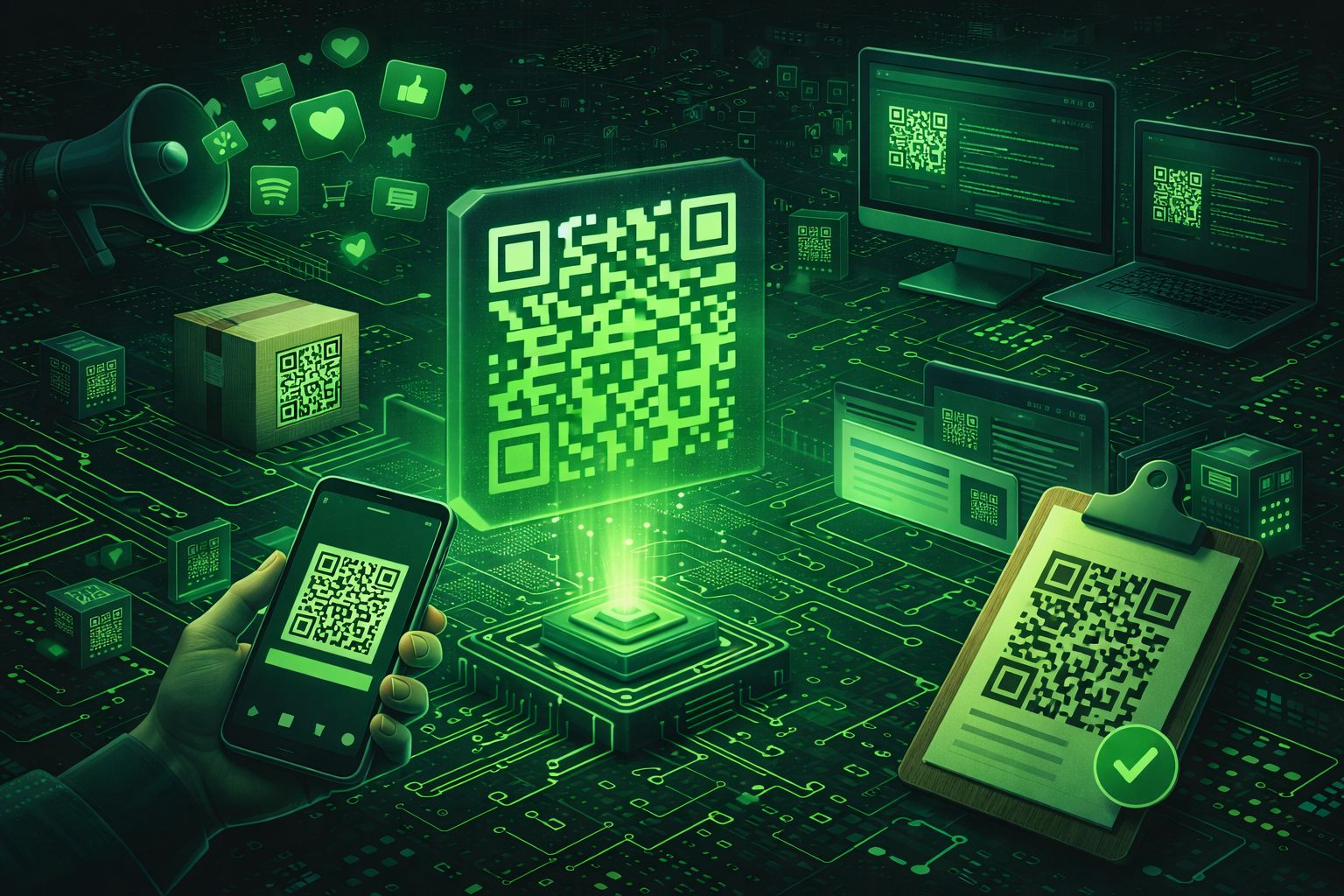
A QR code (Quick Response code) is a two-dimensional barcode that can store various types of data, including text, URLs, contact information, WiFi credentials, payment details, and more. Invented in 1994 by Denso Wave, a Japanese automotive company, QR codes have evolved from industrial tracking tools to ubiquitous digital communication bridges, connecting physical and digital worlds seamlessly.
QR codes consist of black squares arranged in a square grid on a white background, though modern QR codes can use any colors with sufficient contrast. They can be read by smartphones, tablets, and dedicated QR code scanners, making them accessible to billions of users worldwide. The codes use sophisticated error correction algorithms, allowing them to be scanned even when partially damaged, obscured, or printed at small sizes.
For developers, marketers, and businesses, QR codes offer numerous advantages:
Understanding QR codes is essential for modern digital professionals. Whether you're building mobile applications, creating marketing campaigns, developing contactless solutions, or implementing event management systems, QR codes provide a simple, reliable way to bridge physical and digital experiences.
Generate QR codes instantly with the QR Code Generator by DevToolsPro.org — a free, privacy-focused tool that runs entirely in your browser using the Canvas API.
Understanding QR Code Structure: How QR Codes Work
QR codes use a sophisticated encoding system that allows them to store data efficiently while remaining scannable even when partially damaged. Understanding the structure helps you create better QR codes and troubleshoot scanning issues.
QR Code Components
A QR code consists of several key components:
- Finder Patterns: Three square patterns in the corners (except bottom-right) that help scanners locate and orient the QR code. These patterns consist of nested squares and are crucial for successful scanning.
- Alignment Patterns: Smaller square patterns used for alignment in larger QR codes (version 2 and above). These help scanners correct for distortion and perspective.
- Timing Patterns: Alternating black and white modules that run horizontally and vertically, helping scanners determine the size and position of data modules.
- Format Information: Contains error correction level and mask pattern information, allowing scanners to decode the QR code correctly.
- Data Modules: The actual encoded data, arranged in a specific pattern based on the encoding mode and error correction level.
- Quiet Zone: A white border around the QR code (minimum 4 modules wide) that separates it from surrounding content, essential for reliable scanning.
QR Code Versions
QR codes come in 40 versions, with each version having a different number of modules (squares):
- Version 1: 21×21 modules (smallest)
- Version 2-6: Increasing sizes for more data capacity
- Version 40: 177×177 modules (largest, can store up to 2,953 bytes)
The version is automatically selected based on the amount of data being encoded and the error correction level chosen.
Encoding Modes
QR codes support multiple encoding modes for different data types:
- Numeric: Encodes digits 0-9 (most efficient, up to 7,089 characters)
- Alphanumeric: Encodes uppercase letters, digits, and some symbols (up to 4,296 characters)
- Byte: Encodes any 8-bit data (up to 2,953 bytes)
- Kanji: Encodes Japanese characters (up to 1,817 characters)
The QR code generator automatically selects the most efficient encoding mode based on the input data.
Error Correction Levels: Ensuring QR Code Reliability
One of QR codes' most powerful features is error correction, which allows codes to be scanned even when partially damaged or obscured. Understanding error correction levels helps you choose the right level for your use case.
Error Correction Levels Explained
QR codes support four error correction levels, each providing different levels of redundancy:
L (Low) - ~7% Error Correction
The lowest error correction level, providing approximately 7% of the code's capacity for error recovery. This level is suitable for QR codes in controlled environments where damage is unlikely.
Best for: Simple QR codes with minimal data, indoor use, high-quality printing, controlled scanning environments.
Advantages: Smaller QR codes, faster generation, less dense patterns.
Disadvantages: Vulnerable to damage, not suitable for challenging environments.
M (Medium) - ~15% Error Correction
The recommended default level, providing approximately 15% error correction. This level balances data capacity and reliability, making it suitable for most use cases.
Best for: General-purpose QR codes, marketing materials, business cards, product packaging, most web applications.
Advantages: Good balance between size and reliability, handles minor damage well, widely supported.
Disadvantages: Slightly larger than L level, may be overkill for simple use cases.
Q (Quartile) - ~25% Error Correction
Provides approximately 25% error correction, making QR codes highly resistant to damage and partial obscuration.
Best for: QR codes that may be partially obscured, outdoor use, industrial environments, codes that need to work in challenging conditions.
Advantages: High reliability, works even when significantly damaged, suitable for harsh environments.
Disadvantages: Larger QR codes, denser patterns, may be unnecessary for simple use cases.
H (High) - ~30% Error Correction
The highest error correction level, providing approximately 30% error correction. This level creates the most reliable QR codes but also the largest and densest.
Best for: Critical applications, codes that must work in extreme conditions, industrial tracking, codes that may be heavily damaged.
Advantages: Maximum reliability, works even when heavily damaged, suitable for extreme conditions.
Disadvantages: Largest QR codes, densest patterns, may be difficult to scan on low-resolution cameras.
The QR Code Generator by DevToolsPro.org allows you to select any error correction level, helping you create QR codes optimized for your specific use case.
Generate QR Codes Instantly with DevToolsPro.org
The QR Code Generator by DevToolsPro.org provides a fast, secure, and privacy-focused way to generate QR codes directly in your browser. Whether you need QR codes for marketing campaigns, contactless menus, event tickets, or product information, this tool makes generation effortless.
Key Features:
The tool uses the industry-standard QRCode.js library for reliable QR code generation, ensuring compatibility with all QR code scanners. All processing happens client-side, making it ideal for sensitive data like WiFi passwords, contact information, or custom business data.
Try the free QR code generator now and experience fast, secure QR code generation without compromising your privacy. Explore other developer tools like the URL Encoder and Base64 Encoder to enhance your development workflow.
Common QR Code Use Cases and Applications
QR codes have become ubiquitous in modern digital communication, with applications spanning marketing, business, events, and daily life. Understanding common use cases helps you leverage QR codes effectively:
1. Marketing and Advertising
QR codes bridge offline and online marketing:
- Print Advertising: Add QR codes to posters, flyers, and print ads to drive traffic to websites, landing pages, or promotional content
- Product Packaging: Link products to digital content, reviews, usage instructions, or promotional offers
- Business Cards: Share contact information, LinkedIn profiles, or portfolio websites instantly
- Billboards and Signage: Enable instant access to information, directions, or special offers
2. Contactless Services
QR codes enable touchless interactions:
- Restaurant Menus: Provide digital menus accessible via QR codes, reducing physical contact and enabling easy updates
- Event Check-In: Streamline event entry with QR code tickets and registration
- Hotel Services: Enable contactless check-in, room service ordering, and information access
- Retail: Provide product information, reviews, and checkout options without physical contact
3. Payment and Transactions
QR codes facilitate mobile payments:
- Mobile Payments: Enable QR code-based payment systems like PayPal, Venmo, and bank transfer apps
- Cryptocurrency: Encode cryptocurrency wallet addresses for easy transfers
- Invoice Payment: Include QR codes on invoices for quick payment processing
4. Information Sharing
QR codes simplify information distribution:
- WiFi Access: Encode WiFi network credentials for easy connection without sharing passwords verbally
- Contact Information: Share vCard contact details for instant contact addition to phones
- Location Sharing: Encode GPS coordinates or Google Maps links for easy navigation
- Document Access: Link to PDFs, forms, or documents stored online
5. Event Management
QR codes streamline event operations:
- Ticket Validation: Use QR codes for event tickets, ensuring authenticity and preventing duplication
- Attendee Tracking: Track event attendance and engagement through QR code scans
- Networking: Enable attendee connections through QR code-based networking platforms
- Feedback Collection: Link to surveys and feedback forms for post-event data collection
6. Product Information and Tracking
QR codes provide product context:
- Product Details: Link to product specifications, reviews, and usage instructions
- Supply Chain Tracking: Track products through manufacturing, shipping, and delivery
- Authenticity Verification: Verify product authenticity and prevent counterfeiting
- Warranty Registration: Enable easy warranty registration and support access
QR Code Best Practices for Developers and Marketers
Following best practices ensures your QR codes are scannable, effective, and provide good user experiences:
Design Best Practices
- Maintain Contrast: Ensure sufficient contrast between foreground and background colors. Dark colors on light backgrounds work best, though any high-contrast combination is acceptable.
- Preserve Quiet Zone: Always maintain a white border (quiet zone) around QR codes. Minimum 4 modules, but larger is better for reliable scanning.
- Avoid Overlays: Don't place logos, text, or graphics over the QR code's data area. Use the center area sparingly if you must add branding.
- Test at Size: Test QR codes at their final print or display size to ensure scannability. Larger QR codes are easier to scan from a distance.
- Use Appropriate Error Correction: Choose error correction levels based on your use case. M (Medium) is recommended for most applications.
Technical Best Practices
- Optimize URL Length: Use URL shorteners or clean URLs to reduce QR code complexity and improve scannability.
- Test Multiple Devices: Test QR codes with various smartphones and scanning apps to ensure compatibility.
- Provide Context: Always include text or instructions near QR codes explaining what users will access when scanning.
- Mobile-Optimize Destinations: Ensure QR code destinations are mobile-friendly, as most scans occur on smartphones.
- Track Performance: Use URL parameters or analytics to track QR code scans and measure campaign effectiveness.
Marketing Best Practices
- Clear Value Proposition: Explain the benefit of scanning the QR code to encourage user engagement.
- Strategic Placement: Place QR codes where users can easily scan them — eye level, well-lit areas, accessible locations.
- Call to Action: Include clear calls to action like "Scan to learn more" or "Scan for exclusive offer" to drive engagement.
- Test Before Launch: Always test QR codes before printing or publishing to ensure they work correctly.
- Monitor and Optimize: Track scan rates and optimize QR code placement, design, and messaging based on performance data.
Common QR Code Mistakes to Avoid
Avoiding common mistakes ensures your QR codes are effective and provide good user experiences:
1. Insufficient Contrast
Using colors with low contrast makes QR codes difficult or impossible to scan. Always ensure high contrast between foreground and background colors.
2. Missing Quiet Zone
Failing to include a white border (quiet zone) around QR codes causes scanning failures. Always maintain at least 4 modules of white space around QR codes.
3. Overlaying Content
Placing logos, text, or graphics over the QR code's data area can prevent successful scanning. Keep the data area clear or use minimal, strategic overlays.
4. Wrong Error Correction Level
Using L (Low) error correction for QR codes that may be damaged or using H (High) for simple use cases wastes space or reduces reliability. Choose error correction levels based on your use case.
5. Not Testing Before Use
Failing to test QR codes before printing or publishing can result in broken links, incorrect data, or unscannable codes. Always test QR codes with multiple devices and scanning apps.
6. Poor Mobile Experience
Linking QR codes to desktop-only websites or non-mobile-optimized content frustrates users. Ensure all QR code destinations are mobile-friendly.
7. No Context or Instructions
Placing QR codes without explaining what they do reduces engagement. Always include text or instructions explaining the QR code's purpose and value.
Frequently Asked Questions About QR Codes
Here are answers to common questions about QR codes:
How much data can a QR code store?
QR codes can store up to 2,953 bytes of data (about 2.9 KB). For text, this translates to approximately 4,296 alphanumeric characters or 7,089 numeric characters, depending on the error correction level used. The actual capacity varies based on the encoding mode and error correction level.
Can QR codes be customized with colors?
Yes! QR codes can use any colors as long as there's sufficient contrast between the foreground and background. Dark colors work best for the foreground, and light colors for the background. The QR Code Generator by DevToolsPro.org allows full color customization.
Do QR codes expire?
QR codes themselves don't expire, but the content they link to can change or become unavailable. If a QR code links to a URL that's later removed, the QR code will still scan but lead to an error page. Consider using permanent URLs or redirects for long-term QR code use.
Can QR codes be tracked?
Yes, QR codes can be tracked if they link to URLs with tracking parameters or use URL shorteners with analytics. This allows marketers to measure scan rates, locations, devices, and other engagement metrics. However, the QR code image itself doesn't contain tracking information.
What's the difference between QR codes and barcodes?
Traditional barcodes are one-dimensional (1D) and can only store a limited amount of data (typically 10-13 characters). QR codes are two-dimensional (2D) and can store significantly more data, including text, URLs, and binary data. QR codes also include error correction, allowing them to be scanned even when partially damaged.
Is my data secure when generating QR codes?
Yes! The QR Code Generator on DevToolsPro.org runs entirely in your browser using JavaScript and the Canvas API. Your data never leaves your device and is never uploaded to any server. This ensures complete privacy and security.
Can I use the QR code generator offline?
Yes! Once the page is loaded, the QR Code Generator works entirely offline. All processing happens in your browser using JavaScript. No internet connection is required after the initial page load.
What error correction level should I use?
Use L (Low) for simple QR codes in controlled environments. Use M (Medium) for general-purpose QR codes — this is recommended for most cases. Use Q (Quartile) or H (High) for QR codes that may be partially obscured or damaged. The QR Code Generator allows you to select any error correction level.
QR Codes in Modern Applications and Systems
QR codes integrate seamlessly into modern applications and systems:
Mobile Applications
Mobile apps use QR codes for:
- Authentication: Two-factor authentication, login verification, and secure access
- Pairing: Device pairing, WiFi connection, and Bluetooth setup
- Payments: Mobile payment processing and transaction initiation
- Content Sharing: Sharing links, media, and information between devices
Web Applications
Web applications leverage QR codes for:
- Mobile Access: Providing easy mobile access to web content
- Authentication: QR code-based login and session management
- File Sharing: Sharing files and documents through QR code links
- Analytics: Tracking user engagement and campaign performance
E-commerce Platforms
E-commerce uses QR codes for:
- Product Information: Linking physical products to online product pages
- Payment Processing: Enabling QR code-based checkout and payments
- Order Tracking: Providing order status and tracking information
- Customer Support: Quick access to support channels and resources
Event Management Systems
Event platforms use QR codes for:
- Ticket Validation: Event entry and ticket verification
- Attendee Management: Check-in, registration, and attendance tracking
- Networking: Facilitating attendee connections and information exchange
- Feedback Collection: Post-event surveys and data collection
Conclusion: Mastering QR Codes for Modern Digital Communication
QR codes have evolved from industrial tracking tools to essential bridges between physical and digital worlds. Understanding QR code structure, error correction, use cases, and best practices enables developers, marketers, and businesses to leverage QR codes effectively for improved user experiences and business outcomes.
Key takeaways:
- Choose the Right Error Correction: Use M (Medium) for most cases, L (Low) for simple use cases, and Q/H (Quartile/High) for challenging environments
- Maintain Design Standards: Ensure high contrast, preserve quiet zones, and avoid overlaying content on data areas
- Test Thoroughly: Always test QR codes with multiple devices and scanning apps before deployment
- Optimize for Mobile: Ensure all QR code destinations are mobile-friendly, as most scans occur on smartphones
- Provide Context: Always include text or instructions explaining QR code purpose and value
- Leverage Tools: Use tools like the DevToolsPro.org QR Code Generator for fast, privacy-focused QR code generation
Whether you're building mobile applications, creating marketing campaigns, implementing contactless solutions, or developing event management systems, QR codes provide a simple, reliable way to bridge physical and digital experiences. By understanding their structure, capabilities, and best practices, you can create effective QR code solutions that enhance user experiences and drive business results.
Start generating QR codes today with the free QR Code Generator by DevToolsPro.org — fast, secure, and completely private. Explore other developer tools like the URL Encoder, Base64 Encoder, and Slugify to enhance your development workflow.