What Is a SHA256 Hash?
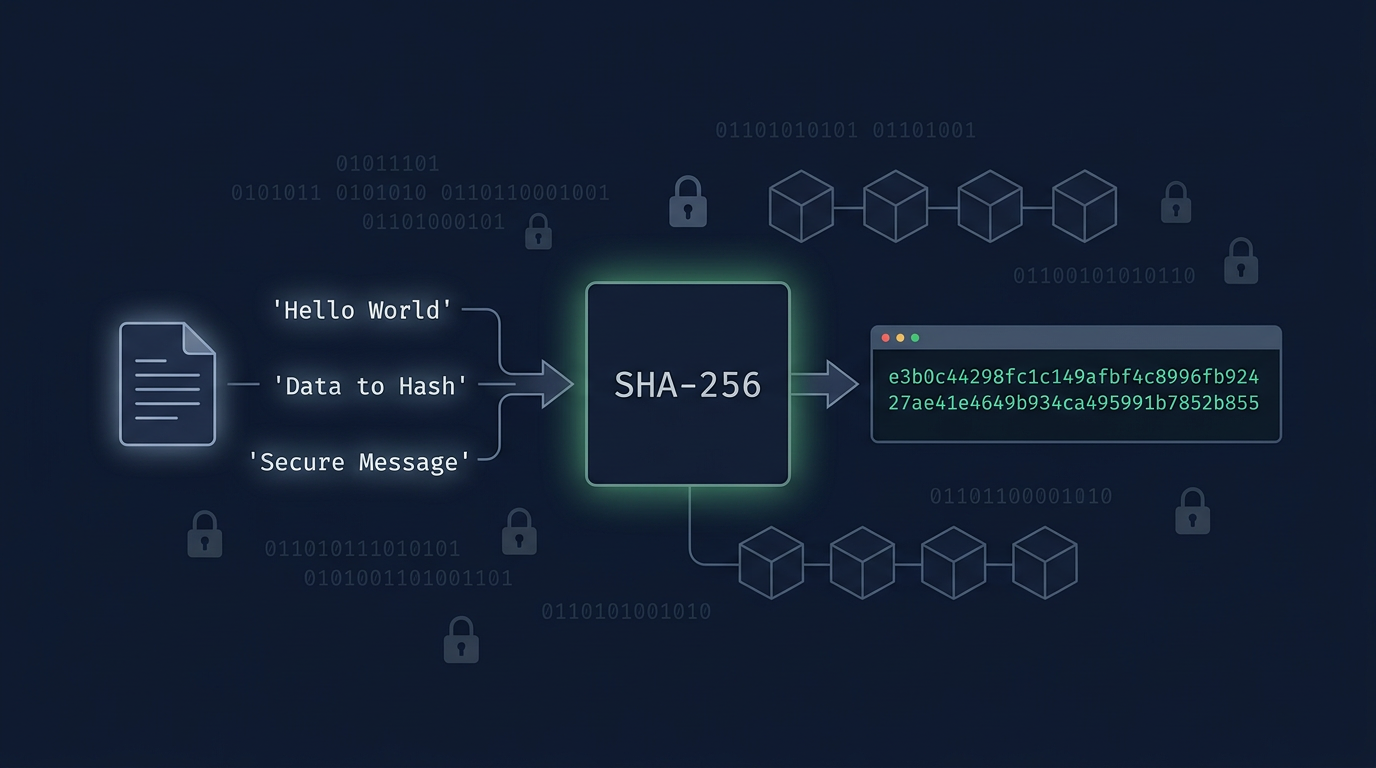
A SHA256 hash is a fixed 64-character hexadecimal string produced by the SHA-256 algorithm from any input of any size. The same input always produces the same output; any change to the input — even a single character — produces a completely different hash.
Feed the string "hello" to SHA-256 and you always get:
2cf24dba5fb0a30e26e83b2ac5b9e29e1b161e5c1fa7425e73043362938b9824 Change it to "Hello" (capital H only) and the output is unrecognizable:
185f8db32921bd46d35b1687f29b0a14de9a9c0483b84fe3a9fbe22dd5bb7b2This is the avalanche effect — one bit flip cascades through all 64 rounds of the algorithm, scrambling the entire digest. It is not a quirk; it is the core property that makes SHA256 useful for integrity checks.
SHA256 is part of the SHA-2 family, standardized by NIST in 2001 (FIPS PUB 180-4). It produces a 256-bit (32-byte) digest. Unlike MD5 (broken since 2004) and SHA-1 (practically broken since 2017's SHAttered attack), no collision attack against full SHA256 has been demonstrated as of 2026. The best published attack breaks 39 of 64 rounds — the full algorithm is considered secure.
How to Generate a SHA256 Hash Online (Step by Step)
No code required. Use the DevToolsPro.org Hash Generator — it runs entirely in your browser, processes everything client-side, and produces results in real time.
Step 1: Open the Hash Generator
Go to devtoolspro.org/hash-generator. No account, no extension, no server round-trip. The tool uses the browser's native crypto.subtle.digest() API — the same cryptographic primitive used by HTTPS itself.
Step 2: Select SHA-256
The generator supports MD5, SHA-1, SHA-256, SHA-384, and SHA-512. Select SHA-256. Quick identifier if you are verifying a hash from somewhere else: SHA-1 outputs are 40 hex characters, SHA-256 is 64, SHA-512 is 128.
Step 3: Enter Your Input
Paste or type into the input field. The hash regenerates on every keystroke — no submit button. If you are comparing against a hash from another system and they do not match, check for trailing whitespace first. The strings api_key and api_key (one trailing space) produce completely different hashes.
Step 4: Choose Your Output Format
- Hex (lowercase):
2cf24dba5fb0a30e26e83b2ac5b9e29e1b161e5c1fa7425e73043362938b9824— 64 characters, the default for most developer tooling, Git, and Docker digests. - Base64:
LPJNul+wow4m6DsqxbninhsWHlwfp0JecwQzYpOLmCQ=— 44 characters, used in HTTP Authorization headers and some HMAC signature schemes. Note that JWTs use Base64url (replaces+with-and/with_, no padding), which differs from standard Base64.
Step 5: Copy and Optionally Verify
Click the copy button. If you need to verify against a known hash, paste the expected value into the comparison field — the tool highlights a match or mismatch immediately.
Is It Safe to Hash Sensitive Data in an Online Tool?
Yes — if the tool is genuinely client-side. You can verify this yourself: open DevTools → Network tab, then type in the input field. You will see zero outbound requests. DevToolsPro.org uses crypto.subtle.digest(), a browser built-in; nothing is transmitted.
For production pipelines — signing keys, API secrets, PII — generate hashes in your code or terminal. The reason is auditability, not safety: a code-based implementation is reviewable, reproducible, and won't silently change behavior between browser versions.
Generate SHA256 from the Command Line (Every Platform)
Linux
# Hash a string (the -n suppresses echo's trailing newline — see below)
echo -n "hello" | sha256sum
# → 2cf24dba5fb0a30e26e83b2ac5b9e29e1b161e5c1fa7425e73043362938b9824  -

# Hash a file
sha256sum myfile.tar.gz
# → abc123...  myfile.tar.gz   (two spaces between hash and filename — intentional)

# OpenSSL (installed everywhere)
echo -n "hello" | openssl dgst -sha256
macOS
# Hash a string
echo -n "hello" | shasum -a 256

# Hash a file
shasum -a 256 myfile.tar.gz

# OpenSSL (system or Homebrew)
echo -n "hello" | openssl sha256
Windows
# PowerShell — hash a file (the simplest cross-version option)
Get-FileHash .\myfile.zip -Algorithm SHA256 | Select-Object -ExpandProperty Hash

# PowerShell — hash a string (UTF-8 encoded, lowercase output)
[System.BitConverter]::ToString(
  [System.Security.Cryptography.SHA256]::Create().ComputeHash(
    [System.Text.Encoding]::UTF8.GetBytes("hello")
  )
).Replace("-","").ToLower()

# certutil (simpler, no PowerShell required)
certutil -hashfile myfile.zip SHA256
The Newline Trap — Why Terminal Output Differs From Online Tools
This is the single most common cause of SHA256 mismatches between a terminal and an online generator. By default, echo appends a newline character () to its output, and that newline becomes part of the hashed input.
echo "hello" | sha256sum
# b94d27b9934d3e08a52e52d7da7dabfac484efe04294e576e3c1b14b1de7f67a  -
# ↑ wrong — includes trailing


echo -n "hello" | sha256sum
# 2cf24dba5fb0a30e26e83b2ac5b9e29e1b161e5c1fa7425e73043362938b9824  -
# ↑ correct — matches every online tool and programmatic implementation
printf is the portable alternative — it never appends a newline regardless of shell:
printf "hello" | sha256sum
# 2cf24dba5fb0a30e26e83b2ac5b9e29e1b161e5c1fa7425e73043362938b9824  -
Also note: sha256sum outputs the hash followed by two spaces and the filename (or - for stdin). The two-space separator is intentional — it distinguishes binary mode (*) from text mode () in the checksum file format.
Verifying a Downloaded File Against a Published Checksum
# Download the release and its checksum file
wget https://example.com/release-v2.4.1.tar.gz
wget https://example.com/SHA256SUMS

# Verify (sha256sum reads the expected hash from the file)
sha256sum --check SHA256SUMS
# release-v2.4.1.tar.gz: OK

# If you only have the hash as a string, compare manually
sha256sum release-v2.4.1.tar.gz
# then compare the 64-char prefix to the published hash
How to Generate SHA256 in JavaScript, Python, PHP, Go, Rust, and Ruby
Each language ships SHA256 in its standard library — no cryptography package needed except in Rust. The implementations below all produce 2cf24dba5fb0a30e26e83b2ac5b9e29e1b161e5c1fa7425e73043362938b9824 for input "hello".
JavaScript — Node.js
import { createHash } from 'crypto';

function sha256hex(input) {
  return createHash('sha256').update(input, 'utf8').digest('hex');
}

function sha256base64(input) {
  return createHash('sha256').update(input, 'utf8').digest('base64');
}

console.log(sha256hex('hello'));
// 2cf24dba5fb0a30e26e83b2ac5b9e29e1b161e5c1fa7425e73043362938b9824

console.log(sha256base64('hello'));
// LPJNul+wow4m6DsqxbninhsWHlwfp0JecwQzYpOLmCQ=
Node's synchronous crypto module is fast enough for API signing and webhook verification. For streaming large files, use the createHash object's .update(chunk) method in a loop rather than loading the whole file into memory.
JavaScript — Browser (Web Crypto API)
async function sha256(text) {
  const encoded = new TextEncoder().encode(text);
  const buffer = await crypto.subtle.digest('SHA-256', encoded);
  return Array.from(new Uint8Array(buffer))
    .map(b => b.toString(16).padStart(2, '0'))
    .join('');
}

console.log(await sha256('hello'));
// 2cf24dba5fb0a30e26e83b2ac5b9e29e1b161e5c1fa7425e73043362938b9824
crypto.subtle is available in all modern browsers, Cloudflare Workers, Deno, and Bun. It is asynchronous by design (the browser can delegate to hardware). No npm package required.
Python
import hashlib

# Hash a string
def sha256(text: str) -> str:
    return hashlib.sha256(text.encode('utf-8')).hexdigest()

print(sha256('hello'))
# 2cf24dba5fb0a30e26e83b2ac5b9e29e1b161e5c1fa7425e73043362938b9824

# Hash a large file without loading it into memory
def sha256_file(path: str) -> str:
    h = hashlib.sha256()
    with open(path, 'rb') as f:
        for chunk in iter(lambda: f.read(65536), b''):
            h.update(chunk)
    return h.hexdigest()
Always call .encode('utf-8') explicitly. Passing a bare string raises a TypeError in Python 3; passing it encoded ensures the hash matches other systems that also use UTF-8.
PHP
<?php
// Hex output (default)
$hash = hash('sha256', 'hello');
echo $hash;
// 2cf24dba5fb0a30e26e83b2ac5b9e29e1b161e5c1fa7425e73043362938b9824

// Raw binary output (for further cryptographic processing)
$raw = hash('sha256', 'hello', true);

// Hash a file
$fileHash = hash_file('sha256', '/path/to/file.tar.gz');
Pass true as the third argument to get raw bytes instead of a hex string — useful when feeding the hash into another operation like HMAC.
Go
package main

import (
    "crypto/sha256"
    "encoding/hex"
    "fmt"
    "io"
    "os"
)

// Hash a string
func sha256String(input string) string {
    h := sha256.Sum256([]byte(input))
    return hex.EncodeToString(h[:])
}

// Hash a file without loading it into memory
func sha256File(path string) (string, error) {
    f, err := os.Open(path)
    if err != nil {
        return "", err
    }
    defer f.Close()
    h := sha256.New()
    if _, err := io.Copy(h, f); err != nil {
        return "", err
    }
    return hex.EncodeToString(h.Sum(nil)), nil
}

func main() {
    fmt.Println(sha256String("hello"))
    // 2cf24dba5fb0a30e26e83b2ac5b9e29e1b161e5c1fa7425e73043362938b9824
}
sha256.Sum256 returns a [32]byte array (not a slice), so the h[:] conversion is required. For file hashing, prefer sha256.New() with io.Copy — the streaming approach works on files of any size.
Rust
use sha2::{Sha256, Digest};

fn sha256(input: &str) -> String {
    let mut hasher = Sha256::new();
    hasher.update(input.as_bytes());
    format!("{:x}", hasher.finalize())
}

fn main() {
    println!("{}", sha256("hello"));
    // 2cf24dba5fb0a30e26e83b2ac5b9e29e1b161e5c1fa7425e73043362938b9824
}
Add sha2 = "0.10" to Cargo.toml. The sha2 crate is from the RustCrypto project and is the standard choice. The {:x} format specifier produces lowercase hex; use {:X} for uppercase.
Ruby
require 'digest'

# Hash a string
puts Digest::SHA256.hexdigest('hello')
# 2cf24dba5fb0a30e26e83b2ac5b9e29e1b161e5c1fa7425e73043362938b9824

# Hash a file (streams automatically — safe for large files)
puts Digest::SHA256.file('/path/to/file.tar.gz').hexdigest
Digest::SHA256.file handles streaming internally — no manual chunking required. Ruby's digest library is part of the standard library since Ruby 2.0.
Where SHA256 Actually Appears in Production Code
1. File Integrity Verification
Before deploying a binary or processing a user upload, hash it and compare to a known-good value. If they differ, something changed — whether that is corruption, a download error, or a tampered file.
# Publish alongside your release
sha256sum release-v2.4.1.tar.gz > SHA256SUMS

# Users verify before running
sha256sum --check SHA256SUMS
# release-v2.4.1.tar.gz: OK
This is the exact pattern used by Homebrew, apt repositories, npm package tarballs, and Docker image layers.
2. HMAC-SHA256 for Webhook and API Authentication
Raw SHA256 proves nothing about who computed it — anyone can hash anything. HMAC-SHA256 incorporates a shared secret, making the output unforgeable without that secret. Stripe, GitHub, Shopify, and AWS all use HMAC-SHA256 for webhook signatures.
// Node.js — constant-time webhook verification
import { createHmac, timingSafeEqual } from 'crypto';

function verifyWebhook(payload, receivedSig, secret) {
  const expected = createHmac('sha256', secret)
    .update(payload, 'utf8')
    .digest('hex');

  // timingSafeEqual prevents timing attacks:
  // === short-circuits on the first differing byte, leaking how many
  // characters matched. An attacker can measure response times across
  // thousands of requests to reconstruct the expected signature byte by byte.
  return timingSafeEqual(
    Buffer.from(expected, 'hex'),
    Buffer.from(receivedSig, 'hex')
  );
}
3. Deterministic Cache Keys
SHA256 produces stable, collision-resistant keys from arbitrary content — used in Redis cache invalidation, CDN ETag generation, and content-addressable storage. The critical implementation detail is input normalization before hashing: JSON key ordering, whitespace stripping, and encoding must be consistent across all callers or cache keys will diverge.
// Stable cache key regardless of JSON key insertion order
function cacheKey(params) {
  const normalized = JSON.stringify(params, Object.keys(params).sort());
  return createHash('sha256').update(normalized, 'utf8').digest('hex');
}
4. Docker Image Digests
Every Docker image layer and manifest is identified by its SHA256 digest. When you pin an image with @sha256:, Docker recomputes the hash after download and rejects it if they differ — supply-chain attack prevention.
# Pin to a digest instead of a mutable tag
docker pull nginx@sha256:a484819eb60efa60ef...

# Inspect the digest of a locally pulled image
docker inspect nginx:latest | grep -i '"Id"\|"Digest"'
5. Git Object Addressing (SHA-256 Migration)
Git has historically used SHA-1 to address commits, trees, and blobs. Since Git 2.29 (2020), SHA-256 is supported via --object-format=sha256. The migration was triggered by the SHAttered attack (2017), which demonstrated the first practical SHA-1 collision — meaning two different files could share the same Git object hash.
# Initialize a new SHA-256 repository (SHA-1 is still the default as of 2026)
git init --object-format=sha256

# Commits now produce 64-char hex IDs instead of 40-char
git log --oneline
Note: SHA-256 repos are not compatible with SHA-1 remotes. GitHub does not yet support SHA-256 repos as of 2026.
6. JWT Signing — HS256 and RS256
The two most common JWT algorithms both use SHA-256. HS256 is HMAC-SHA256 with a shared secret. RS256 signs a SHA-256 digest of the header+payload with an RSA private key. The algorithm name in the header tells you exactly which SHA variant is in use:
// Decoded JWT header:
{ "alg": "HS256", "typ": "JWT" }
// HS256 = HMAC-SHA256

// ES256 = ECDSA with SHA-256
// RS256 = RSASSA-PKCS1-v1_5 with SHA-256
// PS256 = RSASSA-PSS with SHA-256
7. Content Deduplication in Object Storage
AWS S3's Checksum API (introduced 2022) accepts x-amz-checksum-sha256 on uploads. S3 verifies the hash server-side and rejects the upload if it does not match, providing end-to-end integrity. Before uploading, compute the hash locally and skip the upload entirely if an object with that key already exists.
# AWS CLI — upload with SHA256 checksum verification
aws s3api put-object \
  --bucket my-bucket \
  --key archive.tar.gz \
  --body archive.tar.gz \
  --checksum-algorithm SHA256
SHA256 Output Formats: Hex, Base64, Base64url, and Raw Bytes
SHA256 always outputs exactly 32 bytes. The encoding of those bytes for storage or transmission is a separate choice that frequently causes mismatches.
Hexadecimal (Hex) — 64 characters
2cf24dba5fb0a30e26e83b2ac5b9e29e1b161e5c1fa7425e73043362938b9824Each byte becomes two hex characters (00–ff). 32 bytes × 2 = 64 characters. This is the universal default: terminal tools, Git, Docker, most security APIs, and this site's generator all output lowercase hex.
Standard Base64 — 44 characters
LPJNul+wow4m6DsqxbninhsWHlwfp0JecwQzYpOLmCQ= 32 bytes encodes to 43 characters of Base64 plus one = padding character. More compact than hex (44 vs 64 characters), used in HTTP Authorization headers and some HMAC schemes.
Base64url — 43 characters (no padding)
LPJNul-wow4m6DsqxbninhsWHlwfp0JecwQzYpOLmCQ JWTs and many web APIs use Base64url — a URL-safe variant that replaces + with -, / with _, and strips the trailing = padding. Standard Base64 and Base64url produce different strings for the same bytes. Confusing the two is a frequent source of signature verification failures.
Raw Binary — 32 bytes
Some libraries expose the raw 32-byte buffer (e.g., Node's .digest() with no argument, Python's .digest() vs .hexdigest()). Use raw bytes only when piping the hash directly into another cryptographic operation. Never store or compare raw bytes as strings — the bytes include non-printable characters and will be mangled by encoding assumptions.
Uppercase vs Lowercase Hex
2CF24DBA... and 2cf24dba... are the same hash. Docker, Git, and most security libraries normalize to lowercase. If your comparison is case-sensitive, always normalize to lowercase before comparing: hash.toLowerCase() in JS, hash.lower() in Python.
Three Things You Should Not Use SHA256 For
1. Password Storage Without a KDF
SHA256 is engineered to be fast. An RTX 4090 can compute approximately 22 billion SHA256 hashes per second (verified in hashcat benchmarks). An attacker who steals your database can test the entire RockYou2024 password list (10 billion entries) in under one second.
For passwords, use a key derivation function designed to be slow, memory-intensive, and resistant to GPU parallelism:
- Argon2id — recommended by OWASP (2023) and the Password Hashing Competition winner. Memory-hard; a GPU with 10,000 cores gets no advantage over a single CPU core at the same memory size.
- bcrypt — work factor adjustable; widely supported across every language stack. Limit to 72 bytes of input (bcrypt truncates beyond that).
- scrypt — memory-hard alternative to bcrypt; good when Argon2 is not available.
- PBKDF2-SHA256 — FIPS 140-2 approved and required in some regulated environments. Weakest of the four against GPU attacks but far safer than raw SHA256.
# Python — Argon2id (correct approach)
from argon2 import PasswordHasher

ph = PasswordHasher(time_cost=3, memory_cost=65536, parallelism=4)
stored = ph.hash("user_password")
# $argon2id$v=19$m=65536,t=3,p=4$...

# Verification
ph.verify(stored, "user_password")  # raises VerifyMismatchError if wrong
2. Using SHA256 as a Substitute for Encryption
Hashing is irreversible — there is no key, no decrypt step, no way to recover the original. If the data must be retrieved in its original form later (user emails, credit card tokens, access codes), you need encryption (AES-256-GCM, ChaCha20-Poly1305) — not hashing. The confusion usually appears as: "we encrypt passwords with SHA256 before storing them." That is hashing, not encryption — and without a KDF and salt, it is vulnerable.
3. Raw Hash Concatenation for Authentication — The Length Extension Attack
This pattern looks safe but is not:
// Vulnerable
const signature = sha256(secretKey + payload);
SHA256 uses the Merkle-Damgård construction: the final hash output is the algorithm's internal state after processing the last block. An attacker who knows sha256(secret + message) and the length of secret can compute sha256(secret + message + padding + extension) for any chosen extension — without knowing secret. This is a length extension attack.
// Correct — HMAC is immune to length extension attacks
const signature = createHmac('sha256', secretKey).update(payload).digest('hex');
HMAC applies two nested hash operations with key mixing that prevents the internal state from being continued externally. Always use HMAC-SHA256, not raw SHA256, for message authentication.
4. Generating Random Tokens
SHA256 is deterministic, not random. sha256(userId + timestamp) as a "random" session token is predictable to anyone who knows the inputs. For tokens, secrets, and nonces, use a cryptographically secure random number generator:
// Node.js — cryptographically secure random token
import { randomBytes } from 'crypto';
const token = randomBytes(32).toString('hex'); // 64-char hex token

// Python
import secrets
token = secrets.token_hex(32)
SHA256 Performance: Real Numbers and When to Switch Algorithms
For typical application workloads — signing a webhook, generating a cache key, hashing a JWT payload — SHA256 completes in microseconds. Performance only matters at scale: millions of files, high-throughput pipelines, or constrained edge environments.
Throughput With and Without Hardware Acceleration
Modern CPUs include SHA-NI instructions (Intel since Goldmont/2016, AMD since Zen/2017, Apple Silicon since M1) that accelerate SHA256 in hardware:
- SHA256 with SHA-NI (x86/ARM): ~2–4 GB/s per core
- SHA256 in software (pre-2016 hardware): ~150–300 MB/s
- BLAKE3 with AVX-512: ~3–4 GB/s per core (single-threaded); scales linearly with cores via parallelism
- xxHash3: ~20–50 GB/s — non-cryptographic, for trusted data only
Your language runtime picks up SHA-NI automatically when available. You do not need to configure anything.
When SHA256 Is Fast Enough (Most Cases)
At 3 GB/s, SHA256 hashes a 100 MB file in roughly 33 milliseconds — faster than any network I/O. For request signing, webhook verification, cache keys, and most content-integrity use cases, SHA256 performance is never the bottleneck.
When to Consider BLAKE3
BLAKE3 exceeds SHA256 throughput in software on hardware without SHA-NI (pre-2016 x86), and matches or slightly exceeds it on modern hardware. More importantly, BLAKE3 is parallelizable across cores — hashing a 10 GB file is faster on a 4-core machine than on a single core. If you are checksumming large files, building content-addressed storage, or running in a WASM environment (no hardware acceleration), BLAKE3 is worth the dependency.
BLAKE3 is not FIPS-validated as of 2026. PCI-DSS, HIPAA, and government contracts requiring FIPS 140-2/3 compliance must use SHA256.
When to Use xxHash3
xxHash3 is 10–20x faster than SHA256 but provides zero security guarantees — a determined attacker can craft collisions in milliseconds. Use it only for internal, non-security purposes: hash map keys, deduplicating trusted data, build system fingerprints, in-process caching.
Why Your SHA256 Hash Does Not Match: Debugging Checklist
These nine issues account for nearly every SHA256 mismatch encountered in production. Work through them in order — the first three cause 80% of cases.
echo "text" appends \n; use echo -n "text" or printf "text". This is the #1 cause of terminal-vs-online mismatches..encode('utf-8') in Python, new TextEncoder().encode() in JS).\r\n vs \n, or a tab changes the hash entirely. This is common when copying values from PDFs, spreadsheets, or rich-text editors.LPJNul+wow... (Base64) and 2cf24dba... (hex) are identical hashes. Normalize to the same encoding before comparing.2CF24DBA... and 2cf24dba... are the same hash. Always normalize to lowercase before comparison.{"a":1,"b":2} and {"b":2,"a":1} are different byte sequences and produce different hashes. Sort keys before serializing and document the normalization contract for all callers.EF BB BF) to text files. This is invisible in most editors but changes the hash. Use hexdump -C file | head -1 to check."hello" in memory is not the same as hashing its UTF-8 byte representation in every language.Frequently Asked Questions About SHA256
How long is a SHA256 hash?
Always exactly 64 hexadecimal characters (256 bits = 32 bytes). In Base64 it is 44 characters; in Base64url it is 43 (no padding). The output length never changes regardless of input size — hashing one character and hashing a 10 GB file both produce a 64-character hex string.
Can I reverse or decrypt a SHA256 hash?
No. SHA256 is a one-way function — mathematically, reversing it requires trying all possible inputs until one produces the same output. For truly random 256-bit inputs, that is 2256 attempts. For real-world inputs like short strings or common passwords, attackers use precomputed rainbow tables or GPU-powered brute force — which is why raw SHA256 is insufficient for password storage.
What is SHA256 used for in Bitcoin and blockchain?
Bitcoin uses SHA256 in two places. First, proof of work: miners compute SHA256(SHA256(block_header + nonce)) repeatedly, looking for an output that starts with a specific number of zero bits. The double-hash (SHA-256d) eliminates a theoretical length extension vulnerability. Second, address derivation: public keys are hashed with SHA256 then RIPEMD-160 to produce the 20-byte hash used in Bitcoin addresses. The blockchain's immutability comes from each block header containing the hash of the previous block — altering any historical block invalidates every subsequent block.
Is SHA256 the same as SHA-2?
SHA-2 is a family. SHA256 is one member — alongside SHA-224, SHA-384, SHA-512, SHA-512/224, and SHA-512/256. All use the same Merkle-Damgård construction with different word sizes and output lengths. SHA-2 is a completely different algorithm family from SHA-3 (which uses the Keccak sponge construction). When someone says "use SHA-2," they mean SHA-256 unless specified otherwise.
What is the difference between SHA256 and HMAC-SHA256?
SHA256 is a hash function — it takes data and produces a fixed-size fingerprint. Anyone can compute it. HMAC-SHA256 is a message authentication code — it uses a secret key to produce a tag that only someone with the key can generate or verify. Use SHA256 for integrity (has this file changed?); use HMAC-SHA256 for authentication (did this specific party create this message?).
Should I use SHA256 or SHA512?
SHA256 is the correct choice for almost all applications. SHA512 is worth considering only if: (a) a regulation explicitly requires a 512-bit digest, or (b) you are doing bulk hashing on a native 64-bit platform where SHA512 can be marginally faster in software (it processes 64-bit words vs SHA256's 32-bit words). For general use, SHA256 provides 128-bit security against collision attacks — the same security level as a 256-bit AES key.
Can two different inputs produce the same SHA256 hash?
Theoretically yes (pigeonhole principle — infinite inputs, finite outputs). In practice, finding a SHA256 collision requires approximately 2128 hash computations, which exceeds the energy output of the sun for any foreseeable classical or quantum computer. No collision has ever been found in full SHA256. The algorithm is considered collision-resistant for all practical purposes.
Why does my SHA256 hash not match across systems?
In order of likelihood: trailing newline from echo (use echo -n), character encoding mismatch (UTF-8 vs UTF-16), whitespace differences, or hex-vs-Base64 output format confusion. See the debugging checklist above.
SHA256 Decision Guide: Which Approach Fits Your Task
- Need a hash in the next 10 seconds: Use the online SHA256 generator. Paste input, get 64-char hex. Fully client-side, no data sent anywhere.
- Verifying a downloaded file checksum:
sha256sum --check SHA256SUMS(Linux/Windows) orshasum -a 256 file(macOS). - Signing API requests or verifying webhooks: HMAC-SHA256 in code, always with
timingSafeEqualfor comparison. - Generating cache keys from structured data: Sort JSON keys, strip whitespace, then SHA256. Document the normalization contract so every caller produces the same hash.
- Storing passwords: Do not use SHA256. Use Argon2id (best), bcrypt (work factor 12+), or scrypt.
- Generating session tokens or secrets: Use
crypto.randomBytes()orsecrets.token_hex()— SHA256 is deterministic, not random. - High-throughput, non-security checksums: xxHash3 (fastest) or BLAKE3 (cryptographic-grade, parallelizable).
- FIPS 140-2/3, PCI-DSS, or government compliance: SHA256 is the required algorithm. BLAKE3 is not yet FIPS-validated.
SHA256 is embedded in every TLS handshake, every Bitcoin block, every Docker image pull, every Git commit on a SHA-256 repo. It has been under continuous public scrutiny since 2001 with no practical break found. For a developer, understanding where to use it, where it falls short, and which mismatches to look for first is more useful than any amount of trivia about its internal rounds.
When you need a hash right now, the free SHA256 generator at DevToolsPro.org runs entirely in your browser — no server, no account, no data leaving your machine.