What Are JWT Tokens and OAuth2?
JWT (JSON Web Tokens) and OAuth2 are two key concepts in modern web security. They are crucial for protecting sensitive data, managing user authentication, and securing application access. In this article, we will dive deep into both technologies and explain their importance in building secure applications.
What is JWT?
JWT is a compact, URL-safe means of representing claims to be transferred between two parties. In simple terms, JWT allows you to securely transmit information between a client and a server as a JSON object. This data can be verified and trusted because it is digitally signed using a secret key or a public/private key pair.
A typical use case for JWT is user authentication. When a user logs in, the server generates a token containing information such as the user's identity, their roles, and any other metadata. This token is then sent to the client, which stores it (usually in localStorage or a cookie). On subsequent requests, the client sends this token back to the server for verification, enabling the server to authenticate the user's identity without needing to re-query the database.
Anatomy of a JWT Token
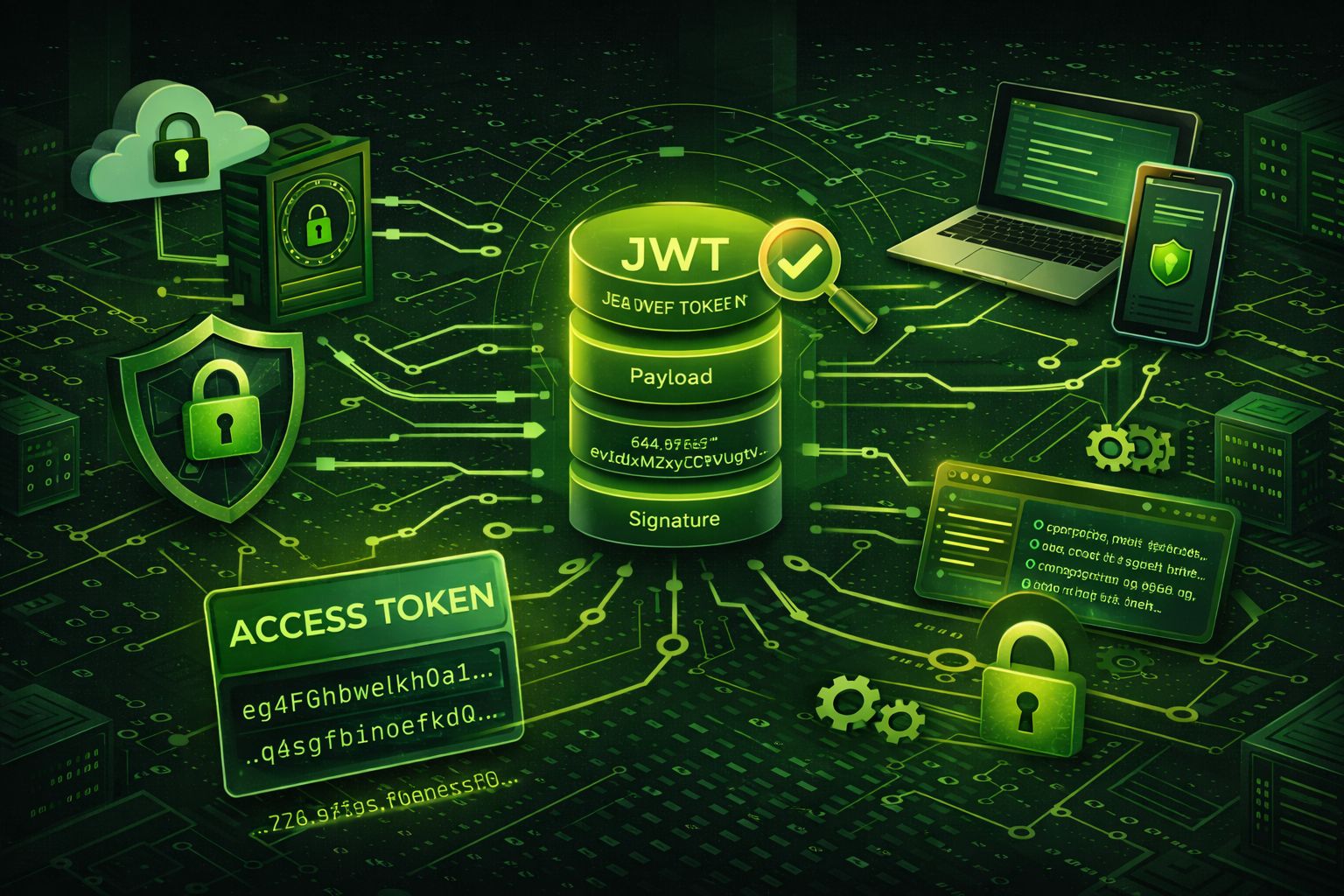
A JWT token consists of three parts separated by dots (.): the Header, the Payload, and the Signature. Each part is Base64URL-encoded — an important distinction from Base64 encoding, as Base64URL replaces + with - and / with _, making it safe for use in URLs and HTTP headers. It is critical to understand that Base64URL encoding is not encryption — anyone who has the token can decode and read the header and payload. The signature is what provides integrity, not confidentiality.
Here is an example of a complete JWT token:
eyJhbGciOiJSUzI1NiIsInR5cCI6IkpXVCJ9.eyJpc3MiOiJhdXRoLmV4YW1wbGUuY29tIiwic3ViIjoiMTIzNDU2Nzg5MCIsImF1ZCI6ImFwaS5leGFtcGxlLmNvbSIsImV4cCI6MTcxNjIzOTAyMiwiaWF0IjoxNzE2MjM1NDIyLCJqdGkiOiJhMWIyYzNkNCIsInJvbGUiOiJhZG1pbiIsImVtYWlsIjoiYWxpY2VAZXhhbXBsZS5jb20ifQ.signature_placeholder
Let's break down each part:
1. Header
The header typically contains two fields: the signing algorithm (alg) and the token type (typ). The algorithm tells the server how the signature was created and how to verify it.
{
  "alg": "RS256",
  "typ": "JWT"
}
Common algorithm values include HS256 (HMAC with SHA-256, a symmetric algorithm), RS256 (RSA with SHA-256, an asymmetric algorithm), and ES256 (ECDSA with P-256 curve). The choice of algorithm has significant security implications, which we cover in detail in the signing algorithms section below.
2. Payload (Claims)
The payload contains the claims — statements about the user and additional metadata. The JWT specification defines a set of registered claims that are standardized and widely recognized:
iss(Issuer): Identifies the principal that issued the JWT, e.g.,"auth.example.com". Servers should validate this matches the expected issuer.sub(Subject): Identifies the principal that is the subject of the JWT, typically a user ID like"1234567890".aud(Audience): Identifies the recipients that the JWT is intended for, e.g.,"api.example.com". Servers must reject tokens with an audience they don't recognize.exp(Expiration Time): A Unix timestamp after which the token must not be accepted. For example,1716239022represents a specific date and time.nbf(Not Before): A Unix timestamp before which the token must not be accepted. Useful for issuing tokens intended for future use.iat(Issued At): A Unix timestamp indicating when the token was issued. Helps servers determine the token's age.jti(JWT ID): A unique identifier for the token, used to prevent replay attacks. Each token should have a uniquejtivalue.
Beyond the registered claims, you can add custom claims to carry application-specific data. For example, you might include a user's role or email address:
{
  "iss": "auth.example.com",
  "sub": "1234567890",
  "aud": "api.example.com",
  "exp": 1716239022,
  "iat": 1716235422,
  "jti": "a1b2c3d4",
  "role": "admin",
  "email": "alice@example.com"
}
Keep custom claims minimal. Every claim increases the token size, and since JWTs are sent with every HTTP request, large tokens add network overhead. Avoid storing sensitive data like passwords, credit card numbers, or personal information in the payload — remember, it is only encoded, not encrypted. Use the JWT Decoder to inspect the contents of any token and verify its claims.
3. Signature
The signature is created by taking the encoded header, the encoded payload, and signing them with the algorithm specified in the header. For example, with HMAC SHA-256:
HMACSHA256(
  base64UrlEncode(header) + "." + base64UrlEncode(payload),
  secret
)
The signature serves two purposes: it verifies that the token was issued by a trusted party (authentication) and that the contents have not been altered in transit (integrity). If a single character of the header or payload is modified, the signature will no longer match, and the token will be rejected during verification.
What is OAuth2?
OAuth2 (Open Authorization 2.0) is an authorization framework that allows third-party applications to access user data without exposing credentials. It is commonly used to grant access to resources on behalf of a user, enabling services like "Login with Google" or "Login with Facebook" on various websites and apps.
OAuth2 uses access tokens to allow secure and controlled access to resources. The authorization server issues these tokens after the user grants permission. The client then presents the token to access the resource server on behalf of the user. OAuth2 provides a robust framework for managing various types of authorization flows, including authorization code flow, implicit flow, and client credentials flow.
OAuth2 Authorization Flows Explained
OAuth2 defines several grant types (flows) that dictate how a client application obtains an access token. Choosing the right flow depends on your application type, the level of trust in the client, and the security requirements of your system.
Authorization Code Flow (with PKCE)
The Authorization Code Flow with PKCE (Proof Key for Code Exchange) is the recommended flow for web applications, single-page applications (SPAs), and native mobile apps. It is the most secure standard flow because the access token is never exposed to the browser's URL bar or history.
The flow works as follows:
- The client generates a random
code_verifierand derives acode_challengefrom it using SHA-256. - The user is redirected to the authorization server with the
code_challenge. - After the user authenticates and grants consent, the authorization server redirects back with a short-lived authorization code.
- The client exchanges the authorization code and the original
code_verifierfor an access token on the back channel (server-to-server). - The authorization server verifies the
code_verifieragainst the storedcode_challengebefore issuing tokens.
PKCE prevents authorization code interception attacks, where a malicious app on the same device could steal the authorization code during the redirect. Here is an example of the token exchange request:
POST /oauth/token HTTP/1.1
Host: auth.example.com
Content-Type: application/x-www-form-urlencoded

grant_type=authorization_code
&code=SplxlOBeZQQYbYS6WxSbIA
&redirect_uri=https%3A%2F%2Fapp.example.com%2Fcallback
&client_id=my-app-client-id
&code_verifier=dBjftJeZ4CVP-mB92K27uhbUJU1p1r_wW1gFWFOEjXk
Use when: Building web apps, SPAs, or mobile apps where a user interacts with a browser. This is the default choice for most applications.
Client Credentials Flow
The Client Credentials Flow is designed for machine-to-machine (M2M) communication where no user is involved. The client authenticates directly with the authorization server using its own credentials (client ID and client secret) and receives an access token.
POST /oauth/token HTTP/1.1
Host: auth.example.com
Content-Type: application/x-www-form-urlencoded

grant_type=client_credentials
&client_id=service-account-id
&client_secret=service-account-secret
&scope=read:metrics%20write:logs
Use when: Backend services need to communicate with each other — for example, a billing microservice calling a payments API, or a cron job accessing a data pipeline. There is no user context in this flow.
Device Authorization Flow
The Device Authorization Flow (also called the Device Code Flow) is designed for input-constrained devices that lack a browser or have limited keyboard capabilities — such as smart TVs, IoT devices, game consoles, and CLI tools.
- The device requests a
device_codeand auser_codefrom the authorization server. - The device displays the
user_codeand a verification URL to the user (e.g., "Go to https://auth.example.com/device and enter code: WDJB-MJHT"). - The user opens the URL on their phone or computer, enters the code, and authenticates.
- Meanwhile, the device polls the authorization server until the user completes authentication, at which point it receives an access token.
Use when: Building apps for devices without a full browser — streaming apps on smart TVs, CLI developer tools, IoT dashboards, or kiosk applications.
Implicit Flow (Deprecated)
The Implicit Flow was originally designed for browser-based SPAs that could not securely store a client secret. In this flow, the access token is returned directly in the URL fragment after the user authenticates — no intermediate authorization code is used.
This flow is now deprecated by the OAuth 2.1 specification and the OAuth Security Best Current Practice (BCP) RFC for several critical reasons:
- Access tokens are exposed in the browser's address bar and history, making them vulnerable to leakage.
- Tokens in URL fragments can be captured by malicious browser extensions or JavaScript on the page.
- There is no mechanism to verify that the token was issued to the correct client (no client authentication).
- Refresh tokens cannot be issued in this flow, forcing users to re-authenticate frequently.
If you have existing applications using the Implicit Flow, you should migrate them to the Authorization Code Flow with PKCE, which provides all the same capabilities with significantly stronger security guarantees.
How JWT and OAuth2 Work Together
While JWT and OAuth2 are distinct technologies, they often work together to provide secure and scalable user authentication and authorization systems. Typically, OAuth2 is used to authorize a third-party application to access user data, and JWT is used to securely transmit this access information.
- OAuth2 grants access to a user’s data by issuing an access token.
- JWT is used to carry this access token in a way that can be securely transmitted and verified.
- JWT tokens are signed by a server to ensure they have not been tampered with, and can be validated without querying a database.
- The token's payload may contain authorization information (such as user roles) to define access control in the resource server.
JWT Token Signing Algorithms
The signing algorithm is one of the most important security decisions when implementing JWT. It determines how the token signature is generated and verified, directly affecting the security posture of your entire authentication system. Algorithms fall into two categories: symmetric and asymmetric.
Symmetric Algorithms (HMAC)
Symmetric algorithms use a single shared secret for both signing and verification. The same key that creates the signature must be present on every server that needs to verify the token.
- HS256 (HMAC-SHA256): The most commonly used symmetric algorithm. It produces a 256-bit signature using the SHA-256 hash function. Fast and suitable for single-server architectures.
- HS384 (HMAC-SHA384): Uses SHA-384 for a longer 384-bit signature. Offers a larger security margin than HS256 but is rarely needed in practice.
- HS512 (HMAC-SHA512): Uses SHA-512 for a 512-bit signature. Provides the highest security margin among HMAC variants. The performance difference from HS256 is negligible on modern hardware.
The main advantage of symmetric algorithms is speed — HMAC operations are significantly faster than asymmetric signing. However, the shared secret must be distributed to every service that verifies tokens, which creates a security risk in distributed systems. If any one service is compromised, all services are affected because the attacker can now forge tokens. To understand how these hash functions work under the hood, try our Hash Generator tool.
Asymmetric Algorithms (RSA, ECDSA, PSS)
Asymmetric algorithms use a key pair: a private key for signing and a corresponding public key for verification. Only the authorization server holds the private key; all other services only need the public key to verify tokens.
- RS256 (RSA-SHA256): The most widely supported asymmetric algorithm. Uses RSA with SHA-256. Requires a minimum 2048-bit key (4096-bit recommended for long-lived keys). Produces relatively large signatures (~256 bytes for a 2048-bit key).
- RS512 (RSA-SHA512): Same as RS256 but uses SHA-512. Provides additional hash security but the RSA key size is the primary strength factor.
- ES256 (ECDSA with P-256): Uses Elliptic Curve Digital Signature Algorithm with the P-256 curve. Produces much smaller signatures (~64 bytes) than RSA while providing equivalent security to a 3072-bit RSA key. Increasingly the recommended choice for new systems.
- ES512 (ECDSA with P-521): Uses the P-521 curve for the highest ECDSA security level. Overkill for most applications but required by some compliance frameworks.
- PS256 (RSA-PSS with SHA-256): A more modern RSA padding scheme (Probabilistic Signature Scheme) that offers stronger security proofs than the PKCS#1 v1.5 padding used by RS256. Recommended over RS256 for new implementations if RSA is required.
When to Use Symmetric vs. Asymmetric
Choose symmetric (HMAC) algorithms when:
- You have a single server or monolithic application where the same service signs and verifies tokens.
- Performance is critical and you need the fastest possible signing and verification.
- You can securely manage and distribute a shared secret across a small number of trusted services.
Choose asymmetric (RSA/ECDSA) algorithms when:
- You have a microservices architecture where multiple services need to verify tokens independently.
- You want to publish your public keys via a JWKS (JSON Web Key Set) endpoint so that any service can verify tokens without sharing secrets.
- Third-party services need to validate your tokens (e.g., API consumers, partner integrations).
- You want to implement key rotation without downtime — publish new public keys while phasing out old ones.
Key Rotation Strategies
Signing keys should be rotated periodically to limit the impact of a potential key compromise. A well-designed rotation strategy includes:
- Publishing keys via a JWKS endpoint (e.g.,
/.well-known/jwks.json) that lists all currently valid public keys, each identified by akid(Key ID) header in the JWT. - When rotating, generate a new key pair, add the new public key to the JWKS, and start signing new tokens with the new private key.
- Keep the old public key in the JWKS until all tokens signed with the old key have expired.
- Remove the old key from the JWKS only after the maximum token lifetime has passed since the rotation.
The "none" Algorithm Vulnerability
One of the most dangerous JWT vulnerabilities involves the "alg": "none" header value. The JWT specification technically allows unsigned tokens by setting the algorithm to none, which produces a token with an empty signature. If your server's JWT library accepts the none algorithm, an attacker can craft arbitrary tokens with any claims and no signature — effectively bypassing all authentication.
To prevent this attack:
- Always explicitly specify the allowed algorithms when verifying tokens. Never rely on the
algheader in the incoming token to determine the verification algorithm. - Reject any token with
"alg": "none"unless you have an explicit, intentional use case (which is extremely rare). - Use well-maintained JWT libraries that protect against this by default.
Here is an example of secure JWT verification in Node.js that explicitly specifies the allowed algorithm:
const jwt = require('jsonwebtoken');

const publicKey = fs.readFileSync('./keys/public.pem');

try {
  const decoded = jwt.verify(token, publicKey, {
    algorithms: ['RS256'],  // Only accept RS256
    issuer: 'auth.example.com',
    audience: 'api.example.com',
  });
  console.log('Valid token for user:', decoded.sub);
} catch (err) {
  console.error('Token verification failed:', err.message);
}
Security Best Practices for Using JWT and OAuth2
When implementing JWT and OAuth2 in your application, it is crucial to follow best security practices to ensure the safety and integrity of your system. Below are some key recommendations:
- Use Secure Storage: Always store JWT tokens securely. If you're storing them in a browser, use HttpOnly cookies to prevent cross-site scripting (XSS) attacks.
- Set Expiry Times: Ensure that JWT tokens have short expiration times. Use refresh tokens to obtain new JWT tokens when needed.
- Use Strong Secret Keys: The signing key for JWT should be kept secret and should be sufficiently complex to resist brute-force attacks.
- Implement HTTPS: Always use HTTPS to ensure the security of data in transit, especially when sending JWT tokens over the network.
- Verify Tokens Properly: Always verify the integrity of the JWT token using the correct public or private key before trusting its payload.
How to Decode JWT Tokens
When working with JWT tokens, it's often useful to decode them to inspect their contents, especially when debugging or validating tokens. A quick and easy way to do this is by using a JWT Decoder Tool. This tool allows you to paste in your JWT token and view its header, payload, and signature. It’s especially handy for developers looking to verify claims or troubleshoot token issues.
JWT vs. Sessions: Which One to Choose?
When it comes to user authentication, developers often have to choose between using JWT tokens or traditional session-based authentication. Both methods have their pros and cons, and the right choice depends on your application's needs.
- JWT Tokens: Ideal for stateless applications. Since the token contains all the information, the server does not need to store session data, making it scalable for distributed applications.
- Sessions: Typically stored on the server side, which can lead to stateful behavior. Sessions are easier to implement when the server needs to track user activity and maintain a centralized store of user states.
- JWT: Often more suited for APIs and microservices, as tokens can be passed around across different services without the need for session persistence on the server side.
- Sessions: More familiar for traditional monolithic apps, where the application is tightly coupled with the server, and less prone to issues with token expiration and complexity.
Ultimately, the decision should be based on your application’s scale, architecture, and security requirements. Many modern apps opt for JWT tokens because of their scalability and ease of use in microservices architectures.
Implementing JWT Authentication: Step-by-Step
This section walks through a complete JWT authentication implementation, from user login to token refresh. The following flow diagram illustrates the full lifecycle:
Client                Auth Server           Resource Server
  |  1. POST /login     |                       |
  |  (email + password) |                       |
  |=====================>|                       |
  |                     | 2. Validate            |
  |                     |    credentials         |
  |  3. Return JWT +    |                       |
  |     refresh token   |                       |
  |<=====================|                       |
  |                     |                       |
  |  4. GET /api/data                            |
  |  Authorization: Bearer [JWT]                 |
  |=============================================>|
  |                     |  5. Verify JWT         |
  |                     |     + check claims     |
  |  6. Return data                              |
  |<=============================================|
  |                     |                       |
  |  7. POST /refresh   |                       |
  |  (refresh token)    |                       |
  |=====================>|                       |
  |  8. New JWT +       |                       |
  |     new refresh     |                       |
  |<=====================|                       |
Let's implement each step with Node.js and Express.
Step 1-3: User Login and Token Issuance
When the user submits their credentials, the server validates them against the database, then creates a JWT containing the user identity and a separate refresh token. Use a cryptographically strong secret for signing - generate one with our Password Generator (64+ characters recommended).
const express = require('express');
const jwt = require('jsonwebtoken');
const bcrypt = require('bcrypt');
const crypto = require('crypto');

const app = express();
app.use(express.json());

const ACCESS_SECRET = process.env.JWT_ACCESS_SECRET;
const REFRESH_SECRET = process.env.JWT_REFRESH_SECRET;

const refreshTokens = new Map();

app.post('/login', async (req, res) => {
  const { email, password } = req.body;

  const user = await db.findUserByEmail(email);
  if (!user || !(await bcrypt.compare(password, user.passwordHash))) {
    return res.status(401).json({ error: 'Invalid credentials' });
  }

  const accessToken = jwt.sign(
    {
      sub: user.id,
      email: user.email,
      role: user.role,
    },
    ACCESS_SECRET,
    {
      algorithm: 'HS256',
      expiresIn: '15m',
      issuer: 'auth.example.com',
      audience: 'api.example.com',
      jwtid: crypto.randomUUID(),
    }
  );

  const refreshToken = jwt.sign(
    { sub: user.id, tokenFamily: crypto.randomUUID() },
    REFRESH_SECRET,
    { algorithm: 'HS256', expiresIn: '7d' }
  );

  refreshTokens.set(refreshToken, {
    userId: user.id,
    createdAt: Date.now(),
  });

  res.cookie('refreshToken', refreshToken, {
    httpOnly: true,
    secure: true,
    sameSite: 'strict',
    maxAge: 7 * 24 * 60 * 60 * 1000,
    path: '/refresh',
  });

  return res.json({ accessToken });
});
Step 4-5: Storing and Sending the Token
Where you store the JWT on the client side is a critical security decision:
- httpOnly Cookies (Recommended): The server sets the JWT as an
httpOnly,Secure,SameSite=Strictcookie. This prevents JavaScript from accessing the token, eliminating XSS-based token theft. The browser automatically sends the cookie with every request to the domain. - localStorage / sessionStorage (Common but riskier): The token is stored in the browser Web Storage API. This is convenient for SPAs because you can manually attach the token to the
Authorizationheader. However, any XSS vulnerability in your application allows an attacker to read the token directly from storage. - In-memory (Most secure, least convenient): Store the token in a JavaScript variable. It is completely inaccessible to XSS attacks and disappears when the page is closed or refreshed. Use this approach with a refresh token in an httpOnly cookie to seamlessly re-acquire access tokens after page loads.
On each API request, the client sends the JWT in the Authorization header using the Bearer scheme:
GET /api/user/profile HTTP/1.1
Host: api.example.com
Authorization: Bearer eyJhbGciOiJIUzI1NiIsInR5cCI6IkpXVCJ9...
Step 6: Server-Side Token Validation Middleware
Every protected route must validate the JWT before processing the request. The middleware should verify the signature, check expiration, and validate the issuer and audience claims:
function authenticateToken(req, res, next) {
  const authHeader = req.headers['authorization'];
  const token = authHeader && authHeader.startsWith('Bearer ')
    ? authHeader.slice(7)
    : null;

  if (!token) {
    return res.status(401).json({ error: 'Access token required' });
  }

  try {
    const decoded = jwt.verify(token, ACCESS_SECRET, {
      algorithms: ['HS256'],
      issuer: 'auth.example.com',
      audience: 'api.example.com',
    });

    req.user = {
      id: decoded.sub,
      email: decoded.email,
      role: decoded.role,
    };

    next();
  } catch (err) {
    if (err.name === 'TokenExpiredError') {
      return res.status(401).json({ error: 'Token expired' });
    }
    return res.status(403).json({ error: 'Invalid token' });
  }
}

app.get('/api/user/profile', authenticateToken, (req, res) => {
  res.json({ userId: req.user.id, email: req.user.email });
});
Step 7: Token Refresh Flow
When the access token expires, the client uses the refresh token to obtain a new access token without requiring the user to log in again. The refresh endpoint should issue a new refresh token alongside the new access token (refresh token rotation) to limit the window of exposure if a refresh token is compromised:
app.post('/refresh', (req, res) => {
  const refreshToken = req.cookies.refreshToken;

  if (!refreshToken || !refreshTokens.has(refreshToken)) {
    return res.status(401).json({ error: 'Invalid refresh token' });
  }

  try {
    const decoded = jwt.verify(refreshToken, REFRESH_SECRET, {
      algorithms: ['HS256'],
    });

    refreshTokens.delete(refreshToken);

    const newAccessToken = jwt.sign(
      { sub: decoded.sub },
      ACCESS_SECRET,
      {
        algorithm: 'HS256',
        expiresIn: '15m',
        issuer: 'auth.example.com',
        audience: 'api.example.com',
        jwtid: crypto.randomUUID(),
      }
    );

    const newRefreshToken = jwt.sign(
      { sub: decoded.sub, tokenFamily: decoded.tokenFamily },
      REFRESH_SECRET,
      { algorithm: 'HS256', expiresIn: '7d' }
    );

    refreshTokens.set(newRefreshToken, {
      userId: decoded.sub,
      createdAt: Date.now(),
    });

    res.cookie('refreshToken', newRefreshToken, {
      httpOnly: true,
      secure: true,
      sameSite: 'strict',
      maxAge: 7 * 24 * 60 * 60 * 1000,
      path: '/refresh',
    });

    return res.json({ accessToken: newAccessToken });
  } catch (err) {
    refreshTokens.delete(refreshToken);
    return res.status(401).json({ error: 'Refresh token expired' });
  }
});
This implementation uses refresh token rotation: each time a refresh token is used, it is invalidated and replaced with a new one. If an attacker attempts to reuse a previously rotated refresh token, you can detect the reuse (because it is no longer in the store) and revoke the entire token family, forcing the user to re-authenticate. This pattern significantly reduces the risk associated with refresh token theft.
Common Vulnerabilities in JWT and OAuth2 Implementations
While JWT and OAuth2 provide powerful security mechanisms, improper implementation can introduce vulnerabilities. Below are some common issues to watch out for when using JWT and OAuth2:
- JWT Vulnerabilities:
- Algorithm Downgrade Attacks: An attacker could modify the JWT header to switch to a weaker algorithm (e.g., from RS256 to HS256), which would allow the attacker to sign the token themselves.
- Token Expiration: Failure to properly implement token expiration can lead to tokens being used indefinitely, which increases the risk of a token being compromised.
- Exposure of Secret Key: If the private key used for signing the JWT is exposed, attackers can forge valid tokens and impersonate users.
- OAuth2 Vulnerabilities:
- Insecure Redirect URIs: If an attacker can control the redirect URI in an OAuth2 flow, they could intercept authorization codes or tokens.
- Access Token Leakage: Access tokens could be accidentally exposed in URLs or logs, allowing attackers to impersonate a user.
- Insufficient Scopes: Granting unnecessary or overly broad scopes during OAuth2 authorization could lead to excessive access to user data.
To mitigate these vulnerabilities, always ensure proper configuration, implement token expiration, secure your keys, and use secure communication channels (e.g., HTTPS) to prevent exposure of sensitive information.
Token Revocation and Refresh Tokens
Token revocation and refresh tokens are essential components of a robust authentication system. Let's explore these concepts in more detail:
- Token Revocation: Token revocation is the process of invalidating a JWT token before its expiration. This can be useful in scenarios where a user logs out, changes their password, or an account is compromised. Revoking tokens ensures that unauthorized users can’t access protected resources with an invalid token.
- Refresh Tokens: JWTs are typically short-lived to reduce the risk of misuse in case of theft. To provide a seamless user experience, refresh tokens are issued alongside access tokens. Refresh tokens can be used to request new access tokens without requiring the user to log in again. Refresh tokens usually have longer lifetimes, and their use is subject to careful security practices, such as storing them securely.
- When to Use Revocation and Refresh Tokens: For highly sensitive applications, it’s crucial to implement token revocation mechanisms and refresh token workflows to maintain security and user session control. Token revocation can be enforced using a centralized blacklist or by checking the token’s validity in a secure database.
Incorporating both revocation and refresh tokens into your JWT and OAuth2 systems ensures that user access can be controlled effectively and securely, without causing unnecessary friction for legitimate users.