Why You Need a Secure Password Generator ?
Weak or reused passwords are still one of the biggest security risks for developers, teams, and end users.
If you’ve ever copy-pasted the same test123 or password! into an API key, staging server, or test user — you’re not alone.
But generating secure passwords manually is time-consuming, and many online tools aren’t privacy-friendly. Some send data to remote servers or log user activity.
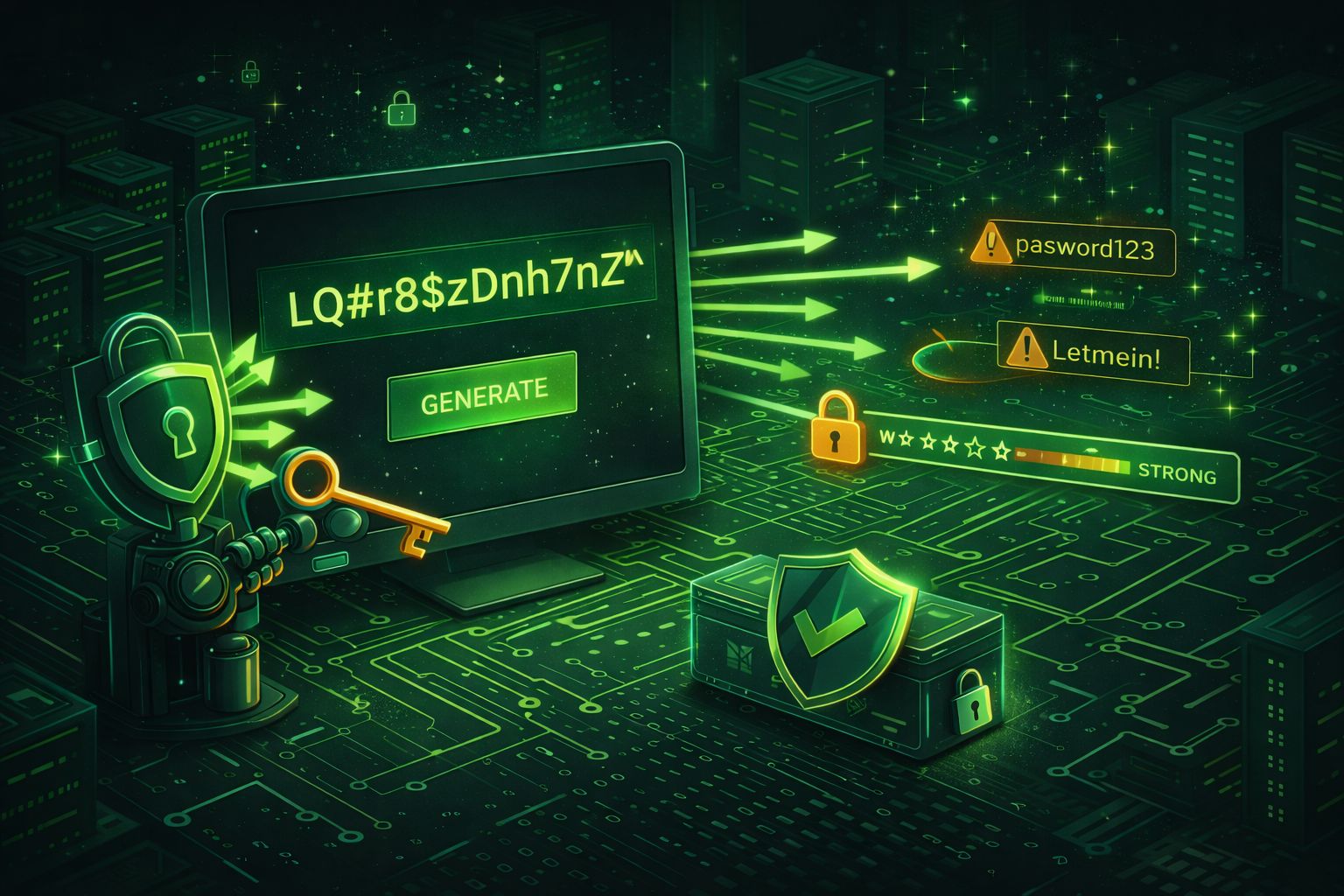
That’s why we built Secure Password Generator by DevToolsPro.org — a simple, browser-local utility that creates truly random passwords without sending any data anywhere.
How the Secure Password Generator by DevToolsPro.org Works ?
Our password generator runs entirely in your browser — no server calls, no cookies, no tracking scripts.
Here’s how it helps you:
Try it now: Secure Password Generator by DevToolsPro.org
What Makes a Password “Secure”?
A secure password should be:
Mathematically, password strength depends on entropy, which measures how unpredictable it is.
A password like MyP@ssw0rd1 looks complex but has only ~30 bits of entropy, while a random 16-character password like H!a3v^P0bYz1M$qW can have over 100 bits of entropy — exponentially harder to guess.
Understanding Password Entropy
Entropy is a mathematical measure of unpredictability — in passwords, it tells us how hard a password is to guess or brute-force.
In simple terms, higher entropy = stronger password.
Entropy is measured in bits. Each bit doubles the number of possible combinations:
- 1 bit → 2 possibilities
- 10 bits → 1,024 possibilities
- 20 bits → ~1 million possibilities
- 40 bits → ~1 trillion possibilities
- 100 bits → practically impossible to brute-force
The formula for entropy is: Entropy = log2(NL) = L × log2(N) Where:
- L = password length
- N = number of possible characters in the character set
For example: Only lowercase letters (26 possibilities): N = 26
Add uppercase (52)
Add digits (62)
Add symbols (say 95 total on a standard keyboard)
If your password has 12 random characters using 95 possible symbols:
Entropy = 12 × log2(95) ≈ 12 × 6.57 = 78.8 bits of entropy
That’s already astronomically stronger than something like MyP@ssw0rd1.
How Much Entropy Do You Need?
| Entropy Range | Strength | Suitable For | |
|---|---|---|---|
| < 40 bits | Weak | Avoid — easily guessed | |
| 40–60 bits | Medium | Low-risk accounts | |
| 60–80 bits | Strong | Most secure logins | |
| > 80 bits | Very strong | Long-term or critical protection |
A random 12–16 character password with mixed characters easily exceeds 80 bits, making it extremely secure even against powerful brute-force attacks
In short: entropy = unpredictability. The more unpredictable your password is, the safer your digital life becomes.
How Password Cracking Works
Understanding how attackers crack passwords is essential for choosing — and generating — ones that actually resist real-world threats. Here are the most common attack vectors:
Brute-Force Attacks
A brute-force attack systematically tries every possible combination of characters until the correct password is found. The time required grows exponentially with password length and character set size.
For a password using the full 95-character printable ASCII set:
- 6 characters: ~735 billion combinations — crackable in minutes on modern GPUs
- 8 characters: ~6.6 quadrillion combinations — hours to days
- 12 characters: ~540 sextillion combinations — centuries with current hardware
- 16 characters: effectively impossible with brute-force alone
Modern GPUs like the NVIDIA RTX 4090 can test over 100 billion MD5 hashes per second. This is why using fast hash functions for password storage is dangerous — and why password length matters more than complexity.
| Password Length | Character Set | Entropy (bits) | Crack Time (MD5, 100B/s) | Crack Time (bcrypt, 10k/s) |
|---|---|---|---|---|
| 6 | Lowercase (26) | ~28 | < 1 second | ~9 hours |
| 8 | Lowercase (26) | ~38 | ~3 seconds | ~27 years |
| 8 | Mixed + Symbols (95) | ~53 | ~18 hours | ~20 million years |
| 12 | Mixed + Symbols (95) | ~79 | ~19 million years | Effectively never |
| 16 | Mixed + Symbols (95) | ~105 | Effectively never | Effectively never |
Estimates assume a single attacker with high-end consumer hardware. State-level adversaries with distributed computing may be faster, but the exponential growth of combinations still protects long passwords.
Dictionary Attacks
Instead of trying every combination, dictionary attacks use wordlists of common passwords, leaked credentials, and predictable patterns. Tools like Hashcat and John the Ripper ship with extensive rule sets that transform dictionary words — appending numbers, substituting characters (e.g., a → @), and combining words.
This is why P@ssw0rd! is not secure despite looking complex — it's a trivial dictionary mutation. A truly random password from a generator like ours is immune to dictionary attacks because it doesn't derive from any word or pattern.
Rainbow Table Attacks
Rainbow tables are massive precomputed lookup tables that map hash values back to their plaintext inputs. If an attacker obtains a database of unsalted password hashes, they can look up each hash in seconds rather than computing it from scratch.
The defense is simple: salting. A unique random salt appended to each password before hashing means precomputed tables are useless — the attacker would need a separate rainbow table for every possible salt value. All modern hashing algorithms (bcrypt, Argon2, scrypt) include salts automatically.
To explore how hash functions work hands-on, try our Hash Generator tool.
Credential Stuffing
Credential stuffing exploits password reuse. When a data breach leaks millions of email-password pairs, attackers feed those credentials into login forms of other services. If you used the same password for a forum and your cloud provider, compromising one means compromising both.
Automated tools test thousands of credentials per minute across hundreds of sites simultaneously. The only defense is unique passwords for every service — exactly what a password generator provides.
Social Engineering
Social engineering bypasses password strength entirely. Phishing emails, fake login pages, and pretexting phone calls trick users into revealing their credentials voluntarily. No amount of password complexity protects against willingly handing it over.
Mitigation requires a layered approach: security awareness training, multi-factor authentication (covered below), and hardware security keys that verify the domain before releasing credentials.
How Salting and Hashing Protect Stored Passwords
When done correctly, password storage uses a slow, salted hashing algorithm that makes each cracking attempt computationally expensive:
- bcrypt: Includes a configurable cost factor that controls how slow the hash computation is. Doubling the cost factor doubles the time per hash. A typical cost of 12 means ~250ms per hash — negligible for login, devastating for brute-force.
- Argon2: The winner of the 2015 Password Hashing Competition. It's memory-hard, meaning attackers can't simply throw more GPUs at the problem — each attempt requires significant RAM, making parallelization expensive.
- scrypt: Another memory-hard function that requires both CPU time and memory, making it resistant to hardware-accelerated attacks.
The key insight: fast hash functions like MD5 and SHA-256 are terrible for passwords precisely because they're designed to be fast. Password hashing must be intentionally slow.
Password Storage Best Practices for Developers
If your application handles user passwords, how you store them is just as critical as how strong those passwords are. A single storage mistake can expose every user in your database.
Rule #1: NEVER Store Plaintext Passwords
This should go without saying, but plaintext password storage still appears in breaches regularly. If an attacker gains read access to your database — through SQL injection, a misconfigured backup, or a compromised admin panel — plaintext passwords mean instant, total compromise of every account.
Why MD5 and SHA-256 Are NOT Sufficient
General-purpose hash functions like MD5 and SHA-256 were designed to be fast. That's a feature for file integrity checks, but a critical flaw for password storage:
- MD5: ~100 billion hashes/second on a modern GPU. An 8-character password falls in hours.
- SHA-256: ~10 billion hashes/second on a modern GPU. Better, but still dangerously fast for short passwords.
Even with salting, these algorithms are too fast. You need a function specifically designed to be slow. See how these hashes work with our Hash Generator.
bcrypt — The Battle-Tested Standard
bcrypt has been the industry standard since 1999. It includes a built-in salt and an adaptive cost factor that lets you increase computation time as hardware gets faster.
# Python example using bcrypt
import bcrypt

# Hashing a password
password = b"user_password_here"
salt = bcrypt.gensalt(rounds=12)  # cost factor of 12
hashed = bcrypt.hashpw(password, salt)

# Verifying a password
if bcrypt.checkpw(password, hashed):
    print("Password matches")
// Node.js example using bcrypt
const bcrypt = require('bcrypt');
const saltRounds = 12;
// Hashing a password
const hash = await bcrypt.hash('user_password_here', saltRounds);
// Verifying a password
const match = await bcrypt.compare('user_password_here', hash);
if (match) console.log('Password matches');Argon2 — The Modern Recommendation
Argon2 is the winner of the 2015 Password Hashing Competition and is recommended by OWASP as the first choice for new applications. It comes in three variants:
- Argon2id: Recommended — combines resistance to both side-channel and GPU attacks
- Argon2i: Optimized for resistance to side-channel attacks
- Argon2d: Optimized for resistance to GPU cracking
# Python example using argon2-cffi
from argon2 import PasswordHasher

ph = PasswordHasher(
    time_cost=3,       # number of iterations
    memory_cost=65536,  # 64 MB of memory
    parallelism=4       # 4 parallel threads
)

# Hashing
hash = ph.hash("user_password_here")

# Verifying
try:
    ph.verify(hash, "user_password_here")
    print("Password matches")
except argon2.exceptions.VerifyMismatchError:
    print("Wrong password")
scrypt — The Memory-Hard Alternative
scrypt requires both CPU time and a configurable amount of memory, making it expensive to attack with custom hardware (ASICs) or GPUs. It's widely used in cryptocurrency mining precisely because of these properties.
// Node.js example using built-in scrypt
const crypto = require('crypto');

const password = 'user_password_here';
const salt = crypto.randomBytes(16);

// Hashing (keylen: 64 bytes, cost: 2^14, block size: 8, parallelism: 1)
crypto.scrypt(password, salt, 64, { N: 16384, r: 8, p: 1 }, (err, key) => {
    const hash = salt.toString('hex') + ':' + key.toString('hex');
    console.log('Stored hash:', hash);
});
PBKDF2 — Widely Supported But Aging
PBKDF2 (Password-Based Key Derivation Function 2) is supported in virtually every language and framework. NIST still considers it acceptable with a high iteration count (at least 600,000 for SHA-256 as of 2023 guidance). However, it's not memory-hard, so it's more vulnerable to GPU attacks than Argon2 or scrypt.
Use PBKDF2 only when bcrypt, Argon2, or scrypt aren't available in your environment.
Pepper: An Extra Layer
A pepper is a secret value stored in application configuration (not in the database) that is appended or prepended to the password before hashing. Unlike a salt (which is stored alongside the hash), a pepper is kept separate — so even if the database is fully compromised, the attacker still can't crack passwords without the application server's secret.
# Pepper example (conceptual)
import hmac, hashlib

PEPPER = os.environ['PASSWORD_PEPPER']  # stored in env, NOT in DB

def hash_with_pepper(password: str, salt: bytes) -> str:
    peppered = hmac.new(
        PEPPER.encode(),
        password.encode(),
        hashlib.sha256
    ).hexdigest()
    return bcrypt.hashpw(peppered.encode(), salt)
Quick Reference: Choosing an Algorithm
| Algorithm | Memory-Hard | Built-in Salt | Recommended By | Best For |
|---|---|---|---|---|
| Argon2id | Yes | Yes | OWASP (1st choice) | New applications |
| bcrypt | No | Yes | OWASP (2nd choice) | Broad compatibility |
| scrypt | Yes | No (manual) | OWASP (3rd choice) | Custom hardware resistance |
| PBKDF2 | No | No (manual) | NIST SP 800-132 | Legacy/compliance |
| SHA-256 (alone) | No | No | Not for passwords | Never use for passwords |
| MD5 (alone) | No | No | Not for passwords | Never use for passwords |
For more details, consult the OWASP Password Storage Cheat Sheet — it's the definitive reference for implementing password storage correctly in production systems.
Best Practices for Developers
If you’re a developer, password generation isn’t just for login credentials. You can use strong random strings for:
Try it now: Secure Password Generator by DevToolsPro.org
Multi-Factor Authentication (MFA)
Even the strongest password in the world can be compromised through phishing, keyloggers, or a server-side breach. Multi-factor authentication adds independent verification layers so that a stolen password alone isn't enough to gain access.
Why Passwords Alone Aren't Enough
Passwords are a single factor — "something you know." If that factor is compromised through any means (phishing, data breach, shoulder surfing, malware), the attacker has full access. MFA requires at least two independent factors from different categories:
- Something you know: password, PIN, security question
- Something you have: phone, hardware key, smart card
- Something you are: fingerprint, face recognition, iris scan
An attacker who steals your password still can't authenticate without also possessing your physical device or biometric.
Types of MFA
TOTP (Time-Based One-Time Password)
Apps like Google Authenticator, Authy, and 1Password generate 6-digit codes that change every 30 seconds. TOTP is the most widely supported MFA method and doesn't require network connectivity after initial setup.
Hardware Security Keys (YubiKey, Titan)
Physical USB/NFC devices that use the FIDO2/WebAuthn protocol. They're phishing-resistant because the key cryptographically verifies the domain — it won't respond to a fake login page even if it looks identical to the real one. This makes hardware keys the gold standard for high-security accounts.
SMS Codes (Least Secure)
A one-time code sent via text message. While better than no MFA, SMS is vulnerable to SIM swapping, SS7 protocol exploits, and interception. NIST has discouraged SMS-based MFA for sensitive applications since 2017. Use TOTP or hardware keys instead whenever possible.
How TOTP Works Technically
TOTP is defined in RFC 6238 and builds on HMAC-based One-Time Password (HOTP, RFC 4226). The process works like this:
- During setup, the server generates a random shared secret (typically 160 bits, encoded as base32) and shares it with the user via a QR code
- Both the server and the authenticator app independently compute:
TOTP = HMAC-SHA1(secret, floor(time / 30)) - The result is truncated to a 6-digit decimal code
- Since both sides use the same secret and the same clock, they generate the same code
- The server typically accepts codes from the current time step ±1 to account for clock drift
# Simplified TOTP implementation (Python)
import hmac, hashlib, struct, time

def generate_totp(secret: bytes, time_step: int = 30, digits: int = 6) -> str:
    # Current time step counter
    counter = int(time.time()) // time_step
    counter_bytes = struct.pack('>Q', counter)

    # HMAC-SHA1
    hmac_hash = hmac.new(secret, counter_bytes, hashlib.sha1).digest()

    # Dynamic truncation
    offset = hmac_hash[-1] & 0x0F
    truncated = struct.unpack('>I', hmac_hash[offset:offset + 4])[0]
    truncated &= 0x7FFFFFFF

    # Generate digits
    code = truncated % (10 ** digits)
    return str(code).zfill(digits)
Implementing MFA in Web Applications
When adding MFA to your application, follow these guidelines:
- Store the TOTP secret encrypted, not in plaintext — treat it like a password
- Enforce MFA at the session level, not just at login (re-verify for sensitive operations)
- Provide backup codes during enrollment (typically 8-10 single-use codes)
- Implement rate limiting on MFA verification to prevent brute-force of 6-digit codes (1,000,000 combinations is small)
- Consider supporting WebAuthn alongside TOTP for users with hardware keys
- Allow users to register multiple MFA methods for redundancy
For understanding how authentication tokens work after MFA verification, explore our JWT Decoder tool — JWTs are commonly used to carry session and authentication claims after a successful MFA challenge.
Recovery Codes and Backup Strategies
Users will lose access to their MFA device — it's inevitable. Plan for this from day one:
- Generate 8-10 single-use recovery codes during MFA setup (each ~128 bits of entropy)
- Display them once and instruct users to store them securely (printed, in a password manager, or in a safe)
- Hash recovery codes before storage — they're equivalent to passwords
- Provide a clear, secure account recovery flow that verifies identity through alternative means
- Log and alert on recovery code usage — it often indicates a compromised device
Passkeys and WebAuthn: The Future Beyond Passwords
Passkeys represent the next evolution in authentication. Built on the WebAuthn standard (backed by the FIDO Alliance, Apple, Google, and Microsoft), passkeys replace passwords entirely with public-key cryptography:
- A unique key pair is generated for each site — the private key never leaves the device
- Authentication uses a cryptographic challenge-response — nothing to phish or steal
- Synced across devices via platform ecosystems (iCloud Keychain, Google Password Manager)
- Biometric unlock (Touch ID, Face ID) provides the "something you are" factor locally
While passkeys are rapidly gaining adoption, passwords and MFA remain essential for the vast majority of systems today. Generating strong, unique passwords with a tool like our Password Generator is still your best immediate defense.
Password Managers: The Developer's Essential Tool
As a developer, you deal with more credentials than almost anyone: personal accounts, staging environments, production databases, cloud consoles, API keys, CI/CD tokens, container registries, and dozens of SaaS tools. Managing all of these with strong, unique passwords is impossible without a password manager.
Why Developers Need Password Managers More Than Anyone
The average person has 80-100 online accounts. Developers often have 200+, many with elevated privileges. A single reused or weak credential in a production system can cascade into a full infrastructure breach. Password managers eliminate the temptation to reuse passwords or store them in plain text files, .env files committed to git, or sticky notes.
Popular Options
| Manager | Open Source | Self-Hostable | CLI Tool | Best For |
|---|---|---|---|---|
| Bitwarden | Yes | Yes (Vaultwarden) | Yes | Open-source teams, self-hosters |
| 1Password | No | No | Yes (op CLI) | Teams, developer workflows |
| KeePass / KeePassXC | Yes | Local-only | Yes | Offline, maximum control |
| Dashlane | No | No | No | Non-technical users, families |
How Password Managers Work
At their core, password managers use a zero-knowledge architecture:
- Master password → the only password you memorize
- Key derivation → your master password is run through a slow KDF (typically PBKDF2 with 600,000+ iterations or Argon2) to produce an encryption key
- Encrypted vault → all stored credentials are encrypted with AES-256-GCM using the derived key
- Zero knowledge → the service provider never sees your master password or derived key — they only store the encrypted blob
This means even if the password manager's servers are breached, your vault remains encrypted. The attacker would need to brute-force your master password through the KDF — which is why your master password should be exceptionally strong (use our Password Generator to create one, then memorize it).
Browser Extension Security Considerations
Browser extensions have broad access to web page content, which creates a potential attack surface. To minimize risk:
- Only install password manager extensions from official sources (Chrome Web Store, Firefox Add-ons)
- Enable auto-lock after inactivity (5-15 minutes is reasonable)
- Use the extension's built-in domain matching — it prevents autofilling on phishing domains
- Keep extensions updated — security patches are frequent
- Avoid granting the extension access to all URLs if your browser offers per-site permissions
Sharing Credentials in a Team
Team credential management is where password managers really shine for development teams:
- Shared vaults: create vaults per team or project (e.g., "Production DB", "AWS Staging") with granular access control
- Role-based access: grant read-only access to junior developers, full access to leads
- Emergency access: designate trusted recovery contacts who can request vault access after a waiting period
- Audit logs: track who accessed which credentials and when — essential for compliance (SOC 2, ISO 27001)
- Offboarding: instantly revoke access when someone leaves the team, then rotate all shared credentials
Generating Passwords: Manager vs. Our Tool
Both password manager generators and our Secure Password Generator produce cryptographically random passwords. They serve complementary purposes:
- Use your manager's generator when creating a password you'll store in the vault — it generates, saves, and autofills in one step
- Use our tool when you need a quick password outside your manager's context — CI/CD setup, pair programming sessions, generating test credentials, or creating passwords to share through a separate secure channel
CLI Integrations for Automated Workflows
Modern password managers offer CLI tools that integrate directly into developer workflows, eliminating hardcoded secrets in scripts and config files:
# 1Password CLI — inject secrets into environment
eval $(op signin)
export DB_PASSWORD=$(op read "op://Production/Database/password")
export API_KEY=$(op read "op://Production/Stripe/api_key")
npm run deploy
# Bitwarden CLI — retrieve credentials in scripts
export BW_SESSION=$(bw unlock --raw)
DB_PASS=$(bw get password "Production Database")
API_KEY=$(bw get password "Stripe API Key")
./deploy.sh --db-pass="$DB_PASS" --api-key="$API_KEY"# Docker / CI integration — no secrets in source code
# .github/workflows/deploy.yml
steps:
- name: Load secrets
uses: 1password/load-secrets-action@v1
with:
export-env: true
env:
OP_SERVICE_ACCOUNT_TOKEN: ${{ secrets.OP_TOKEN }}
DB_PASSWORD: op://Production/Database/password
API_KEY: op://Production/Stripe/api_keyThese integrations mean secrets never appear in your codebase, CI logs, or Docker images — a critical requirement for security-conscious teams.
Why DevToolsPro.org Is Different ?
Unlike many online utilities, DevToolsPro is designed with privacy and speed in mind.
Here’s what makes it stand out:
You get the convenience of cloud tools with the privacy of local execution.
How to Use It (Quick Guide) ?
1. Visit Secure Password Generator by DevToolsPro.org
2. Select your desired length (8–32 characters)
3. Choose character types — uppercase, lowercase, numbers, symbols
4. Click Generate Password
5. Copy instantly and use it wherever needed
That’s it — no sign-ups, no waiting, no tracking pixels.
Share or Save
If you find the password generator useful, share it with your team or add it to your dev bookmarks!
Every share helps us grow while keeping tools free and privacy-first.
“A lightweight tool that respects your privacy — it’s the kind of dev utility I wish more people built.” - — a DevToolsPro.org user
Final Thoughts
Secure password generation shouldn’t be complicated — and it definitely shouldn’t compromise privacy.
With the Secure Password Generator by DevToolsPro.org, you can create strong, random passwords instantly and safely, right in your browser.
Try it now! Visit Secure Password Generator by DevToolsPro.org