The Migration Question: Understanding What You're Actually Choosing
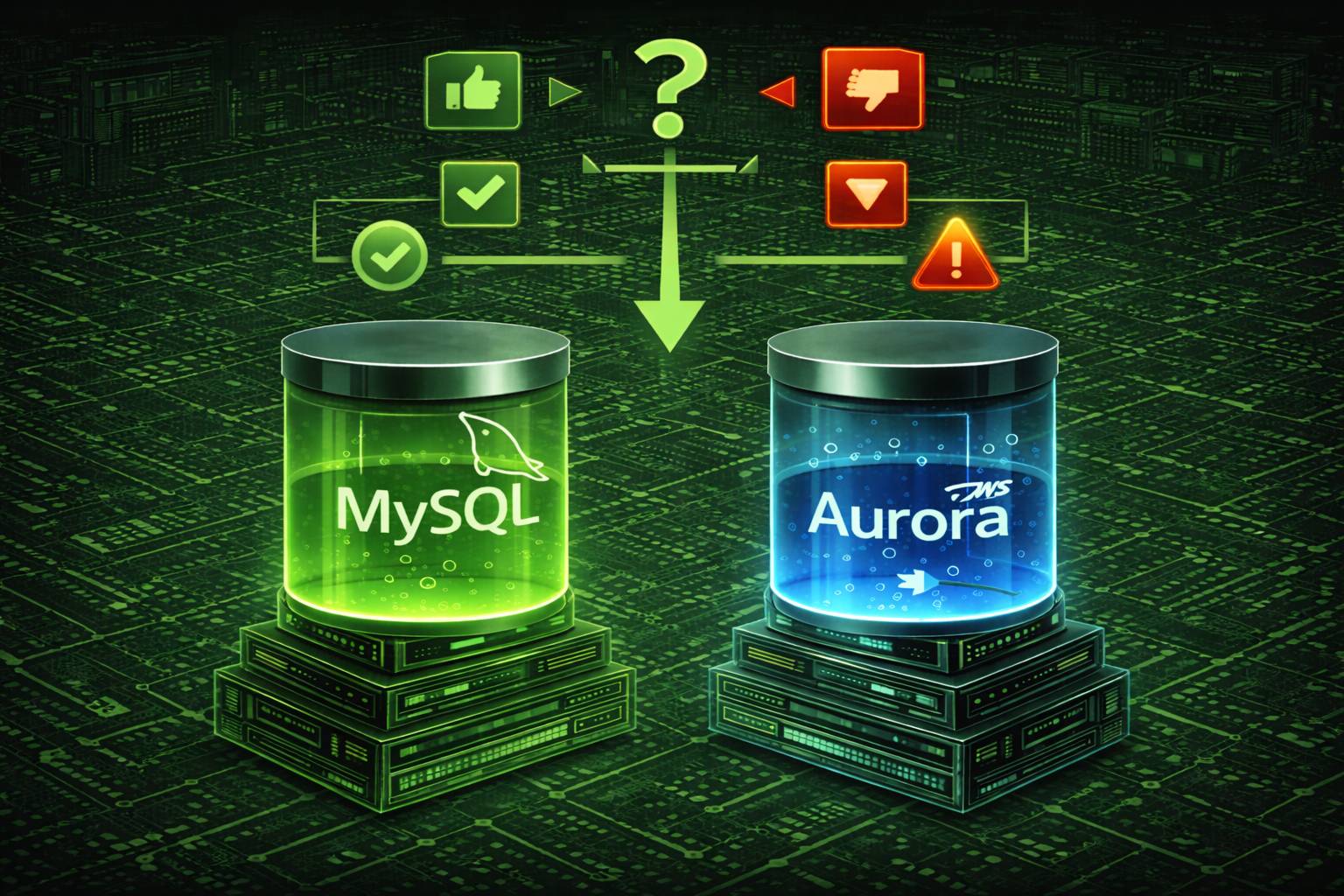
"Should I migrate from MySQL to Aurora for production?" This question appears in architecture reviews, cost optimization meetings, and late-night incident postmortems. But it's the wrong question to start with.
The better question: "What specific production problems am I trying to solve, and is Aurora the right tool for those problems?"
Amazon Aurora isn't "better MySQL"—it's a fundamentally different database engine that happens to speak MySQL's protocol. It solves specific problems (high availability, read scalability, automated failover) while introducing new considerations (higher costs, AWS lock-in, different performance characteristics). This article provides a framework for making this decision based on engineering reality, not marketing promises.
What makes this guide different: Instead of listing Aurora features, I'll show you when those features actually matter in production, what they cost in dollars and complexity, and when staying on MySQL is the better engineering decision. You'll see real scenarios, performance benchmarks with context, and migration strategies that account for downtime budgets and team capabilities.
Who this article is for:
- DevOps engineers evaluating database options for scaling applications
- Database administrators managing MySQL instances hitting operational limits
- Technical leads making architecture decisions with budget constraints
- Site reliability engineers dealing with availability and failover challenges
- CTOs and engineering managers weighing cost vs. engineering time tradeoffs
By the end of this article, you'll have a clear decision framework, understand the true costs (financial and operational), and know exactly what happens during migration. No fluff, no vendor bias—just engineering judgment based on production experience.
What Is Aurora, Really? (Beyond the Marketing)
Amazon Aurora is a cloud-native database engine built from scratch by AWS. It implements MySQL's wire protocol and SQL syntax, meaning applications talk to it using MySQL drivers and queries. But under the hood, Aurora's architecture shares almost nothing with MySQL's codebase.
Aurora's Architecture: Why It's Not Just "MySQL on AWS"
The fundamental difference: MySQL stores data on local disks attached to database servers. Aurora separates compute (query processing) from storage (data persistence) into independent layers that communicate over a custom protocol. This separation enables features impossible in traditional MySQL:
- Storage auto-scaling: Expands from 10GB to 128TB in 10GB increments without downtime or manual provisioning
- Six-way replication: Every write replicates to 6 storage nodes across 3 Availability Zones automatically—MySQL requires manual multi-master or semi-sync replication setup
- 10ms replica lag: Read replicas lag by single-digit milliseconds vs. seconds/minutes in MySQL replication
- Quorum-based writes: Writes succeed when 4 of 6 storage nodes acknowledge, tolerating 2 concurrent node failures without data loss
- Redo log offloading: Only redo logs transmit to storage layer (not full page writes), reducing network traffic by 8x and enabling higher write throughput
What Aurora Doesn't Change (Important Limitations)
MySQL compatibility boundaries: Aurora supports MySQL 5.6, 5.7, and 8.0 wire protocols, but not everything translates:
- Storage engines: Only InnoDB supported. MyISAM tables auto-convert to InnoDB during migration (indexes, fulltext behavior changes)
- Plugins and custom functions: Many MySQL plugins don't work (audit plugins, authentication plugins, custom UDFs). AWS provides Aurora-specific alternatives.
- Performance tuning parameters: InnoDB buffer pool, doublewrite buffer, redo log size—Aurora manages these differently. Your carefully tuned MySQL configs may not apply.
- Filesystem access: No
SELECT INTO OUTFILE,LOAD DATA INFILEfrom local filesystem. Must use S3 integration. - Replication topologies: Aurora's replication is different. Custom replication setups (ring topologies, delayed replicas with specific lag targets) require rearchitecture.
Aurora Versions: MySQL 5.7 vs. 8.0 Feature Parity
Critical consideration: Aurora's MySQL 5.7 and 8.0 versions have different feature sets and performance characteristics. MySQL 8.0 features like window functions, CTEs, and instant DDL work in Aurora MySQL 8.0, but with Aurora-specific caveats:
- Instant DDL: Works for adding columns, but Aurora's storage layer may require additional operations MySQL 8.0 doesn't
- Parallel query: Aurora-specific feature for accelerating analytical queries on large tables (only works on tables >1GB not in buffer pool)
- Backtrack: Time-travel feature to rewind database to specific point in last 72 hours without restoring backups (only available in Aurora, not standard MySQL)
The bottom line: If your application runs on MySQL and only uses standard SQL/InnoDB features, migration to Aurora is straightforward. If you rely on MyISAM, custom plugins, filesystem operations, or specific replication topologies, expect significant rework.
Performance Reality Check: When Aurora Actually Delivers 5x Speed (and When It Doesn't)
AWS claims "up to 5x throughput of standard MySQL." This is technically accurate under specific conditions—and misleading if you don't understand those conditions. Here's what the benchmarks actually show and what matters in production.
The 5x Performance Claim: What the Fine Print Says
AWS's benchmark methodology: The 5x number comes from SysBench OLTP write-intensive workloads on r3.8xlarge instances (32 vCPUs, 244GB RAM) comparing Aurora MySQL 5.6 vs. RDS MySQL 5.6. Specific conditions:
- 100% write workload (worst case for MySQL's doublewrite buffer overhead)
- Large buffer pool fitting most working set in memory
- Many concurrent connections (256+ threads) generating high lock contention
- Small transactions (few rows per transaction) maximizing commit overhead
Why Aurora wins this scenario: MySQL writes full data pages twice (once to doublewrite buffer, once to tablespace) to prevent page tearing. Aurora only sends redo logs to storage (8x less network I/O), eliminates doublewrite buffer, and parallelizes writes across 6 storage nodes. For high-concurrency small-transaction workloads, this 5x improvement is real.
Real-World Performance: What Actually Changes in Production
Workloads where Aurora significantly outperforms MySQL:
- Write-heavy OLTP: E-commerce checkouts, financial transactions, event logging at scale (1000+ writes/sec). Aurora's redo-log architecture shines here—expect 2-4x throughput improvement.
- Large buffer pool scenarios: Databases where 80%+ working set fits in RAM. Aurora's reduced write amplification dominates performance.
- High availability failover: Aurora failover completes in <30 seconds (vs. 60-300 seconds for MySQL replication promotion). For mission-critical apps, this isn't "5x faster," it's 10x less downtime.
- Read scaling: 15 read replicas with <10ms lag vs. MySQL's 5 replicas with seconds-to-minutes lag. For read-heavy apps (dashboards, analytics), this is transformative.
Workloads where Aurora performs similarly or worse than MySQL:
- Read-mostly workloads: If 95%+ traffic is reads and working set fits in buffer pool, MySQL's local disk is faster than Aurora's network-attached storage. Expect 0-20% improvement, possibly regression.
- Single-threaded batch jobs: Large data imports, overnight ETL jobs with sequential writes. Aurora's parallelism doesn't help single-thread bottlenecks.
- Small databases (<10GB): Aurora's distributed architecture has overhead. For tiny databases, MySQL on local SSD is simpler and faster.
- Specific query patterns: Some JOIN-heavy analytical queries on cold data (not in buffer pool) can be slower on Aurora due to network latency accessing storage.
Benchmarks with Context: Real Production Migration Results
Case Study 1: E-commerce Platform (Write-Heavy)
- Before (MySQL): 3500 transactions/sec peak, 200ms p99 latency during traffic spikes
- After (Aurora): 9500 transactions/sec sustained, 80ms p99 latency—2.7x throughput improvement
- What changed: Eliminated doublewrite buffer overhead, better lock scaling with 32+ concurrent connections
- Cost tradeoff: Database costs increased 40%, but eliminated need for read replica scaling, net savings
Case Study 2: Analytics Dashboard (Read-Heavy)
- Before (MySQL): 5 read replicas with 30-90 second replication lag, stale data in dashboards
- After (Aurora): 10 read replicas with <10ms lag, near-real-time dashboard updates
- What changed: Not "faster queries," but operationally simpler to scale reads without lag problems
- Cost tradeoff: Database costs doubled, but eliminated custom caching layer ($15K/year savings in Redis hosting + maintenance)
Case Study 3: Internal Tool (Low Traffic)
- Before (MySQL): 50 queries/sec average, 15ms p50 latency, 8GB database
- After (Aurora): 50 queries/sec average, 18ms p50 latency—3ms slower
- What changed: Network hop to storage layer added latency. Working set fit in buffer pool, so Aurora's architecture provided no benefit.
- Cost tradeoff: Database costs increased 35% for zero performance improvement. Bad migration decision.
How to Predict Your Performance Improvement
Use these heuristics to estimate Aurora's benefit for YOUR workload:
- Write ratio > 30%: Expect 1.5-3x throughput improvement (Aurora's sweet spot)
- Write ratio < 10%: Expect 0-1.2x improvement (Aurora's overhead may negate benefits)
- Current replication lag > 10 seconds: Aurora's consistent <10ms lag is game-changing regardless of raw throughput
- Frequent failovers (>1/month): Aurora's 30-second failover vs. MySQL's 2-5 minute failover justifies migration on availability alone
- Database < 20GB: Aurora's overhead likely exceeds benefits unless you need HA features
- Database > 500GB: Aurora's operational simplicity (auto-scaling storage, fast backups) provides value even if throughput is similar
Testing methodology: Don't trust benchmarks (including mine). Run YOUR workload on Aurora using AWS's Aurora Read Replica method—create an Aurora replica of your RDS MySQL instance, direct 10% of read traffic to it, measure latency/throughput over a week. This gives you production data with zero migration risk.
Cost Analysis: The Real Price of Aurora (Hidden Costs Included)
"Aurora costs 20% more than RDS MySQL" is technically correct and practically useless. The true cost difference depends on instance size, I/O patterns, backup retention, and operational overhead savings. Here's how to calculate YOUR actual cost difference.
Compute Costs: The Obvious Difference
RDS MySQL pricing (us-east-1, on-demand, 2024 rates):
- db.r6g.large (2 vCPU, 16GB RAM): $0.24/hour = $175/month
- db.r6g.xlarge (4 vCPU, 32GB RAM): $0.48/hour = $350/month
- db.r6g.2xlarge (8 vCPU, 64GB RAM): $0.96/hour = $700/month
Aurora MySQL pricing (us-east-1, on-demand, 2024 rates):
- db.r6g.large (2 vCPU, 16GB RAM): $0.29/hour = $212/month (+21%)
- db.r6g.xlarge (4 vCPU, 32GB RAM): $0.58/hour = $424/month (+21%)
- db.r6g.2xlarge (8 vCPU, 64GB RAM): $1.16/hour = $848/month (+21%)
The 21% premium is consistent across instance sizes. But compute is often the SMALLER part of total database cost. Storage and I/O tell a different story.
Storage Costs: Where It Gets Complicated
RDS MySQL storage pricing:
- General Purpose SSD (gp3): $0.115/GB-month
- Provisioned IOPS SSD (io1): $0.125/GB-month + $0.10/IOPS-month
- You pay for provisioned storage (not used storage)
Aurora MySQL storage pricing:
- Storage: $0.10/GB-month (13% cheaper than RDS gp3)
- I/O requests: $0.20 per 1 million requests
- You pay for used storage (not provisioned)
- Storage auto-scales—no need to over-provision
Real-World Cost Comparison: Three Scenarios
Scenario 1: Small Application (100GB database, low I/O)
- RDS MySQL (db.r6g.large): $175 compute + $11.50 storage (100GB × $0.115) = $186.50/month
- Aurora (db.r6g.large): $212 compute + $10 storage (100GB × $0.10) + $2 I/O (10M requests × $0.20) = $224/month (+20%)
- Verdict: Aurora costs $37/month more ($444/year) for minimal benefit at this scale. Stay on MySQL unless you need HA.
Scenario 2: Mid-Size Application (500GB database, moderate I/O)
- RDS MySQL (db.r6g.xlarge): $350 compute + $57.50 storage (500GB × $0.115) = $407.50/month
- Aurora (db.r6g.xlarge): $424 compute + $50 storage (500GB × $0.10) + $10 I/O (50M requests) = $484/month (+19%)
- Verdict: Aurora costs $76/month more ($912/year). If you're currently managing read replicas manually, Aurora's operational simplicity may justify this.
Scenario 3: Large Application (2TB database, high I/O, 3 read replicas)
- RDS MySQL (db.r6g.2xlarge primary + 3 replicas): $700 × 4 instances + $230 storage × 4 = $3720/month
- Aurora (1 writer + 3 readers): $848 writer + ($848 × 3) readers + $200 storage (shared) + $50 I/O = $3642/month (-2%)
- Verdict: Aurora is actually CHEAPER at scale because storage is shared across replicas. Plus better failover, no replication lag. Clear win.
Hidden Costs: What Spreadsheets Miss
Operational costs that change with Aurora:
- On-call engineer time: Aurora's automated failover means fewer 3am pages. Value: $10-30K/year depending on team size.
- Backup storage: Aurora's continuous backup to S3 is included. RDS MySQL automated backups cost $0.095/GB-month. For 1TB database with 7-day retention: $95/month savings.
- Monitoring/observability: Aurora provides additional CloudWatch metrics. MySQL may require third-party tools (Datadog, New Relic) costing $100-500/month.
- Read replica management: Aurora's single-digit-millisecond lag eliminates need for custom cache invalidation logic. Development cost savings: $5-15K if you were planning to build this.
- Storage growth planning: Aurora auto-scales. MySQL requires capacity planning, storage expansion windows. Time savings: 2-4 hours/quarter.
Costs that INCREASE with Aurora:
- AWS lock-in: Migrating OFF Aurora back to MySQL or to another provider is harder than migrating between MySQL-compatible systems. Exit cost: weeks of engineering time.
- Learning curve: Aurora-specific features (Parallel Query, Backtrack, Global Database) require team training. Onboarding cost: 40-80 hours spread across team.
- I/O cost unpredictability: MySQL has fixed storage costs. Aurora's I/O charges can spike unexpectedly (e.g., runaway query generating 1B I/Os = $200 surprise charge).
Cost Optimization Strategies
If you migrate to Aurora, use these tactics to control costs:
- Reserved Instances: 1-year commitment saves 34%, 3-year saves 51%. For stable workloads, this makes Aurora cheaper than on-demand RDS MySQL.
- Aurora Serverless: For variable workloads (dev/test environments, intermittent batch jobs), pay per second of compute. Can reduce costs 70%+ vs. always-on instances.
- Query optimization: Aurora charges per I/O request. Poorly optimized queries with excessive index scans directly increase costs. Use SQL formatting tools to maintain readable queries and make optimization easier.
- Right-sizing instances: Aurora's performance improvements may allow smaller instances. If MySQL needed db.r6g.2xlarge, Aurora may perform identically on db.r6g.xlarge (50% compute cost reduction offsetting Aurora premium).
The cost decision framework: Aurora makes financial sense when (1) you need >2 read replicas, (2) database >500GB, or (3) you're currently paying engineers to manage MySQL HA/failover. For small single-instance databases, MySQL is cheaper unless uptime requirements justify the premium.
When to Migrate to Aurora (Clear Decision Criteria)
Stop asking "Is Aurora better?" and start asking "Does Aurora solve my specific problems?" Here are the scenarios where migration makes engineering and financial sense.
Strong Yes: Migrate to Aurora
1. You're hitting MySQL replication limits
- Current state: 5+ read replicas with 30+ second replication lag
- Impact: Stale data in dashboards, eventual consistency issues, complex application logic to handle lag
- Aurora solution: 15 read replicas with <10ms lag, eliminates lag-handling code
- ROI: Immediate improvement in data freshness, reduced application complexity
2. Downtime from failovers is costing money
- Current state: MySQL failover takes 3-10 minutes (replica promotion, DNS updates, connection pool reset)
- Impact: Revenue loss during downtime (e.g., $5K/minute for e-commerce), SLA breaches
- Aurora solution: 30-second automated failover, no DNS changes (reader endpoints handle routing)
- ROI: If downtime costs >$1K/hour and you have >2 unplanned outages/year, Aurora pays for itself
3. You're spending engineering time on database operations
- Current state: Manual replica setup, backup management, storage expansion, failover testing
- Impact: 10+ hours/month of DBA/DevOps time at $100+/hour = $12K+/year
- Aurora solution: Automated backups, auto-scaling storage, managed replicas, push-button failover testing
- ROI: Time savings > cost premium for teams with <2 FTE dedicated to database operations
4. Write throughput is bottlenecking application scale
- Current state: MySQL write performance maxing out at 2000-5000 TPS despite hardware upgrades
- Impact: Cannot scale application horizontally, forced to denormalize data or add caching layers
- Aurora solution: 2-4x write throughput on same instance size due to reduced write amplification
- ROI: Delays or eliminates need for expensive caching infrastructure ($500+/month Redis cluster)
5. You need multi-region disaster recovery
- Current state: No DR setup, or complex custom replication across regions with manual failover
- Impact: Regional outages cause total downtime (RPO/RTO measured in hours)
- Aurora solution: Aurora Global Database provides <1 second cross-region replication, 1-minute region failover
- ROI: For critical applications where regional failover is required, Aurora is the only turnkey solution
Probably Yes: Aurora Likely Makes Sense
6. Database is growing beyond 1TB and storage management is painful
- Current state: Must pre-provision storage, plan expansion windows, deal with EBS volume limits
- Aurora solution: Auto-scales to 128TB, pay only for used storage
- Tradeoff: Simpler operations vs. slightly higher per-GB cost
7. You need fast point-in-time recovery
- Current state: MySQL PITR requires restoring full backup + applying binary logs (30+ minutes for large databases)
- Aurora solution: Backtrack feature rewinds database to any point in last 72 hours in minutes (no restore required)
- Tradeoff: Backtrack costs $0.012/million change records but eliminates restore delays
8. Application is read-heavy with cache complexity
- Current state: Complex cache invalidation logic due to replication lag, cache misses cause query storms
- Aurora solution: Near-zero replication lag simplifies caching strategy, may eliminate cache entirely for some workloads
- Tradeoff: Aurora cost vs. operational complexity of cache layer
Maybe: Depends on Your Situation
9. Moderate traffic with standard HA requirements
- Current state: Single MySQL instance or simple master-replica, acceptable 5-minute failover RTO
- Consideration: Aurora provides better HA, but at 20%+ cost premium. Is 30-second failover vs. 5-minute worth it?
- Decision factors: SLA requirements, customer expectations, business impact of brief outages
10. Complex MySQL setup with custom configurations
- Current state: Heavily tuned MySQL with custom plugins, specific InnoDB settings, filesystem operations
- Consideration: Aurora doesn't support all MySQL features. Migration requires rearchitecture.
- Decision factors: Development cost to adapt application vs. long-term Aurora benefits
Clear No: Stay on MySQL
11. Small database (<50GB) with low traffic
- Why stay on MySQL: Aurora's overhead exceeds benefits. Simpler = better for small scale.
- Cost impact: Paying 20%+ premium for features you don't need
- Exception: If uptime is critical (financial systems, healthcare), Aurora's HA may justify cost even at small scale
12. Tight budget with no immediate scaling needs
- Why stay on MySQL: Every dollar matters in early-stage startups. MySQL is proven and cheaper.
- Decision: Optimize MySQL first (read replicas, query optimization, connection pooling), then revisit Aurora when costs become negligible relative to revenue
13. Need for multi-cloud or cloud-agnostic architecture
- Why stay on MySQL: Aurora locks you into AWS. If multi-cloud strategy is important (negotiating leverage, disaster recovery across providers), standard MySQL runs everywhere.
- Alternative: Consider managed MySQL on multiple clouds (RDS, Cloud SQL, Azure Database) for portability
14. Primary workload is analytics/batch processing
- Why stay on MySQL: Aurora optimizes for OLTP (many small transactions). Large analytical queries may perform worse due to network-attached storage.
- Better alternatives: Consider purpose-built analytics databases (Redshift, BigQuery, Snowflake) instead of forcing Aurora into wrong use case
15. Using MyISAM or non-InnoDB storage engines extensively
- Why stay on MySQL: Aurora auto-converts MyISAM to InnoDB, changing locking behavior, fulltext search characteristics, and storage requirements.
- Decision: Either refactor application for InnoDB first (while still on MySQL where you control timing), then migrate, or stay on MySQL if refactor isn't feasible
The Decision Framework (Use This Checklist)
Migrate to Aurora if ANY of these are true:
- ❌ Replication lag >10 seconds causing application issues
- ❌ Failover downtime >2 minutes unacceptable for business
- ❌ Need >5 read replicas or plan to soon
- ❌ Write throughput bottlenecked despite hardware upgrades
- ❌ Multi-region DR required
- ❌ Database >1TB and growing
Stay on MySQL if ALL of these are true:
- ✅ Database <100GB
- ✅ Current MySQL performance is adequate
- ✅ Single instance or simple master-replica meets HA needs
- ✅ Budget-constrained
- ✅ No immediate scaling challenges
Everything else: Run a proof-of-concept. Use Aurora's Read Replica method to test with production traffic before committing.
Migration Pitfalls: What Actually Goes Wrong (and How to Avoid It)
Migration tutorials show the happy path. Production migrations hit edge cases, compatibility issues, and performance regressions. Here are the problems nobody warns you about—and how to handle them.
Pitfall 1: AWS DMS Doesn't Migrate Everything
The problem: AWS Database Migration Service (DMS) is the recommended migration tool, but it has critical limitations that AWS documentation buries in footnotes.
What DMS doesn't migrate:
- Secondary indexes: DMS creates the table but often skips non-primary-key indexes. Queries run slowly post-migration because missing indexes force table scans.
- Stored procedures and triggers: Must be manually recreated. If your application relies on database-side logic, migration is incomplete.
- Events and scheduled jobs: MySQL's event scheduler doesn't transfer. Background jobs stop running.
- User accounts and permissions: Grants must be manually recreated on Aurora.
- Default values and column attributes:
DEFAULT CURRENT_TIMESTAMP,AUTO_INCREMENTstarting values, column comments—all lost. - Foreign key constraints: Sometimes dropped during migration, silently allowing data integrity violations post-migration.
How to avoid this:
- Before DMS migration, export your schema using
mysqldump --no-dataand manually create it in Aurora - Let DMS handle only data migration (tables already exist), not schema creation
- Post-migration, run
SHOW CREATE TABLEon both source and target to diff schemas line-by-line - Test stored procedures individually—Aurora may have subtle incompatibilities in MySQL compatibility layer
Pitfall 2: Aurora Connection Handling Is Different
The problem: Aurora uses a proxy layer between your application and database engine. This changes connection behavior in ways that break assumptions.
Specific issues:
- Connection multiplexing: Aurora proxies pool connections.
SET SESSIONvariables may not persist across queries if connection is recycled. - Transaction isolation: Implicit transactions behave differently. Code relying on auto-commit behavior may see consistency issues.
- Prepared statements: Some ORMs cache prepared statements per connection. Connection recycling breaks the cache, causing "prepared statement does not exist" errors.
- Lock timeouts: Aurora's distributed storage layer changes lock acquisition timing. Code that worked with specific
innodb_lock_wait_timeoutvalues may deadlock.
How to avoid this:
- Set session variables in every query if needed:
SET SESSION sql_mode = 'STRICT_TRANS_TABLES'; SELECT ... - Explicitly start transactions: Replace implicit transactions with
START TRANSACTION; ... COMMIT; - Test connection pool configurations: Aurora works best with smaller pool sizes (10-20 connections per app server vs. 50-100 on MySQL)
- Monitor for "Lost connection to MySQL server" errors—Aurora's proxy has different keepalive behavior
Pitfall 3: Performance Regressions Nobody Expects
The problem: "Up to 5x faster" doesn't mean every query is faster. Some queries get slower, and you won't know which until production traffic hits.
Common regression patterns:
- Cold cache queries: Queries on data not in buffer pool require network round-trips to Aurora storage (extra latency vs. local SSD). Large scans can be 2-3x slower.
- Fulltext search: MyISAM fulltext converted to InnoDB fulltext has different performance characteristics. Queries may need index tuning.
- Temporary tables: Aurora's network-attached storage makes
CREATE TEMPORARY TABLEslower. Queries using temp tables for intermediate results regress. - Bulk inserts: Single-row
INSERTs in loops are slower on Aurora due to network overhead. Must batch inserts (multi-rowINSERTorLOAD DATA FROM S3).
How to avoid this:
- Profile queries BEFORE migration: Identify your slowest/most frequent queries using slow query log
- Test those specific queries on Aurora with production-like data
- Set up side-by-side comparison: Run Aurora read replica alongside MySQL, compare query performance metrics
- Don't assume faster overall = faster for all queries. Watch p95/p99 latencies, not just averages
Pitfall 4: I/O Costs Explode Unexpectedly
The problem: Aurora charges $0.20 per million I/O requests. A single inefficient query can generate millions of I/Os, causing surprise charges.
Real-world example:
- Query:
SELECT * FROM large_table WHERE unindexed_column = 'value' - Table scan on 500M row table generates 500M I/Os
- Cost: 500M I/Os × $0.20/million = $100 for one query
- If this runs hourly: $72K/month in I/O charges alone
How to avoid this:
- Set CloudWatch alarms for I/O spikes (alert if >100M I/Os/hour baseline)
- Use
performance_schemato track I/O per query:SELECT * FROM events_statements_summary_by_digest ORDER BY SUM_ROWS_EXAMINED DESC; - Optimize high-I/O queries BEFORE migration using proper query formatting and analysis
- Consider Aurora I/O-Optimized configuration ($0.10/GB-month more expensive storage, but zero I/O charges) if I/O costs exceed 20% of storage costs
Pitfall 5: Character Set and Collation Mismatches
The problem: Aurora defaults to utf8mb4 with utf8mb4_0900_ai_ci collation (MySQL 8.0 default). If your MySQL uses utf8mb3 or latin1, data migration silently changes sort order and string comparison behavior.
Symptoms:
ORDER BYreturns different row ordering than on MySQLUNIQUEconstraints reject inserts that were accepted before (case-insensitive collations)- Application searches break because string matching behavior changed
How to avoid this:
- Check source database charset:
SHOW VARIABLES LIKE 'character_set%'; - Set Aurora parameter group to match source BEFORE migration
- Test string operations: Sort orders, case sensitivity, accent handling must match exactly
Pitfall 6: Replication Lag Causes Data Loss During Cutover
The problem: Even with DMS's "ongoing replication" mode, there's a brief window during cutover where writes can be lost.
The failure scenario:
- DMS is replicating MySQL → Aurora with 2-second lag
- You stop writes to MySQL, wait for replication to catch up
- Replication shows "0 seconds behind," you cut over applications to Aurora
- 5 writes that occurred in the final second before write stoppage haven't replicated yet
- Those 5 transactions are lost permanently
How to avoid this:
- Don't trust "0 seconds lag" metric—it updates every second, so 0-1 second lag shows as "0"
- Use checksums: Run
SELECT COUNT(*), MAX(id) FROM critical_tableson both databases, verify they match - Implement application-level write verification: Have application write sentinel records with known IDs immediately before cutover, verify they exist in Aurora
- Consider dual-write period: Write to both MySQL and Aurora for 1 hour post-cutover, verify consistency, then shut down MySQL
Pitfall 7: Monitoring and Alerting Break
The problem: Your existing MySQL monitoring tools (Percona Monitoring, custom scripts scraping SHOW STATUS) may not work on Aurora.
What breaks:
SHOW ENGINE INNODB STATUSreturns different information (Aurora's storage layer is not InnoDB)- Replication monitoring tools looking for
Seconds_Behind_Masterdon't work (Aurora replication is different) - Disk space monitoring is irrelevant (Aurora auto-scales storage)
- Some
performance_schematables have different schema or missing data
How to avoid this:
- Migrate monitoring to CloudWatch BEFORE cutting over (Aurora provides rich CloudWatch metrics)
- Test alerts in staging: Trigger intentional issues (high CPU, slow queries) and verify alerts fire
- Update runbooks: Incident response procedures change (no manual failover, different backup restoration process)
The meta-lesson: Plan for 2-3x longer migration timeline than "best case" tutorials suggest. Budget time for discovering and fixing these issues in staging before production cutover.
Migration Strategy Guide: Step-by-Step Execution
Theory is easy. Execution is where migrations succeed or fail. Here's how to actually migrate MySQL to Aurora in production with minimal downtime and maximum safety.
Pre-Migration Phase (1-2 Weeks)
Step 1: Compatibility Assessment
- Run AWS Schema Conversion Tool against source MySQL database
- Document incompatibilities: MyISAM tables, custom functions, unsupported features
- Estimate conversion effort (hours of development to fix incompatibilities)
- Decision point: If >40 hours of fixes required, consider if Aurora is worth it
Step 2: Export Schema and Baseline Performance
# Export schema
mysqldump -h source-mysql \
  --no-data \
  --routines \
  --triggers \
  --events \
  -u admin -p > schema.sql

# Capture baseline metrics
mysql -h source-mysql -u admin -p -e "
  SELECT
    table_schema,
    table_name,
    table_rows,
    data_length / 1024 / 1024 AS size_mb
  FROM information_schema.tables
  WHERE table_schema NOT IN ('mysql', 'information_schema', 'performance_schema')
  ORDER BY data_length DESC
" > baseline_size.txt

# Profile query performance
mysql -h source-mysql -u admin -p -e "
  SELECT
    digest_text,
    count_star AS executions,
    avg_timer_wait / 1000000000000 AS avg_latency_sec
  FROM performance_schema.events_statements_summary_by_digest
  ORDER BY avg_timer_wait * count_star DESC
  LIMIT 20
" > baseline_queries.txt
Step 3: Create Aurora Cluster
- Match MySQL version: If source is MySQL 5.7, create Aurora MySQL 5.7 (not 8.0)
- Create parameter group with same settings as source MySQL
- Important parameters to match:
sql_mode,character_set_server,collation_server,time_zone - Set up VPC security groups: Allow application servers to connect
- Enable Performance Insights and Enhanced Monitoring for troubleshooting
Step 4: Schema Migration and Testing
# Import schema to Aurora (fix incompatibilities manually)
mysql -h aurora-endpoint -u admin -p < schema_fixed.sql

# Verify schema matches
mysql -h aurora-endpoint -u admin -p -e "SHOW TABLES" > aurora_tables.txt
diff mysql_tables.txt aurora_tables.txt

# Test critical stored procedures
mysql -h aurora-endpoint -u admin -p -e "CALL your_critical_procedure(params)"
Migration Methods: Choose Your Path
Method 1: Aurora Read Replica (Lowest Downtime, RDS MySQL Only)
When to use: Source is RDS MySQL 5.7 or 8.0, downtime budget <5 minutes
Procedure:
- Create Aurora Read Replica from RDS MySQL instance (AWS console → Create Aurora Read Replica)
- Wait for replication to sync (monitor
AuroraReplicaLagCloudWatch metric) - Once lag < 10 seconds sustained for 10 minutes, prepare cutover
- Schedule maintenance window: Stop application writes
- Wait for replication lag = 0 (verify with
SHOW SLAVE STATUS) - Promote Aurora replica to standalone cluster
- Update application connection strings to Aurora endpoint
- Resume writes
Downtime: 2-5 minutes (time to promote replica + update app configs)
Method 2: AWS DMS (Works for Any MySQL, More Complex)
When to use: Source is on-premises MySQL, EC2-hosted MySQL, or RDS MySQL <5.6
Procedure:
- Create DMS replication instance (c5.large minimum for production migrations)
- Create source endpoint (test connection to verify credentials/network)
- Create target endpoint (Aurora cluster)
- Create migration task:
- Type: Migrate existing data and replicate ongoing changes
- Table mappings: Include all required schemas/tables
- LOB settings: Limited LOB mode if you have BLOB/TEXT columns
- Enable validation: Compares row counts after migration
- Start task, monitor progress (DMS console shows table completion status)
- Wait for "Full load complete" + replication lag < 2 seconds
- Validation phase: Run checksums, query critical tables on both databases
- Cutover: Stop writes, wait for lag = 0, switch applications to Aurora
Downtime: 5-30 minutes depending on replication catchup speed
Method 3: Snapshot Restore (Simple, Higher Downtime)
When to use: Downtime budget >2 hours, want simplest possible process
Procedure:
- Take final RDS MySQL snapshot
- Restore snapshot to new Aurora cluster
- Update application connection strings
- Resume operations
Downtime: Snapshot time + restore time (10GB = ~15 minutes, 1TB = 2-4 hours)
Post-Migration Validation (Critical Step)
Don't assume success—verify everything:
# 1. Row count verification
mysql -h aurora-endpoint -u admin -p -e "
  SELECT
    table_schema,
    table_name,
    table_rows
  FROM information_schema.tables
  WHERE table_schema = 'your_database'
  ORDER BY table_name
" > aurora_counts.txt

# Compare with MySQL baseline
diff mysql_counts.txt aurora_counts.txt

# 2. Checksum critical tables
mysql -h aurora-endpoint -u admin -p -e "CHECKSUM TABLE your_database.critical_table"
# Compare output to MySQL checksum

# 3. Test application functionality
# - User login/authentication
# - Create/read/update/delete operations
# - Payment processing (if applicable)
# - Search functionality
# - Report generation

# 4. Performance comparison
# Run same queries from baseline_queries.txt
# Compare p50/p95/p99 latencies
Rollback Plan (Hope You Don't Need It)
If something goes catastrophically wrong:
- Keep source MySQL instance running for 24-48 hours post-migration
- If Aurora issues discovered: Stop writes, point applications back to MySQL
- If data loss discovered: Restore MySQL from pre-migration backup, replay transactions from application logs
- Document the failure mode before retrying migration
Cutover Checklist (Print This)
□ Schema verified matching (SHOW CREATE TABLE comparison)
□ Row counts match on all tables
□ Indexes exist on Aurora (SHOW INDEXES FROM table)
□ Stored procedures tested individually
□ Triggers verified (INSERT/UPDATE/DELETE tests)
□ Application config updated with Aurora endpoint
□ Connection pool settings tuned for Aurora
□ Monitoring dashboards updated (CloudWatch metrics)
□ Alerting rules updated (new thresholds for Aurora)
□ Team briefed on Aurora-specific incident response
□ Rollback plan documented and tested
□ Off-hours maintenance window scheduled
□ Stakeholders notified of maintenance window
□ Database backup taken and verified restorable
□ DNS TTL lowered (if using DNS for database endpoints)
□ Load testing passed on Aurora staging environment
Timeline expectations: From decision to production cutover, budget 3-6 weeks for medium-sized database (100GB-1TB). Rushing causes data loss. Taking longer costs opportunity cost. Balance carefully.
Frequently Asked Questions: MySQL to Aurora Migration
Find answers to common questions
SELECT INTO OUTFILE, LOAD DATA INFILE). Most applications work without modification, but edge cases exist. Test your specific application thoroughly in staging before production migration.mysqldump. However, Aurora-specific features (Backtrack, Parallel Query, Global Database) won't transfer, and you'll need to re-implement any HA/replication architecture manually. If you used Aurora-specific optimizations (queries tuned for Aurora's storage layer), you may need to re-optimize for MySQL. This is a multi-day project, not a quick rollback. Keep source MySQL instance running for 1-2 weeks post-migration as insurance until you're confident Aurora is stable.EXPLAIN to verify queries use indexes efficiently. Aurora's query cache behavior differs from MySQL, so test queries with cold caches to measure real performance. Consider enabling Aurora's Parallel Query feature for large table scans (automatically distributes query across multiple storage nodes).