Claude, Cursor, and ChatGPT Are Not the Same Kind of Tool
Most comparisons of Claude, Cursor, and ChatGPT treat them as three versions of the same thing. They're not — and understanding the distinction changes which one you actually need.
Claude is a large language model made by Anthropic. You access it through claude.ai (browser), the API, or Claude Code (its terminal-native agent). It's both a model and a product.
ChatGPT is OpenAI's chat interface, running on GPT-4o (fast, multimodal) and o3 (deep reasoning). It's primarily a chat product — extended with Code Interpreter, file uploads, canvas mode, and an autonomous agent called Operator.
Cursor is an AI-powered IDE — a fork of VS Code where AI is a first-class citizen, not an add-on. It's not a model at all. Under the hood, Cursor runs Claude Sonnet, GPT-4o, Gemini, or its own cursor-small model — your choice.
So the real question behind "Claude vs Cursor vs ChatGPT" is: which AI setup makes me a faster, better developer? This guide answers that with task-by-task comparisons, real pricing, and the hybrid workflow most professional developers now use.
Claude vs Cursor vs ChatGPT: Quick Comparison Table
Here's the at-a-glance breakdown before the full analysis:
| Tool | Type | Best For | Price | Codebase Aware? |
|---|---|---|---|---|
| Cursor | AI IDE | Daily coding, inline edits, multi-file features | $20/mo (Pro) | Yes — indexes your repo |
| Claude | AI model + chat | Complex reasoning, architecture, large-context tasks | $20/mo (Pro) | Only what you paste |
| Claude Code | Terminal agent | Autonomous refactoring, test-fix loops, CLI workflows | API usage-based | Yes — full filesystem access |
| ChatGPT | AI chat + tools | Data analysis, quick scripts, non-code tasks | $20/mo (Plus) | Only what you paste |
Which Tool Should You Use? — Pick by Use Case
- "I want AI while I type in my editor" → Cursor
- "I need to debug something complex or design a system" → Claude
- "I want to refactor a large codebase without babysitting every step" → Claude Code
- "I need a quick script, regex, or data analysis" → ChatGPT
- "I'm learning to code" → ChatGPT (free tier is enough to start)
- "I need AI to run tests autonomously and fix failures" → Claude Code or Cursor Agent Mode
What Most Professional Developers Actually Run in 2026
Senior engineers aren't choosing one tool. They use:
- Cursor for all daily editor work — completions, inline edits, feature Composer
- Claude Code for large autonomous tasks — migrations, test-fix loops, bulk refactors
- ChatGPT for everything outside coding — data, docs, one-off scripts
Total cost: $40-60/month. At $100/hour developer rate, two saved hours per month covers the entire stack.
What Is Cursor and How Does It Actually Work?
Cursor isn't a chatbot bolted onto VS Code. It's an editor rebuilt around the assumption that AI is part of every edit — which changes your workflow at the keystroke level.
The Four Cursor Features That Actually Matter
Tab autocomplete — not token-by-token, but edit-by-edit: Cursor predicts your next multi-line edit based on what you just did and where your cursor sits — not just the characters ahead. After renaming a variable, it predicts the downstream changes in the same file. After writing a function signature, it drafts the implementation. You accept or skip with Tab; the editor keeps moving.
Cmd+K inline editing: Select any block of code, hit Cmd+K, describe the change: "make this idempotent," "add input validation," "extract into a named function." The AI edits in-place with a diff view. Accept or reject. No copy-pasting from a separate window.
Composer / Agent Mode for multi-file changes: Describe a larger task — "add rate limiting to the Express API middleware." Cursor plans across files, creates new ones where needed, shows you a per-file diff, and waits for your approval. This is where it behaves less like autocomplete and more like a developer who knows your codebase.
@codebase context: Reference your entire repository in a prompt. Ask "where is the user session managed?" and Cursor searches your files before answering — it doesn't guess based on generic knowledge. This is what separates it from GitHub Copilot's simpler file-level context.
Model choice matters here: Cursor Pro routes to Claude Sonnet 5, GPT-4o, or Gemini 3 Pro. You pick per-task. Cursor is a delivery mechanism for frontier models, not a model itself — which means its quality ceiling is whoever builds the best model this quarter.
Where Cursor Falls Short
- IDE lock-in with upstream risk: Your workflow depends on Cursor maintaining access to Anthropic and OpenAI APIs. Both companies have competitive reasons to restrict third-party IDE access over time. This risk is real.
- Fast request quota burns quickly: Pro gives you 500 fast premium requests per month. Heavy Composer and Agent Mode users exhaust this in under two weeks and fall back to slower model fallbacks — still functional, but noticeably slower on complex tasks.
- Large monorepos hit context limits: Cursor indexes your repo but can't hold 500K+ lines in context simultaneously. On very large codebases, @codebase answers become less reliable as the index can't surface the right files every time.
- Wrong tool for non-code work: Don't use Cursor for writing, data analysis, or general research. It's an editor.
What Is Claude and How Is It Different From Claude Code?
Claude is Anthropic's AI model family. In 2026, the two versions developers use most are Claude Sonnet 5 (fast, strong for daily coding tasks) and Claude Opus 4.8 (slower, deeper reasoning for hard problems). Both are accessible via claude.ai and the API. Claude Code is a separate product built on the same models.
Claude (claude.ai) — What It Does Well for Developers
- 1M token context window: You can paste 75,000+ lines of code — multiple files, the full error trace, the spec document — and Claude holds all of it coherently through the conversation. GPT-4o's context is 128K; for large codebases this gap is felt.
- Defensive, typed, idiomatic code by default: Claude writes code that handles errors explicitly, adds types without being asked, and follows existing patterns in the snippet you give it. When you paste code with a particular naming convention or error-handling style, Claude adopts it rather than introducing its own. This reduces review friction.
- Architecture reasoning with real opinions: Ask "should we use a message queue or direct writes for this pipeline?" and Claude reasons through latency, durability, failure modes, and operational cost — then gives an actual recommendation, not a fence-sitting list of pros and cons. It will push back if your framing is wrong.
- Code explanation that gets at why: Claude explains the intent and trade-offs behind code, not just what it does. Paste a dense async state machine or a complex SQL window function and Claude breaks down why it's structured that way and what breaks if you change it.
Claude Code — The Terminal Agent That Acts, Not Just Answers
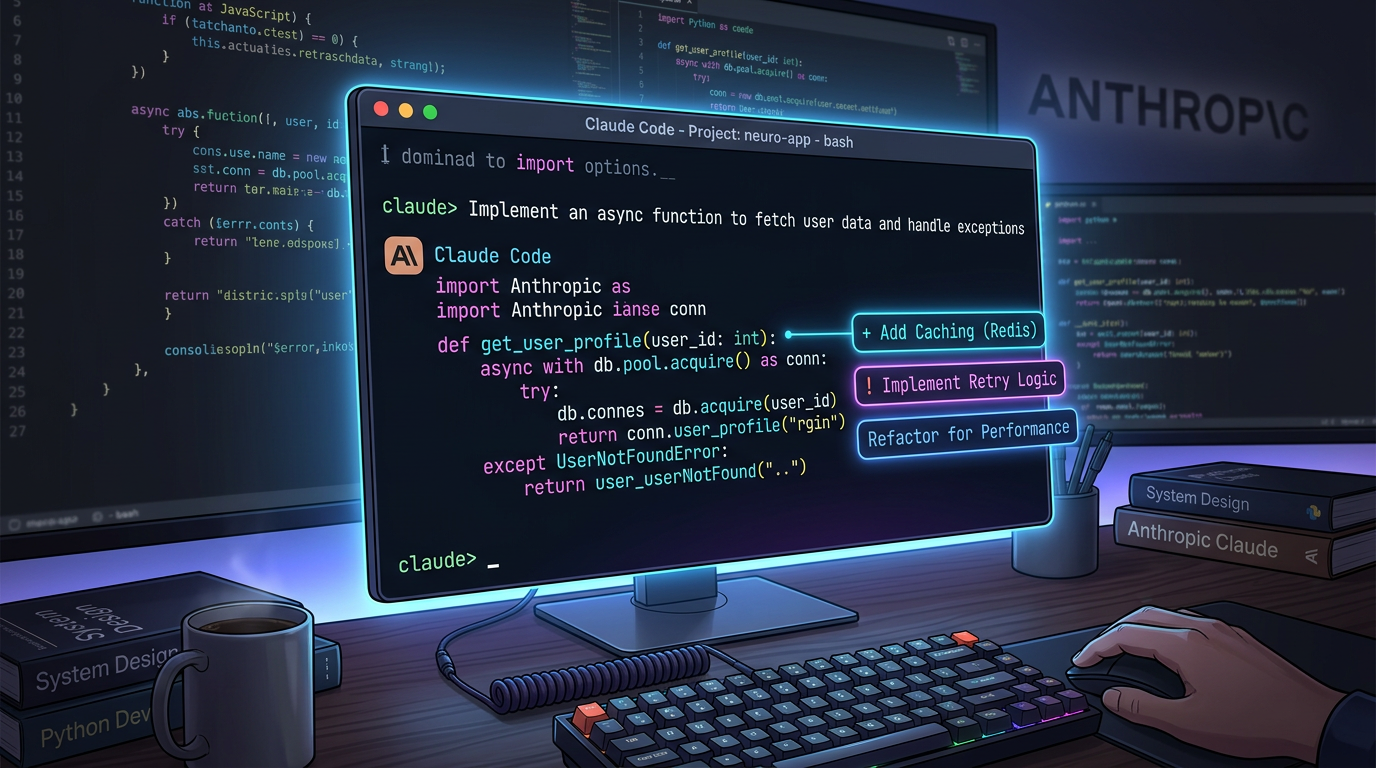
Claude Code is a CLI that gives Claude direct access to your filesystem, shell, and git history. It doesn't suggest — it executes.
npm install -g @anthropic-ai/claude-code
claude
Once running inside your project directory, Claude Code reads your files, writes changes, runs commands, checks test output, and iterates — without you shepherding every step. Tell it:
Migrate all Express route callbacks to async/await.
Run tests after each file. If a test fails, fix it before moving on.
Don't touch /src/legacy — it's excluded from the migration.
It works through the migration, runs the test suite, fixes failures it caused, and reports when done. For tasks like this — spanning dozens of files with a clear correctness criterion — it's categorically faster than any interactive approach.
SWE-bench Verified score: Claude Opus 4.8 solves over 80% of real GitHub issues autonomously — among the highest publicly reported scores on this benchmark as of 2026. For context: the benchmark presents actual open-source bug reports and evaluates whether the model can produce a passing patch without human guidance.
Where Claude Struggles
- No IDE integration in the chat interface: Claude at claude.ai means copy-pasting code in and out. You lose the inline edit experience. For daily coding in an existing project, this friction adds up.
- Claude Code requires clear task descriptions: The terminal agent is powerful when you give it a precise goal with explicit constraints. Vague prompts produce wandering edits. The learning curve is writing instructions that are specific enough for autonomous execution to go right.
- API costs scale with usage: A single Claude Code session on a large codebase can consume $5-15 in API tokens. Heavy daily users spend $50-120/month on API costs on top of the Pro subscription.
What Is ChatGPT Good For in a Developer's Workflow?
ChatGPT runs on GPT-4o (fast, multimodal, capable) and o3 (extended reasoning for hard problems). In 2026, it's a mature, wide-surface product. That breadth is its genuine advantage — and the reason it's not the best pure coding tool.
Where ChatGPT Beats Claude and Cursor
Code Interpreter for data tasks: Upload a CSV, say "find the top 10 customers by revenue in Q1 and plot the trend." ChatGPT runs Python in a sandboxed environment, shows you the output chart, and iterates if you refine the request. Neither Claude nor Cursor has this built-in execution loop. For developers who do occasional data work without a dedicated data environment, this is a genuine differentiator.
o3 for algorithmic problems: OpenAI's o3 model reasons through mathematical and computational problems with methodical step-by-step working — dynamic programming, graph algorithms, combinatorics, optimization. For these specific problem types, o3 reliably outperforms Claude Sonnet. If you're prepping for technical interviews or implementing complex algorithms, o3 is the right tool.
Multimodal input for UI work: Screenshot a mockup, a whiteboard diagram, or a competitor's UI and ask ChatGPT to write the HTML/CSS that reproduces it. The vision capability is accurate enough to meaningfully accelerate frontend work from visual references.
Non-code developer tasks: Writing release notes, drafting a postmortem, summarizing a long RFC document, composing an outreach email — ChatGPT handles these faster and more naturally than an IDE-focused tool. Claude does these well too, but ChatGPT's interface is built for this kind of varied, conversational work.
Where ChatGPT Falls Short for Developers
- No project context by default: ChatGPT sees only what you paste. For anything requiring awareness of your repo structure, naming conventions, or existing patterns, you're doing the integration work manually. Every feature request becomes "here's my existing code, here's what I want, now fit them together" — which you have to do yourself.
- GPT-4o codes less precisely than Claude Sonnet on complex tasks: GPT-4o is excellent for common patterns, boilerplate, and straightforward implementations. On subtle bugs — race conditions, memory leaks, complex state interactions — its reasoning is less reliable than Claude's. It tends toward plausible-looking answers rather than methodically correct ones.
- 128K context window hits earlier: A fraction of Claude's 1M. For long debugging sessions or large pasted codebases, you'll hit the limit and lose earlier context before Claude would.
- Operator agent mode is web-focused: ChatGPT's autonomous agent mode (Operator) handles browser tasks — filling forms, navigating sites, extracting data. It's not built for filesystem access or running your test suite. For code automation, Claude Code is in a different category.
Claude vs Cursor vs ChatGPT: Head-to-Head on 5 Real Developer Tasks
Benchmark scores measure what labs optimize for. These five tasks reflect what developers spend their days actually doing.
Task 1: Diagnosing an Intermittent Production Bug
Scenario: A race condition in async JavaScript — requests occasionally return stale data under load. You have the error logs, the stack trace, and the relevant files.
- Cursor: Open the file, select the async handler, Cmd+K "this has a race condition under concurrent load — suggest a fix." Cursor reads the surrounding code and proposes a fix inline. Fast, no context switching, diff visible immediately. Best for bugs where the file context is sufficient.
- Claude: Paste the error log, the stack trace, and the three files involved. Claude identifies the specific shared state causing the race, explains the sequence of events that triggers it, and proposes a fix with a note on what else to check. Best when you need to understand the root cause, not just apply a patch.
- ChatGPT: Solid for common async bugs — callback misuse, missing awaits, typical Promise issues. Less reliable when the race condition is subtle (e.g., state shared across middleware via closure). GPT-4o tends toward the most common explanation, which is often right but occasionally misses non-obvious causes.
Winner: Claude for root-cause depth. Cursor for speed when the relevant code is in one or two files.
Task 2: Implementing a New Feature in an Existing Codebase
Scenario: Add JWT authentication to an existing Express API that already has its own middleware patterns, error handling convention, and test setup.
- Cursor: Open Composer, describe the feature. Cursor reads your existing middleware, matches its style, creates the token helper, auth middleware, and protected route wrappers — without reinventing the patterns you already have. Diff view per file, accept each change. The codebase awareness is what makes this work; a generic "add JWT" prompt produces code that fits your project, not a Stack Overflow example.
- Claude Code: Run
claudein the project. Prompt: "Add JWT authentication following the existing middleware pattern in /src/middleware. Write tests in the same style as the existing auth tests. Don't touch /src/legacy." It reads the codebase, implements, runs tests, and fixes failures. Least interruption required — ideal when you want to context-switch while it works. - ChatGPT: Generates correct JWT authentication code. Can't see your project structure, naming conventions, or existing test patterns. The output is technically sound but generic — you'll manually adapt it to fit your codebase. For a one-file implementation this is fine; for anything touching 5+ files the integration work negates the time saved.
Winner: Claude Code for autonomous integration. Cursor for interactive review of each change.
Task 3: Understanding Unfamiliar Code Before Modifying It
Scenario: You inherited a 600-line Python module. No comments, inconsistent naming, unclear data flow. You need to understand it before safely changing it.
- Cursor: Use @file reference in the chat panel. Cursor answers questions about the file and can add inline docstrings. Efficient for staying in the editor. Works well for targeted questions ("what does this function's return value represent?") but less structured for understanding the module as a whole.
- Claude: Paste the full module. Claude provides a structured breakdown: the module's overall purpose, what each class or major function does, what the implicit assumptions are (e.g., "this assumes the caller has already validated that X"), and what would break if you changed Y. With the 1M context window you can paste related modules alongside for cross-file understanding. This is Claude at its best — long-context, structured reasoning about intent.
- ChatGPT: Handles single-file explanations well. Slightly weaker at maintaining coherence across a long explanation of a complex module, and the 128K window means larger files plus conversation history start crowding out earlier context mid-session.
Winner: Claude — especially for modules over 300 lines or where cross-file context matters.
Task 4: Writing a Quick One-Off Script
Scenario: Parse a directory of CSV exports, deduplicate rows by email address (case-insensitive), merge into one file, and output a summary count.
- Cursor: More friction than value unless you're already in it. Opening the IDE for a script with no project context is overhead.
- Claude: Writes clean, idiomatic Python. Handles the case-insensitive deduplication correctly without being told to (it infers the edge case). Output typically runs without modification.
- ChatGPT: Equally fast, equally reliable for common tasks. The advantage: Code Interpreter lets you paste a sample CSV in the same window and verify the script runs correctly before you download it. You catch errors before they hit your actual data.
Winner: ChatGPT — the in-chat execution loop is a meaningful edge for verifiable one-off scripts.
Task 5: Architecture and System Design Discussion
Scenario: Your high-throughput data pipeline is writing directly to Postgres. You're considering moving to a message queue (SQS or RabbitMQ). You want to pressure-test the decision before committing.
- Cursor: Wrong tool. Design conversations don't benefit from IDE context. Cursor's chat is functional but not optimized for abstract reasoning.
- Claude: Asks clarifying questions first ("what's your current write volume?" "do consumers need ordered delivery?") then reasons through the trade-offs: at-least-once vs. at-most-once delivery, queue backpressure vs. database connection pooling, operational overhead of managed SQS vs. self-hosted RabbitMQ, cost at scale. Gives an actual recommendation with the conditions under which it would change. This is the task Claude handles better than either alternative.
- ChatGPT: Provides solid architectural advice but tends toward surface-level trade-off lists ("message queues add complexity but improve decoupling") rather than working through your specific constraints. Useful as a second opinion after getting Claude's analysis.
Winner: Claude — by a meaningful margin on nuanced architectural decisions.
Cursor vs Claude vs ChatGPT Pricing: What Developers Actually Pay
Sticker prices are misleading. Here's what the billing looks like in practice:
ChatGPT Pricing (2026)
- Free: GPT-4o with daily message caps; no o3 access; no Code Interpreter on large files
- Plus ($20/month): GPT-4o with higher limits, o3 access, Code Interpreter, file uploads, image generation — covers most developer use cases
- Team ($30/user/month): Higher rate limits, team workspaces, conversations excluded from model training by default
- Pro ($200/month): Unlimited o3 access, extended thinking mode — for heavy daily o3 use; most developers don't need this
Claude Pricing (2026)
- Free: Claude Sonnet with daily limits on claude.ai — adequate for occasional use
- Pro ($20/month): 5× more usage than free, Claude Opus access, Projects (persistent context across sessions) — the right tier for daily coding use
- Claude Code (API usage-based): ~$3/million input tokens for Sonnet, ~$15/million for Opus. A moderate session (large codebase, multi-file task) typically costs $3-8. Heavy daily users spend $50-120/month on API costs alone.
Cursor Pricing (2026)
- Hobby (free): 2,000 completions + 50 slow premium requests/month — enough to evaluate, not enough for real work
- Pro ($20/month): 500 fast premium requests/month, unlimited slow requests, unlimited completions. Fast requests cover Composer and Agent Mode; once exhausted mid-month, you shift to slower fallback models for the remainder.
- Business ($40/user/month): Same request limits as Pro; adds SSO, centralized billing, enforced privacy mode, and admin controls. The premium is for team management, not more AI capacity.
Total Monthly Cost by Developer Profile
Occasional User
- ChatGPT Free or Plus: $0-20/month
- Claude Free: $0/month
- Cursor Hobby: $0/month
- Total: $0-20/month
Standard Developer (daily AI-assisted coding)
- Cursor Pro: $20/month
- Claude Pro: $20/month
- Total: $40/month
Power User (autonomous agents, frequent large-scale refactoring)
- Cursor Pro: $20/month
- Claude Pro + API usage: $70-120/month
- ChatGPT Plus: $20/month
- Total: $110-160/month
At a $100/hour effective developer rate, saving 2 hours per month covers the $40 standard stack. The ROI question isn't whether to pay — it's whether you're using the tools deeply enough to recover the time.
How to Combine Claude, Cursor, and ChatGPT Into One Workflow
The developers shipping fastest with AI aren't using one tool for everything — they've mapped each tool to where it creates the most leverage without fighting its constraints.
Daily Development: Cursor as Your Home Base
Cursor is where you live. AI assistance happens at the keystroke level — no context switching required:
- Tab completions absorb the boilerplate and predictable continuations
- Cmd+K handles local refactors inline — rename, extract, add validation, convert pattern
- Composer handles feature-level changes that touch multiple files
- @codebase answers "how does X work in this project?" without leaving the editor
Hard Problems and Design: Reach for Claude
When a problem requires real reasoning — a bug that doesn't yield to reading the code, an architectural decision with non-obvious trade-offs, a migration that needs a plan before a single line changes — open claude.ai:
- Paste the full context: the error, the relevant files, your hypothesis
- Ask Claude to identify what you're missing, not just confirm what you think
- Use Claude Projects to persist context for ongoing work (e.g., a multi-week feature where you want Claude to remember the architectural decisions)
- For execution of a large planned change, hand off to Claude Code in the terminal
Everything Else: ChatGPT
- Data analysis — upload a CSV and iterate in-chat with Code Interpreter
- Technical writing — release notes, postmortems, API documentation drafts
- Algorithm problems — use o3 for competitive-programming-level reasoning
- Visual-to-code tasks — screenshot a UI or diagram and ask ChatGPT to implement it
- One-off scripts where you want to run the code before downloading it
A Full Example: Shipping a New Feature End-to-End
Here's this workflow applied to adding team invitations to a multi-tenant SaaS:
- Design (Claude, 20 minutes): "We have a Rails multi-tenant SaaS. Design a team invitation system — what tables, what flows, what expiry and revocation logic, what edge cases could cause security issues?" Claude identifies the token collision risk, the multi-tenancy isolation concern, and the email deliverability gotcha. You have a spec before touching code.
- Implementation (Cursor, 45 minutes): Open the project. Composer: "Implement the invitation system per this spec — InvitationToken model, mailer, accept/decline controller, and matching test stubs following the existing pattern." Cursor integrates with your auth setup. You review each file diff and accept.
- Test automation (Claude Code, runs in background):
claude "Run the invitation test suite. For every failure, identify the cause and fix it. Don't modify /spec/support — that's shared infrastructure."You move on to other work. Claude Code reports back. - Documentation (ChatGPT, 10 minutes): Paste the finished controller and mailer. Ask ChatGPT to write the API reference and the changelog entry. Done.
Switching between tools takes seconds. The output quality at each step is higher than using any single tool throughout.
Which AI Tool Is Right for Your Role?
Beginner / Learning Developer → Start with ChatGPT
ChatGPT's conversational interface handles vague questions gracefully — it asks what you mean, adjusts depth, and accepts follow-ups naturally. The free tier is sufficient for learning. Once you're writing real projects daily, add Cursor. Claude is excellent for explanation but shows its strength on complexity that beginners don't yet face.
Frontend Developer → Cursor as Primary
Frontend work is iterative and pattern-heavy — JSX components, CSS variants, typed props, Storybook stories. Cursor's Tab completions predict these patterns reliably after seeing a few examples in the file. Composer can scaffold an entire new component — with props interface, default values, and variant states — from a one-line description. Use Claude for complex state management decisions (when to lift state, when to use context vs. a store).
Backend / API Developer → Cursor + Claude Code
Backend work touches many files simultaneously — services, repositories, controllers, tests, migrations. Cursor handles daily edits and feature work. Claude Code handles the tasks that span the entire codebase: migrating an ORM, normalizing error handling across all routes, or ensuring a new pattern propagates consistently. Worth running both; the API costs for Claude Code are recoverable in the first large refactor it handles autonomously.
Solo Developer / Indie Hacker → Cursor Pro Only (To Start)
$20/month covers 80% of coding needs. Add Claude Pro free tier for architecture questions. Skip Claude Code's API costs until you're running refactors large enough to justify them — for a solo project, that threshold is usually "multi-file migration that would take you 4+ hours manually."
Tech Lead / Engineering Manager → Claude as Primary
Code review and architecture are where Claude's reasoning depth delivers the most value. Paste a PR diff and ask: "What are the security implications?" "Where could this fail under load?" "Is the abstraction here at the right level?" Claude's explanations are structured enough to paste directly into PR comments as feedback to junior developers.
Data Engineer / Analyst → ChatGPT (Code Interpreter)
The ability to upload data, run Python, see output, and iterate without a local environment is a genuine advantage that neither Claude nor Cursor replicates. For SQL query generation, pandas transformations, and matplotlib charts, ChatGPT's Code Interpreter is the right tool. Supplement with Claude for complex pipeline architecture questions.
Privacy and Data Security: What Each Tool Does With Your Code
This matters most when your code contains proprietary business logic, customer data, or security-sensitive patterns. Understand the defaults before you paste anything important.
ChatGPT Data Handling
By default, OpenAI uses conversations to improve its models. Disable this in Settings → Data Controls → "Improve the model for everyone." After disabling, your conversations are retained for 30 days but not used for training. ChatGPT Team and Enterprise have training opt-out enforced by default. If you're pasting production business logic, either disable training or use Team/Enterprise.
Claude Data Handling
Anthropic's published policy for claude.ai free and Pro tiers: conversations may be reviewed by Anthropic employees for safety and quality purposes but are not used to train Claude models. This is a stricter default than OpenAI's. Enterprise contracts include full data processing agreements and privacy commitments. The practical implication: Claude Pro is safer by default than ChatGPT Plus for code that contains business-sensitive logic, without any settings change required. Verify current policy at anthropic.com/privacy before making compliance decisions.
Cursor Data Handling
Cursor sends code context to the underlying model provider (Anthropic, OpenAI) when you use AI features. Enable Privacy Mode in Cursor Settings → Privacy to restrict what is transmitted — in Privacy Mode, Cursor sends only your explicit query, not surrounding file context. Business plan enforces Privacy Mode team-wide. If you're working in a codebase with IP or compliance constraints, Privacy Mode is non-optional.
The Universal Rule
No AI tool — regardless of pricing tier or privacy settings — should receive API keys, database connection strings, credentials, or personally identifiable user data. Redact these before pasting. Use placeholder values (YOUR_API_KEY, user@example.com) in any snippet you share with an AI tool. This applies equally to all three tools.
Five Mistakes Developers Make When Using These Tools
Mistake 1: Using ChatGPT to Implement Features That Require Codebase Context
ChatGPT writes correct code for what you describe. It doesn't know that your project wraps errors in a custom AppError class, that your naming convention uses plural module names, or that two of the files it would need to touch have known quirks. The output looks right but fits generically — not your project. Use Cursor or Claude Code for anything that needs to integrate with existing code.
Mistake 2: Tab-Accepting Cursor Completions Without Reading Them
Cursor's completions are fast and often right — which creates the habit of accepting without reading. AI tools hallucinate: they invent method names that don't exist, get argument order wrong on less-common library functions, and suggest patterns that compile but fail at runtime. Treat completions as a strong first draft from a developer who sometimes misremembers the API docs. Read every suggestion before Tab.
Mistake 3: Running Claude Code Without Reviewing the Plan First
Claude Code is autonomous and will execute shell commands, delete files, and rewrite configurations. Before confirming any large task, ask Claude Code to describe what it plans to do: "Before you start — what files will you modify, what commands will you run, and what files are off limits?" Review the answer. Only confirm when the plan matches your intent. On critical repos, work in a branch and don't skip this step.
Mistake 4: Giving AI Tools Implicit Context and Expecting Explicit Awareness
None of these tools know your product roadmap, your tech debt decisions from six months ago, or the reason a particular file has an unusual structure. "Refactor the payment module" produces a generic refactor. "Refactor the payment module — the event bus coupling is intentional, don't remove it; the retry logic is the main source of bugs" produces something useful. The more explicit your constraints, the better the output. AI doesn't infer from silence.
Mistake 5: Committing to One Tool Because It Was Good Last Quarter
Model capabilities change every 2-3 months. The relative rankings between Claude, GPT-4o, and o3 shift with each release. A tool that was clearly better for a specific task in January may not be in April. Run your own comparison on a real task from your actual work every few months. The tool that wins your benchmark on your code matters more than any published leaderboard.
Frequently Asked Questions: Claude vs Cursor vs ChatGPT
Find answers to common questions
Final Answer: Which Tool Should You Use?
If You Can Only Pick One Tool
Cursor Pro at $20/month. It puts AI inside your editor — where you already work — and lets you choose between Claude and GPT-4o as the underlying model. It handles the majority of daily coding tasks without context switching. Its one weakness (no built-in reasoning depth for hard problems) is covered by Claude.ai's free tier.
The Recommended Stack for Serious Development
- Cursor Pro ($20/month) — daily coding, all inline and multi-file work
- Claude Pro ($20/month) — architecture, complex debugging, large-context reasoning, Claude Projects for ongoing work
- ChatGPT Plus ($20/month, optional) — data analysis, o3 for algorithm problems, non-code developer tasks
Total: $40-60/month. The tools pay for themselves in the first two saved hours per month.
What to Watch as These Tools Change
Three things are more durable than any specific model score: how deeply the tool integrates into your workflow (Cursor's IDE integration survives model swaps); how much context it can maintain (context window size limits on complex codebases remain a real constraint); and how autonomous it can act (Claude Code's filesystem access enables workflows that chat interfaces can't replicate regardless of model quality). Evaluate on these dimensions when new versions ship, not just on benchmark headlines.
Run each tool on one real task from your actual work. You'll have a clear answer within an hour.