What Are Unix Timestamps and Why Do Developers Need Them?
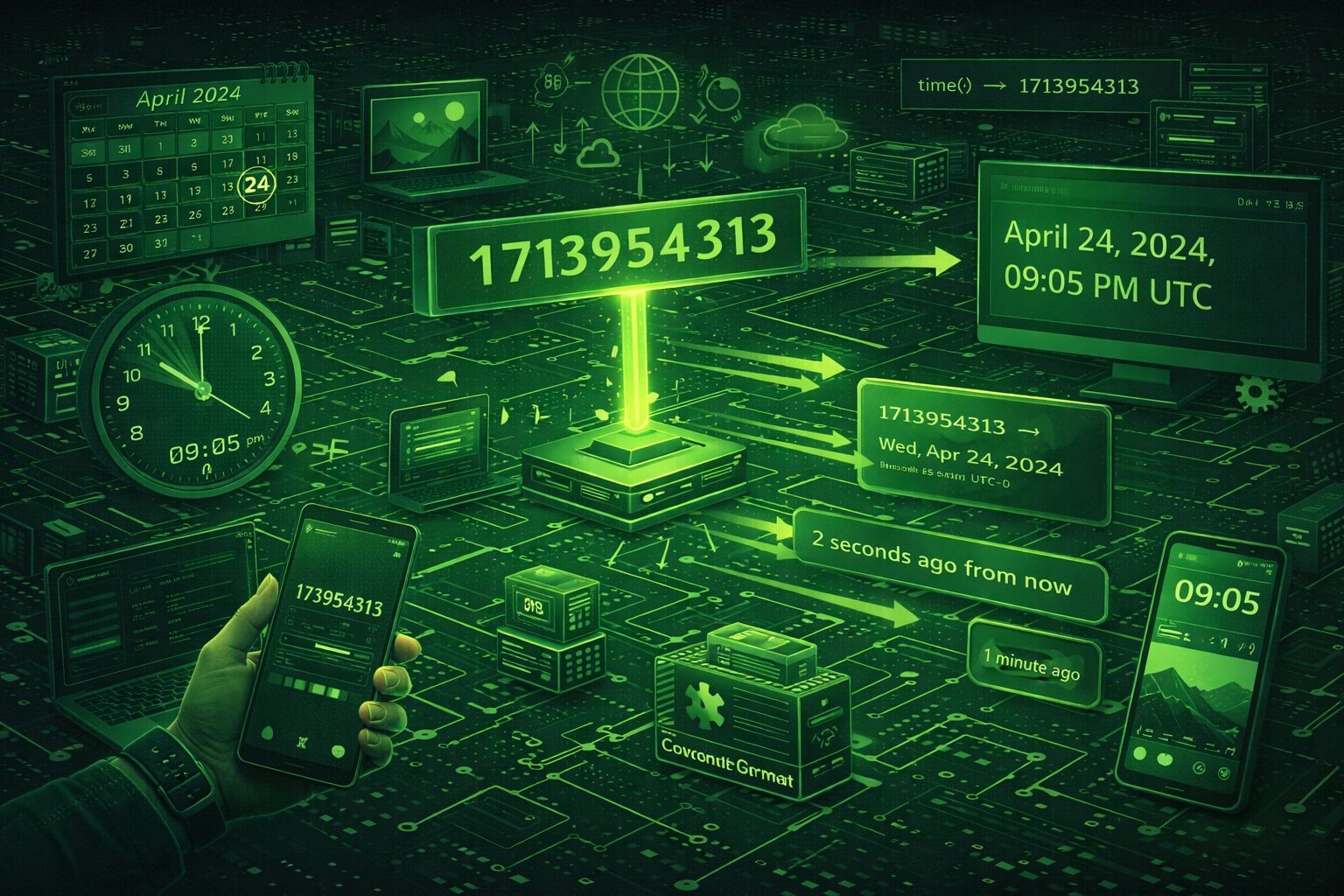
A Unix timestamp (also called Epoch time or POSIX time) is a system for describing instants in time. It represents the number of seconds (or milliseconds) that have elapsed since January 1, 1970, 00:00:00 UTC — a moment known as the Unix epoch. This standardized time representation has become fundamental to modern software development, powering everything from APIs and databases to log files and distributed systems.
Unix timestamps provide developers with a simple, unambiguous way to represent dates and times. Unlike human-readable date formats that vary by locale and timezone, Unix timestamps are timezone-independent (always UTC), easy to sort and compare, and compact to store. This makes them ideal for applications that need to work with dates programmatically across different systems and timezones.
For developers, Unix timestamps offer several critical advantages:
Understanding Unix timestamps is essential for modern developers, especially those working with APIs, databases, log files, and distributed systems. Whether you're building REST APIs, storing timestamps in databases, or analyzing time-series data, Unix timestamps provide the foundation for reliable date and time handling.
Convert Unix timestamps instantly with the Unix Timestamp Converter by DevToolsPro.org — a free, privacy-focused tool that runs entirely in your browser.
Understanding Unix Timestamp Formats: Seconds vs Milliseconds
Unix timestamps come in two primary formats: seconds and milliseconds. Understanding the difference is crucial for working with timestamps correctly across different systems and programming languages.
Seconds Format (10 digits)
The traditional Unix timestamp format uses seconds since the epoch. A 10-digit number like 1609459200 represents January 1, 2021, 00:00:00 UTC. This format is common in:
- Unix/Linux systems and command-line tools
- Many REST APIs and web services
- Older systems and legacy applications
- Database systems like PostgreSQL (when using INTEGER type)
- Python's
time.time()function
Example: The timestamp 1609459200 represents exactly 1,609,459,200 seconds since January 1, 1970, 00:00:00 UTC.
Milliseconds Format (13 digits)
Modern systems, especially JavaScript and many web APIs, use milliseconds since the epoch. A 13-digit number like 1609459200000 represents the same moment but with millisecond precision. This format is common in:
- JavaScript's
Date.now()andgetTime()methods - Many modern REST APIs and JSON responses
- MongoDB and other NoSQL databases
- Frontend frameworks and web applications
- High-precision timing requirements
Example: The timestamp 1609459200000 represents 1,609,459,200,000 milliseconds since the epoch — the same moment as 1609459200 seconds, but with millisecond precision.
Converting Between Formats
Converting between seconds and milliseconds is straightforward:
- Seconds to Milliseconds: Multiply by 1,000 (e.g.,
1609459200 * 1000 = 1609459200000) - Milliseconds to Seconds: Divide by 1,000 (e.g.,
1609459200000 / 1000 = 1609459200)
The Unix Timestamp Converter by DevToolsPro.org automatically detects whether you're entering seconds or milliseconds based on the number of digits, making conversion effortless.
The Unix Epoch: Understanding the Reference Point
The Unix epoch is January 1, 1970, 00:00:00 UTC — the reference point from which all Unix timestamps are calculated. This date was chosen by the creators of Unix as a convenient starting point, and it has become the standard for representing time in computer systems.
Why January 1, 1970? This date was selected because it was close to when Unix was first developed, and it provided a clean reference point before which timestamps would be negative (for dates before the epoch). The choice of UTC (Coordinated Universal Time) ensures that timestamps are timezone-independent and globally consistent.
Key Facts About the Unix Epoch:
- The timestamp
0represents exactly January 1, 1970, 00:00:00 UTC - Negative timestamps represent dates before the epoch (e.g.,
-86400is December 31, 1969) - All Unix timestamps are relative to this single reference point, ensuring consistency across systems
- The epoch is the same regardless of timezone — it's always UTC
Understanding the epoch is important when working with historical dates, calculating time differences, or debugging timestamp-related issues. The Unix Timestamp Converter includes quick actions to convert common dates like the Unix epoch and Y2K.
Convert Unix Timestamps Instantly with DevToolsPro.org
The Unix Timestamp Converter by DevToolsPro.org provides a fast, secure, and privacy-focused way to convert Unix timestamps to human-readable dates and vice versa. Whether you're debugging API responses, analyzing log files, or working with database timestamps, this tool makes conversion effortless.
Key Features:
The tool uses native JavaScript Date objects for conversion, ensuring accuracy and compatibility. All processing happens client-side, making it ideal for sensitive data like API timestamps, database records, or log file analysis.
Try the free Unix timestamp converter now and experience fast, accurate timestamp conversion without compromising your privacy.
Working with Unix Timestamps in Code — Examples for Popular Languages
While online converters are convenient for quick tasks, developers often need to work with Unix timestamps programmatically in their applications. Here are examples for the most popular programming languages:
JavaScript (Browser and Node.js)
// Get current timestamp in milliseconds
const nowMs = Date.now(); // e.g., 1609459200000

// Get current timestamp in seconds
const nowSeconds = Math.floor(Date.now() / 1000); // e.g., 1609459200

// Convert timestamp to Date object
const date = new Date(1609459200000); // milliseconds
const date2 = new Date(1609459200 * 1000); // seconds

// Convert Date to timestamp
const timestampMs = date.getTime(); // milliseconds
const timestampSeconds = Math.floor(date.getTime() / 1000); // seconds

// Format date
const formatted = date.toISOString(); // "2021-01-01T00:00:00.000Z"
const localString = date.toLocaleString(); // Local timezone format
Python
import time
from datetime import datetime

# Get current timestamp in seconds
now_seconds = int(time.time()) # e.g., 1609459200

# Get current timestamp in milliseconds
now_ms = int(time.time() * 1000) # e.g., 1609459200000

# Convert timestamp to datetime
dt = datetime.fromtimestamp(1609459200) # Local timezone
dt_utc = datetime.utcfromtimestamp(1609459200) # UTC

# Convert datetime to timestamp
timestamp_seconds = int(dt.timestamp())
timestamp_ms = int(dt.timestamp() * 1000)

# Format datetime
formatted = dt.strftime('%Y-%m-%d %H:%M:%S')
iso_format = dt.isoformat()
Java
import java.time.Instant;
import java.time.LocalDateTime;
import java.time.ZoneId;

// Get current timestamp in milliseconds
long nowMs = System.currentTimeMillis();

// Get current timestamp in seconds
long nowSeconds = System.currentTimeMillis() / 1000;

// Convert timestamp to LocalDateTime
Instant instant = Instant.ofEpochMilli(1609459200000L);
LocalDateTime dateTime = LocalDateTime.ofInstant(instant, ZoneId.systemDefault());

// Convert LocalDateTime to timestamp
long timestampMs = dateTime.atZone(ZoneId.systemDefault()).toInstant().toEpochMilli();

// Format date
String formatted = dateTime.format(DateTimeFormatter.ISO_LOCAL_DATE_TIME);
PHP
// Get current timestamp in seconds
$nowSeconds = time(); // e.g., 1609459200

// Get current timestamp in milliseconds
$nowMs = round(microtime(true) * 1000); // e.g., 1609459200000

// Convert timestamp to DateTime
$date = new DateTime('@1609459200'); // UTC
$date->setTimezone(new DateTimeZone('America/New_York')); // Convert to timezone

// Convert DateTime to timestamp
$timestampSeconds = $date->getTimestamp();
$timestampMs = $date->getTimestamp() * 1000;

// Format date
$formatted = $date->format('Y-m-d H:i:s');
$isoFormat = $date->format('c'); // ISO 8601
Go
package main

import (
    "fmt"
    "time"
)

func main() {
    // Get current timestamp in seconds
    nowSeconds := time.Now().Unix() // e.g., 1609459200

    // Get current timestamp in milliseconds
    nowMs := time.Now().UnixMilli() // e.g., 1609459200000

    // Convert timestamp to time.Time
    timestampSeconds := int64(1609459200)
    date := time.Unix(timestampSeconds, 0) // UTC

    // Convert time.Time to timestamp
    timestampSeconds = date.Unix()
    timestampMs := date.UnixMilli()

    // Format date
    formatted := date.Format("2006-01-02 15:04:05")
    isoFormat := date.Format(time.RFC3339)

    fmt.Println(formatted)
}
These examples demonstrate how to work with Unix timestamps in various programming languages. When implementing timestamp handling in production code, always be aware of whether your system uses seconds or milliseconds, and handle timezone conversions appropriately.
Common Use Cases for Unix Timestamps
Unix timestamps are used extensively across various industries and applications. Understanding these real-world use cases helps developers appreciate the importance of Unix timestamps:
1. API Development
Many REST APIs use Unix timestamps for date fields because they're unambiguous and easy to parse:
- Request/Response Timestamps: APIs include timestamps in request headers and response bodies to track when requests were made
- Resource Timestamps: API resources often include
created_atandupdated_atfields as Unix timestamps - Cache Headers: HTTP cache headers like
Last-ModifiedandETagoften use Unix timestamps - Rate Limiting: APIs use timestamps to track request rates and implement rate limiting
When working with APIs, tools like the JSON Formatter and JWT Decoder by DevToolsPro.org can help you inspect API responses that contain Unix timestamps.
2. Database Storage
Storing dates as Unix timestamps in databases offers several advantages:
- Efficient Storage: Timestamps require less storage space than string date formats
- Fast Sorting: Numeric comparison is faster than string comparison for sorting chronological data
- Indexing: Numeric indexes are more efficient than string indexes for date ranges
- Query Performance: Range queries on timestamps are faster than date string parsing
3. Log Files and Monitoring
Log entries often include Unix timestamps for precise time tracking:
- Application Logs: Log entries include timestamps to track when events occurred
- System Logs: Operating system logs use timestamps for chronological ordering
- Error Tracking: Error logs include timestamps to correlate errors with system events
- Performance Monitoring: Performance metrics include timestamps for time-series analysis
4. Cache Expiration
Unix timestamps are perfect for setting cache expiration times:
- HTTP Caching: Cache-Control headers use timestamps to determine expiration
- Application Caching: In-memory caches use timestamps to track when data expires
- CDN Caching: Content delivery networks use timestamps for cache invalidation
5. Event Scheduling
Applications use Unix timestamps to schedule future events:
- Cron Jobs: Scheduled tasks use timestamps to determine execution times
- Task Queues: Background job queues use timestamps to schedule delayed tasks
- Reminders: Calendar and reminder applications use timestamps for scheduling
6. Data Analysis and Time-Series Data
Time-series data analysis often works with Unix timestamps:
- Analytics: User analytics track events with timestamps for time-based analysis
- Financial Data: Stock prices and trading data use timestamps for chronological ordering
- IoT Data: Sensor data includes timestamps for time-series analysis
- Scientific Data: Research data uses timestamps for temporal analysis
Common Pitfalls and Best Practices
Working with Unix timestamps can be tricky, and developers often encounter common pitfalls. Understanding these issues helps you avoid bugs and build more reliable applications:
Common Pitfalls
1. Confusing Seconds and Milliseconds
One of the most common mistakes is mixing up seconds and milliseconds. JavaScript uses milliseconds, while many APIs and databases use seconds. Always verify which format your system expects.
Solution: Use the Unix Timestamp Converter to verify your conversions, and always document which format your API or database uses.
2. Timezone Confusion
While Unix timestamps are timezone-independent (always UTC), displaying them requires timezone conversion. Developers often forget to convert timestamps to the user's local timezone.
Solution: Always convert timestamps to the user's timezone when displaying dates, but store timestamps in UTC in your database.
3. The Year 2038 Problem
On January 19, 2038, 32-bit signed integers will overflow when representing Unix timestamps in seconds. This affects older systems using 32-bit time_t.
Solution: Use 64-bit integers for timestamps, which won't overflow for billions of years. Most modern systems already use 64-bit timestamps.
4. Precision Loss
Converting between seconds and milliseconds can cause precision loss if not handled carefully. Rounding errors can accumulate over time.
Solution: Always use integer division when converting milliseconds to seconds, and be consistent with your precision requirements.
Best Practices
- Always Use UTC: Store timestamps in UTC and convert to local timezones only when displaying to users
- Document Your Format: Clearly document whether your API or database uses seconds or milliseconds
- Use Consistent Precision: Choose either seconds or milliseconds and use it consistently throughout your application
- Validate Input: Always validate timestamp inputs to ensure they're within expected ranges
- Handle Edge Cases: Consider edge cases like leap seconds, daylight saving time transitions, and historical dates
- Use Libraries: Leverage well-tested date/time libraries rather than implementing conversions manually
- Test Thoroughly: Test timestamp conversions across different timezones and edge cases
Frequently Asked Questions About Unix Timestamps
Here are answers to common questions developers have about Unix timestamps:
What is the difference between Unix timestamp and regular date formats?
Unix timestamps are numeric representations (seconds or milliseconds since the epoch), while regular date formats are human-readable strings like "2021-01-01 00:00:00". Timestamps are timezone-independent (always UTC), easy to sort and compare, and more efficient to store. Regular date formats are easier for humans to read but vary by locale and timezone.
Can Unix timestamps be negative?
Yes, negative Unix timestamps represent dates before January 1, 1970 (the Unix epoch). For example, -86400 represents December 31, 1969, 00:00:00 UTC. However, some systems and databases don't support negative timestamps, so always verify compatibility.
What happens after the Year 2038?
The Year 2038 problem affects systems using 32-bit signed integers for timestamps. On January 19, 2038, these systems will overflow. However, most modern systems use 64-bit integers, which won't overflow for billions of years. If you're working with legacy systems, consider migrating to 64-bit timestamps.
Should I use seconds or milliseconds?
The choice depends on your requirements. Use seconds if you need compatibility with Unix/Linux systems or older APIs. Use milliseconds if you need millisecond precision (common in JavaScript and modern APIs) or if you're working with high-frequency events. Be consistent throughout your application.
How do I convert a Unix timestamp to a specific timezone?
First, create a Date/DateTime object from the timestamp (which will be in UTC), then convert it to the desired timezone using timezone libraries. Most programming languages provide timezone conversion utilities. Remember that Unix timestamps are always UTC — timezone conversion only affects how they're displayed.
Can I use the Unix timestamp converter offline?
Yes! The Unix Timestamp Converter by DevToolsPro.org runs entirely in your browser using JavaScript. Once the page is loaded, you can convert timestamps without an internet connection. No data is sent to any server.
Are Unix timestamps affected by leap seconds?
Unix timestamps don't account for leap seconds — they assume each day has exactly 86,400 seconds. Leap seconds are added to UTC to account for Earth's irregular rotation, but Unix timestamps ignore them. This means Unix timestamps can drift slightly from actual UTC time over long periods, but the difference is negligible for most applications.
How do I format a Unix timestamp for display?
Convert the timestamp to a Date/DateTime object, then use formatting functions provided by your programming language. Most languages support ISO 8601 formatting, custom format strings, and locale-specific formatting. The Unix Timestamp Converter shows multiple format options including ISO 8601 and UTC.
Integrating Unix Timestamps in Modern Applications
Modern applications integrate Unix timestamps in various ways to ensure consistency, efficiency, and reliability:
REST API Design
When designing REST APIs, use Unix timestamps for date fields:
- Consistent Format: Use either seconds or milliseconds consistently across all endpoints
- Documentation: Clearly document which format your API uses in API documentation
- Response Headers: Include timestamps in response headers for request tracking
- Resource Timestamps: Include
created_atandupdated_atas Unix timestamps in resource responses
Tools like the JSON Formatter by DevToolsPro.org can help you inspect API responses containing Unix timestamps.
Database Design
When designing database schemas, consider using Unix timestamps:
- Column Types: Use INTEGER or BIGINT for seconds, BIGINT for milliseconds
- Indexing: Create indexes on timestamp columns for efficient range queries
- Default Values: Use
CURRENT_TIMESTAMPor equivalent for default values - Migrations: Consider converting existing DATE/TIMESTAMP columns to Unix timestamps for better performance
Frontend Development
In frontend applications, handle Unix timestamps carefully:
- JavaScript Dates: Use
new Date(timestamp)for milliseconds,new Date(timestamp * 1000)for seconds - Formatting Libraries: Use libraries like Moment.js, date-fns, or Luxon for formatting
- Timezone Handling: Always convert UTC timestamps to user's local timezone for display
- Relative Time: Use libraries to display relative time (e.g., "2 hours ago") from timestamps
Microservices Architecture
In microservices, Unix timestamps enable:
- Event Ordering: Timestamps help order events across distributed systems
- Idempotency: Timestamps can be used to ensure idempotent operations
- Distributed Tracing: Timestamps track request flow across service boundaries
- Event Sourcing: Event stores use timestamps for chronological ordering
DevOps and Monitoring
Unix timestamps support DevOps workflows:
- Log Aggregation: Log aggregation systems use timestamps to correlate logs from multiple sources
- Metrics Collection: Time-series databases use timestamps for metric storage
- Alerting: Monitoring systems use timestamps to trigger alerts based on time windows
- Deployment Tracking: Deployment systems track deployment times using timestamps
Conclusion: Mastering Unix Timestamps for Modern Development
Unix timestamps are indispensable tools in modern software development, providing a standardized, efficient way to represent dates and times across different systems, programming languages, and timezones. Understanding Unix timestamps, their formats, and best practices is essential for building reliable, scalable applications.
Key takeaways for developers:
- Understand the Formats: Know the difference between seconds (10 digits) and milliseconds (13 digits), and choose the right format for your use case
- Always Use UTC: Store timestamps in UTC and convert to local timezones only when displaying to users
- Be Consistent: Use the same timestamp format (seconds or milliseconds) consistently throughout your application
- Handle Edge Cases: Consider the Year 2038 problem, leap seconds, and timezone conversions
- Leverage Tools: Use tools like the DevToolsPro.org Unix Timestamp Converter for quick conversions and verification
- Test Thoroughly: Test timestamp conversions across different timezones, formats, and edge cases
Whether you're building REST APIs, designing database schemas, analyzing log files, or working with distributed systems, Unix timestamps provide the foundation for reliable date and time handling. By understanding their properties, formats, and best practices, developers can build more robust and efficient applications.
Start converting Unix timestamps today with the free Unix Timestamp Converter by DevToolsPro.org — fast, accurate, and completely private. Explore other developer tools like the JSON Formatter, JWT Decoder, and Hash Generator to enhance your development workflow.